Scheduler: Book a job in three steps, not a phone call
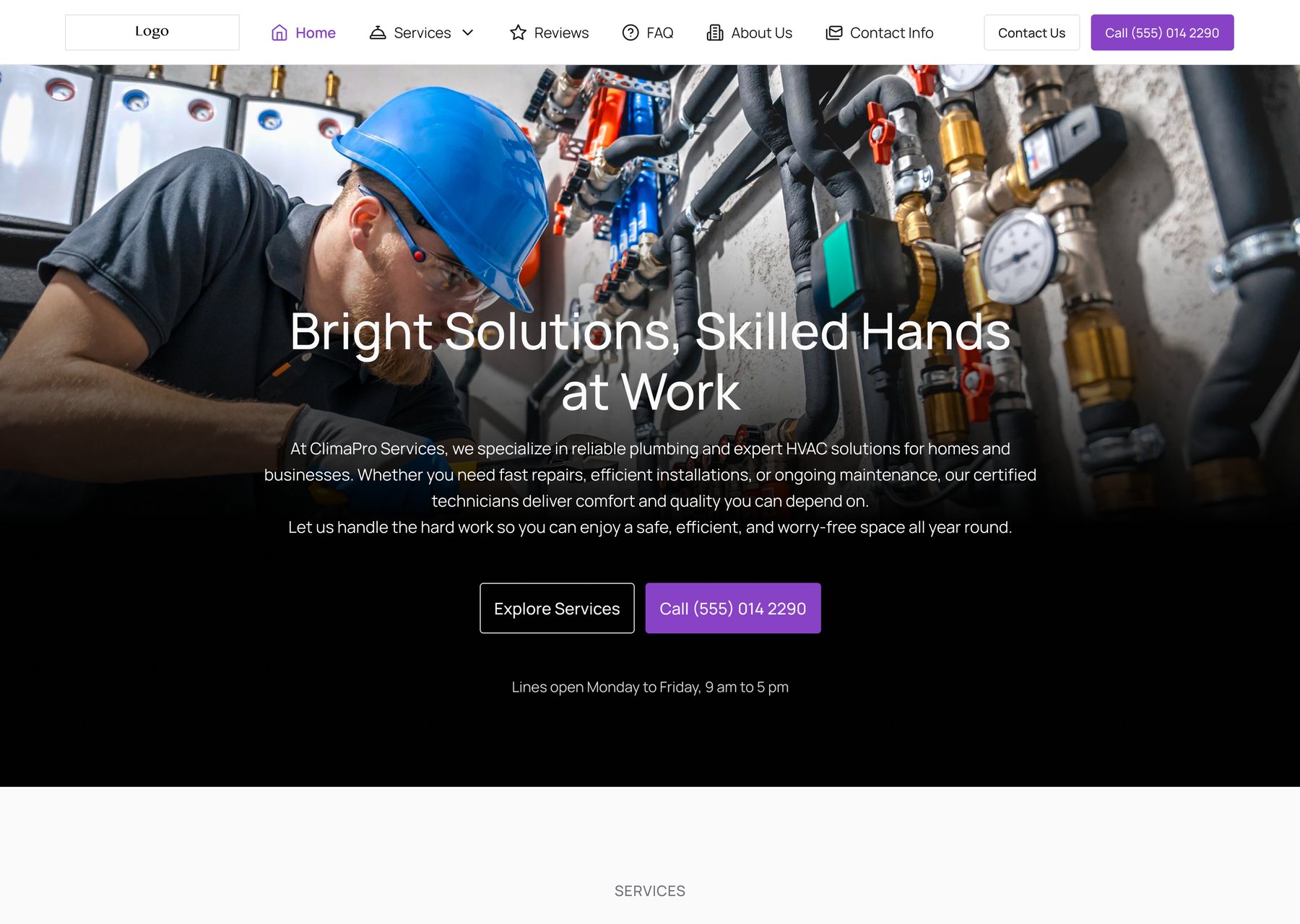
For a plumber or a cleaner, every missed call is a missed job. Scheduler puts a Book a service button on the business’s website, so customers book on their own: pick a time, share their details, describe the problem.
My roleProduct designer: flows, UI, states and motion
ProductSwivl Website Builder
PlatformWeb and mobile web
Year2025 to 2026, live in Swivl
vezign.online/scheduler · product film
FilmThe Scheduler in 58 seconds
From a missed call to a confirmed booking, on a laptop and on a phone. Animated in Figma.
The problem
For a plumber or a cleaner, every missed call is a missed job, and booking by phone breaks for the customer and the business alike.
What I did
Designed a three-step booking flow that lives on the business’s own website, for web and mobile web, with every state, and told it in a 58-second film.
The result
Shipped and live in Swivl’s AI Website Builder, as a widget and in the Marketplace. Six numbers to watch; none reported yet.
01The core screen
Pick a day, then a time. Booked in three steps.
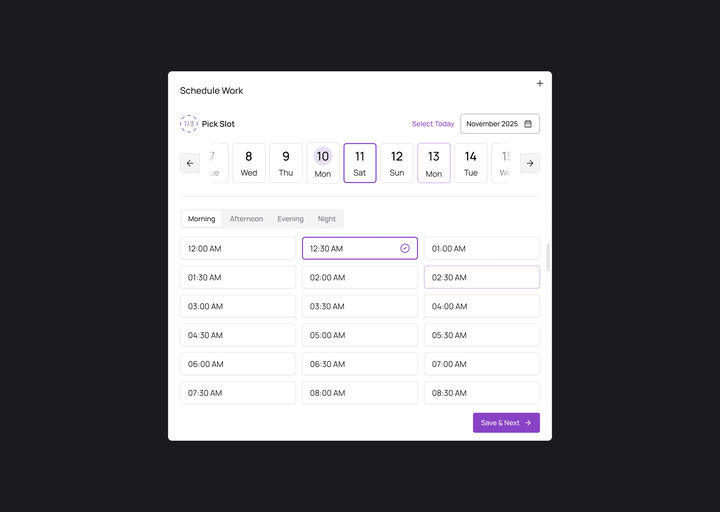
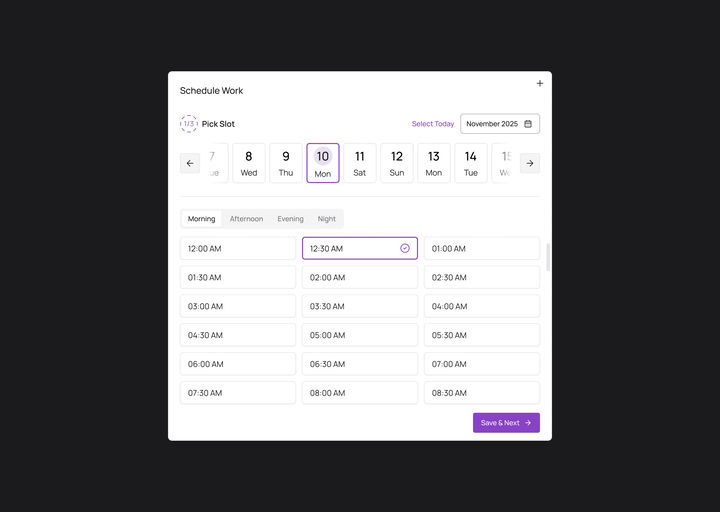
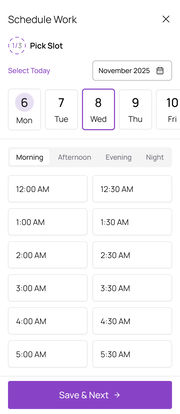
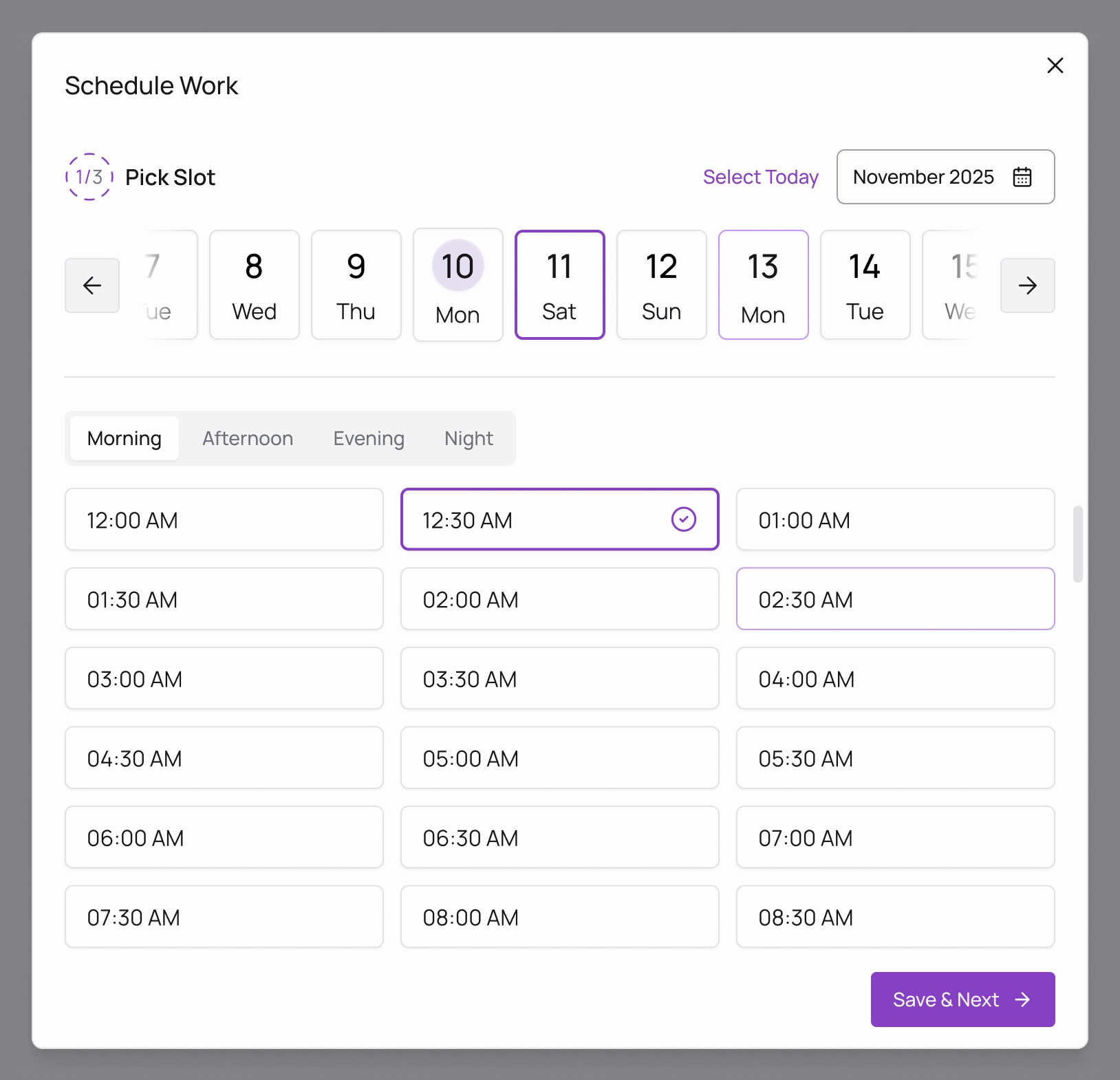
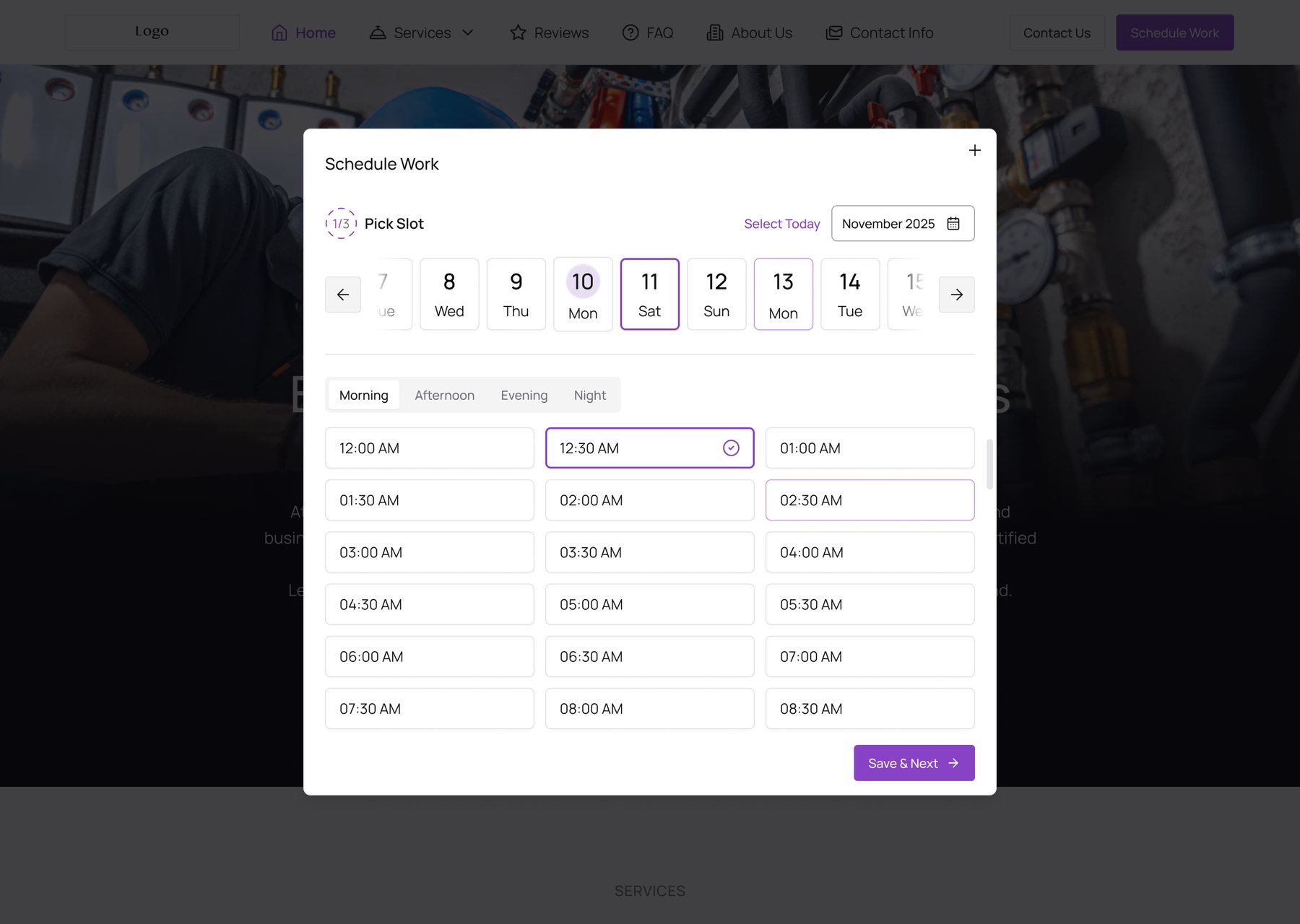
Step 1 of 3, Pick Slot. A window opens over the business’s own site; a small ring, from 1/3 to 3/3, shows how far along the customer is.
johnsonplumbing.com · Book a service
WebPick a slot: choose a day, then a time
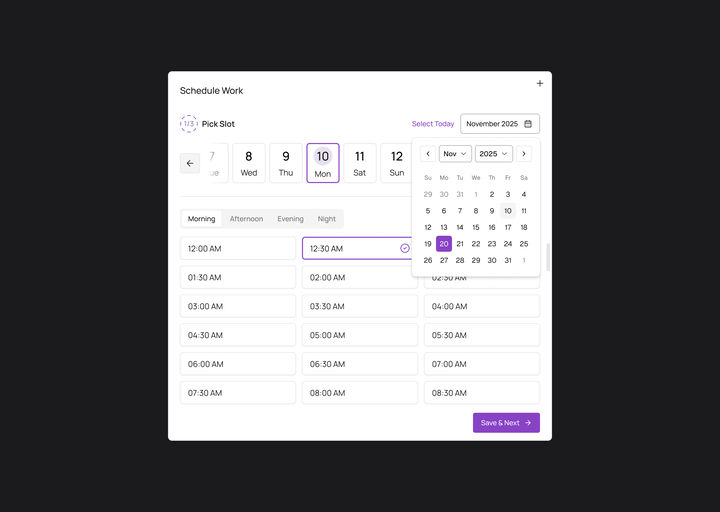
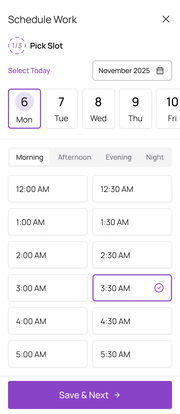
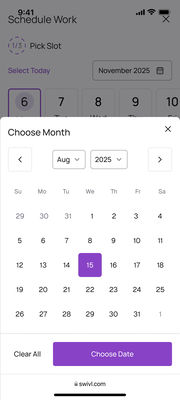
Select Today covers the most common case in one tap; other days are along the strip or in the month calendar. 48 half-hour slots, split into Morning, Afternoon, Evening and Night so they are quick to scan.
02The problem
Every missed call is a missed job.
Customers want to book right away. They do not want to wait on hold or trade voicemails. Booking by phone got in the way in three places.
01
Booking by phone breaks
Calls come in while the team is on a job. Nobody picks up, and the job is lost.
02
Details arrive in pieces
The address, the time and what is wrong get pieced together over several calls and texts.
03
Crews arrive unprepared
Without photos, the team cannot tell how big the job is, or bring the right parts.
Published data, not my researchNearly a third of online bookings land outside business hours
An analysis of 10,000 online bookings (SchedulingKit, 2026): the share a phone line closed for the night can never catch.
The question I designed againstHow might we let customers book from the business’s own website in a few taps, on any screen?
And give the crew everything they need, photos included, before they arrive.
03Ideation
Let customers book it themselves.
Not a new product to learn: one button on the website the business already has, switched on one of two ways.
What it was
A phone call, and a lot of back and forth
The customer had to catch the business at the right moment, then explain the whole job out loud.
→ Easy to miss, easy to lose.
What it became
A Book a service button on the website
The customer books in three short steps, at any hour, and the business gets all the details in one place, photos included.
→ Booked without a single call.
Before and after
Call in office hours, or book on the site at any hour
BeforeAfterDrag to compare
BeforeThe only way in is a phone number, and only while the line is open.
AfterSchedule Work opens the booking right on the page: a slot, then who you are, then the job.
Both drawn for this case study in Figma with the AI Website Builder’s own templates and the real booking window.
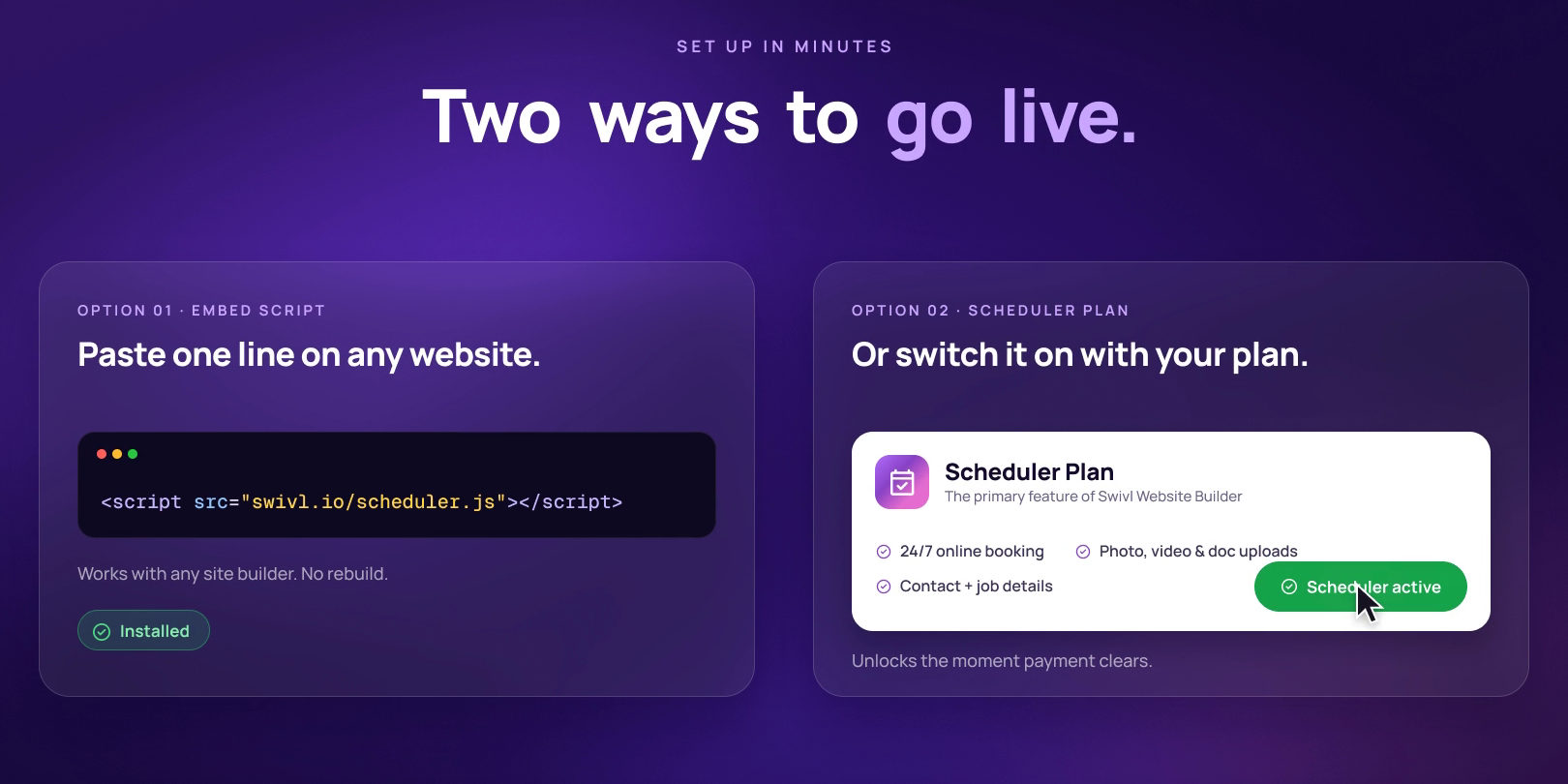
Two ways to go livePaste one line, or switch on the plan
Embed script for any existing website, or the Scheduler plan for Swivl Website Builder sites. Both end in the same booking flow. A still from the product film.
The calls
Three decisions inside the flow, and what each one costs
01
One long form, or one question at a time?
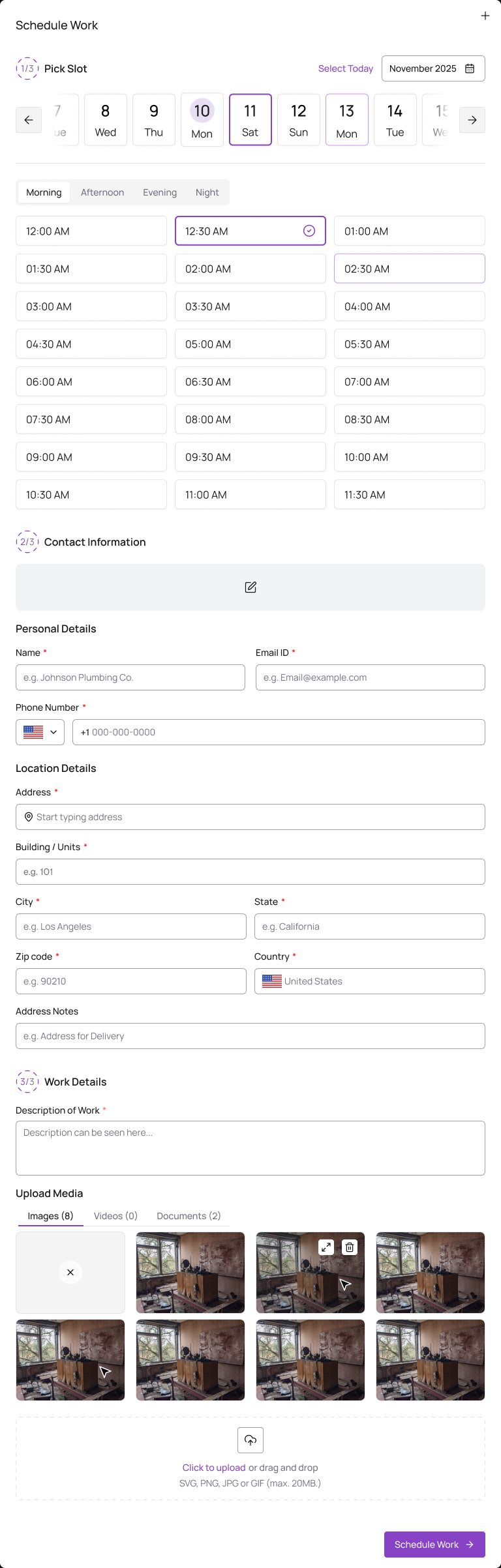
Ruled outOne long form
The time, who you are and the problem on one scroll, with one button at the very end.
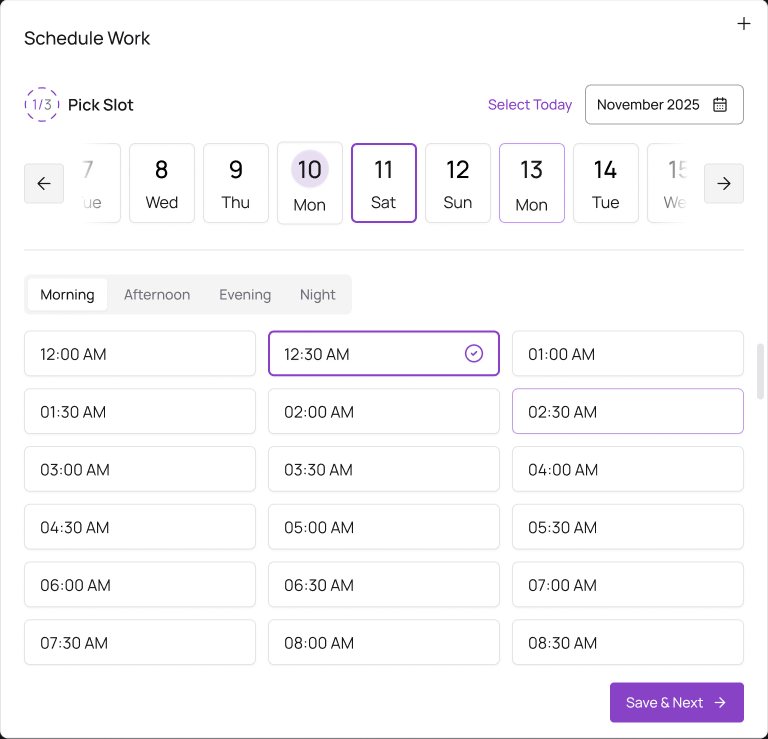
ShippedThree short steps
Time, then who you are, then the problem, with a small ring showing 1/3 to 3/3.
WhyShort steps feel lighter than one long form, and each step asks for one kind of thing.
What it costsTwo more taps, and two more places someone can leave: drop-off by step is the second number to watch.
Ruled outShipped
Ruled outOne long form: the slot, who you are and the job, with one button at the very end.
ShippedStep 1 of 3: just the slot, then Save & Next.
The long form is redrawn for this case study from the real steps, stacked.
02
How do 48 half-hour slots fit on a screen?
Ruled outOne long list of times
Every slot of the day in order, from midnight down.
ShippedFour tabs, and Select Today
Morning, Afternoon, Evening and Night turn the list into a quick scan; Select Today covers the most common case in one tap.
WhyMost people know roughly when they want someone to come. A part of the day gets them to their slot faster than scrolling.
What it costsOne more tap for anyone whose time sits in another part of the day.
03
What happens when someone wants to change an answer?
Ruled outGo back a step
The usual Back button, and the steps after it to fill in again.
ShippedWhat is decided stays pinned
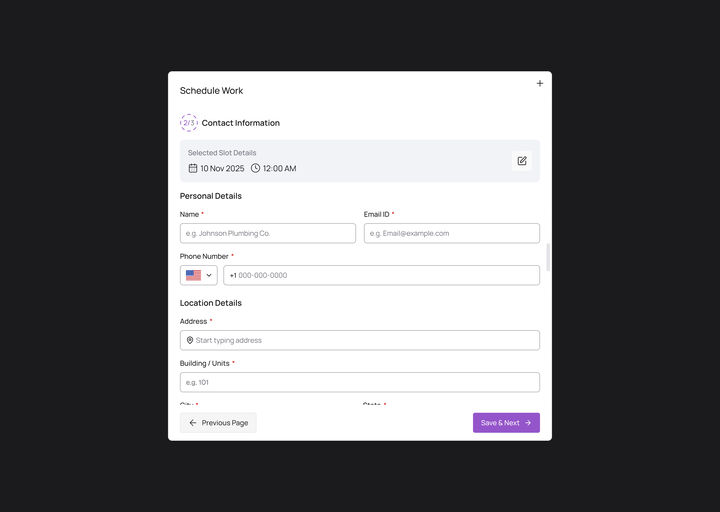
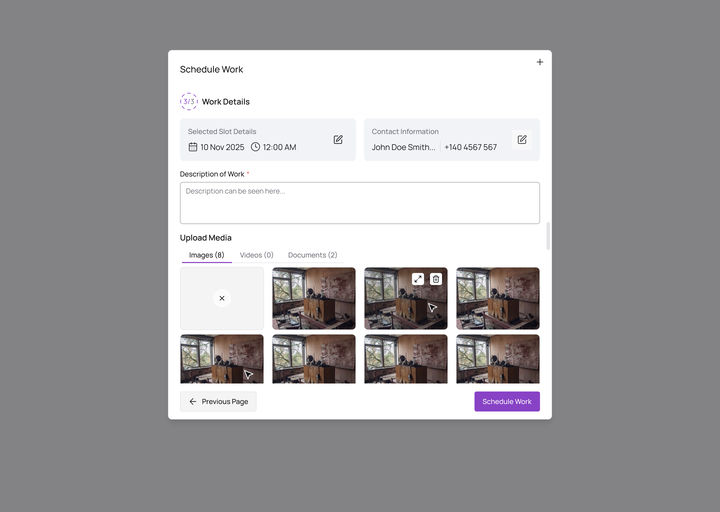
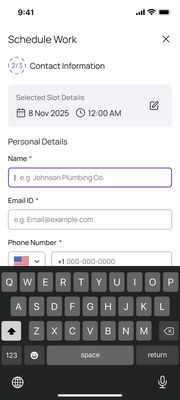
The slot and the contact details ride on top of the next step, each with its own edit button.
WhyCorrecting the time on step three should not unwind steps one and two. Fixing a mistake never means going back.
What it costsThe summaries take room at the top of every step, most of all on a phone.
The flow
From the button to the confirmation, and the ways off it
Book a serviceA button on the business’s own site.
1/3 Pick a slotA day, a part of the day, a time.
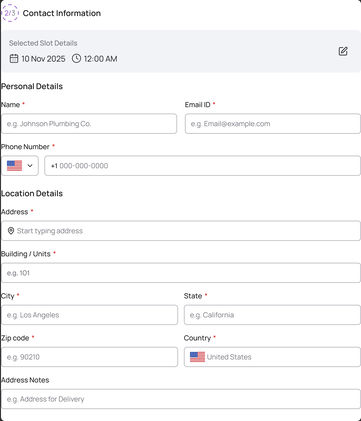
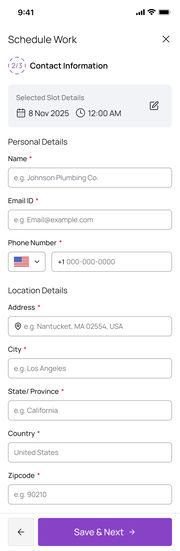
2/3 ContactWho they are and where the job is.
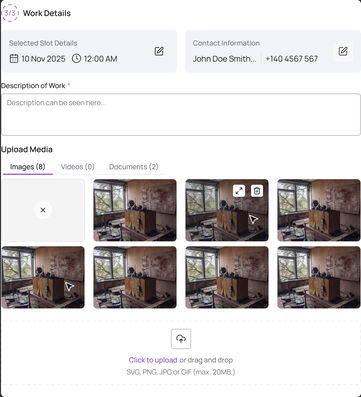
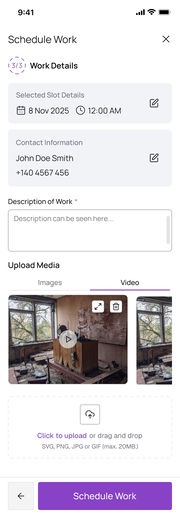
3/3 Work detailsThe problem, with photos, videos or documents.
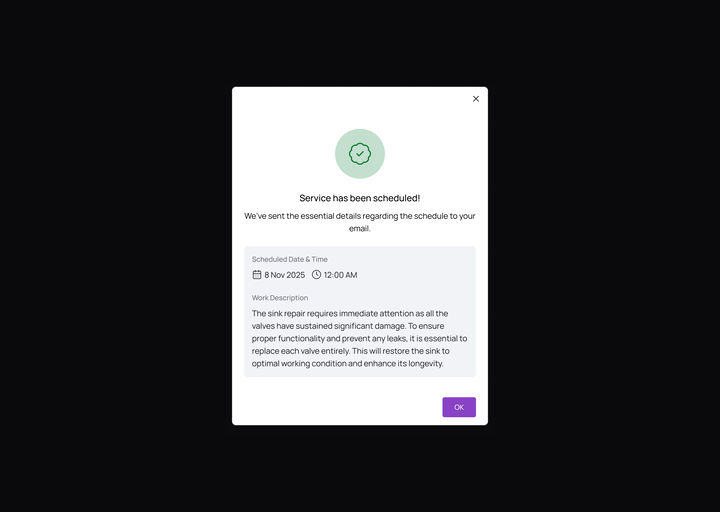
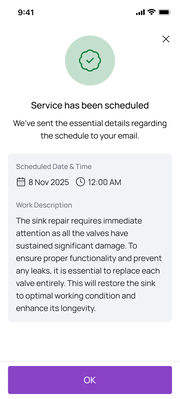
BookedA summary on screen and by email.
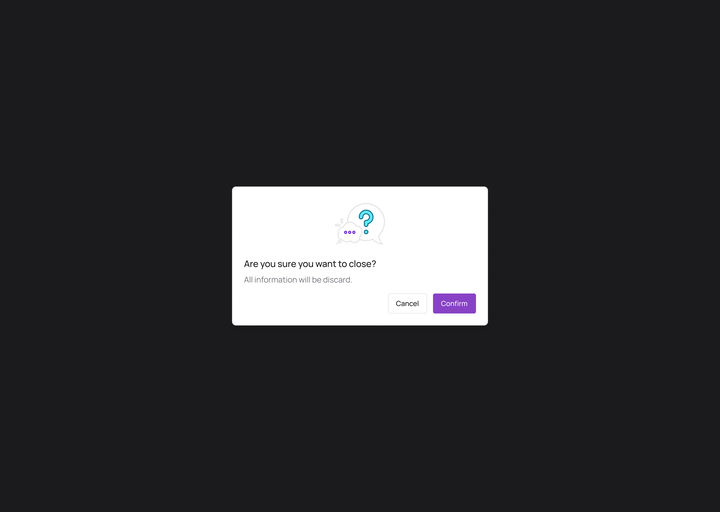
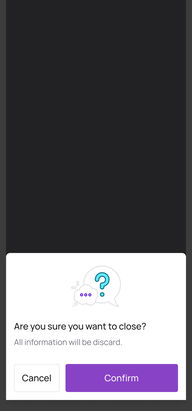
Close mid-flowIt asks first. Input is never lost silently.
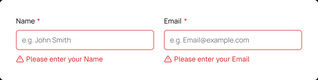
A required field missedThe error appears right beside the field.
Change an answerEdit it on the pinned summary; nothing else resets.
And two more calls, kept from the start: photos inside the booking, so the business can size up the job before anyone drives out, and one flow behind both ways to go live, so there is one thing to design, build and test.
04The solution
Three steps, then it is booked.
The same three steps everywhere: a window over the site on a computer, a full screen on a phone. These are the real screens, played as a prototype.
johnsonplumbing.com · prototype
Prototype · WebA booking, start to finish
Select Today, a peek at the month, contact details, the photos, Service has been scheduled.
Prototype · Mobile webThe same booking on a phone
The month slides up from the bottom; the button stays in reach.
How Scheduler changes between web and mobile web
What changes
Web
Mobile web
Layout
A window in the middle of the business’s site
Each step fills the screen
Time slots
Times in three columns
Two columns, big enough for a thumb
Calendar
A month calendar that drops down
A month sheet that slides up from the bottom
Forms
Two fields side by side
One field per row, with the phone’s own keyboard
Closing early
A pop-up asks first
A message slides up and asks first
Every screen, on one canvas
All 18: the web window, mobile web and the edge states. Pick a group to fly to it, zoom in to read, or press the corner button to present it full screen.
Pick a slotSelect TodayCalendarContact informationContact form, fullWork detailsWork details, fullBookedClosing earlyField errorsPick a slotSelect TodayMonth sheetContact informationWork detailsBookedClosing earlyTyping
Drag to move · Ctrl + scroll or pinch to zoom · double-click a screen to focus itSwipe sideways to move · pinch to zoom · ⤢ for full screen
05The effort
Two platforms, every state, and a film.
The three-step flow and its confirmation, designed for web and mobile web, with the moments that could go wrong, then told in a 58-second product film.
10Web screens and statesThe window, the month calendar, the full forms, the alert and the field errors.
8Mobile web screensThe same flow, shaped for a thumb, with the month sheet and the keyboard.
3Edge statesClosing early, the calendar past the strip, and errors beside the field.
58sProduct filmFrom a missed call to a confirmed booking, animated in Figma.
Two ways in, one flow
The embed script and the Scheduler plan both open the same booking flow, so there is one thing to design, build and test.
Edge states
Every screen has a web and a mobile web version, and every moment that could fail tells the customer rather than failing quietly.
06Business outcome
Live, and built to book more jobs, not lose them to missed calls.
Scheduler shipped: it is live in the AI Website Builder, as one of Swivl’s widgets, and in the Marketplace. These are the numbers it was designed to move, and what each one tells us. No results are reported here yet.
Measure
What it is
Why it matters
Booking completion
Visitors who open the flow and reach the confirmation.
The flow’s whole job.
Drop-off by step
Where people leave: slot, contact or work details.
The price of three steps instead of one form.
Time to book
From opening the flow to the confirmation screen.
Whether the tabs and Select Today earn their place.
Bookings with media
The share that include photos, videos or documents.
Crews that arrive prepared.
After-hours bookings
Bookings made while the business is closed.
Revenue a phone line would miss.
Plan conversion
Businesses that subscribe to the Scheduler plan.
The reason to pay for the Website Builder.
Looking back
What I would do again, and what I would change
Again
One question per step, with what is decided pinned. The flow never asks anyone to go back.
Draw every state on both platforms. Closing early, field errors and the month sheet were designed, not left to the build.
Differently
Watch real customers book on a phone before handoff. The tabs and the pinned summaries are reasoned, not yet tested.
Show the business’s side too. This case study is the customer’s flow; how a business sets the hours customers can book is the next story to tell.
 Ruled out
 Shipped