Recurring Service: Approve once, get paid for every visit
Cleaners, lawn crews and pest controllers visit the same customers every week, but Swivl could only price one visit at a time. Recurring Service turns one estimate into the whole agreement: the customer approves it once, and Swivl creates the job, every visit and every invoice.
My roleProduct designer: flows, UI, states and the film
ProductSwivl Estimates, Jobs and Invoices
PlatformsWeb, mobile web, iOS and Android
Year2026, at Swivl
vezign.online/recurring-service · product film
FilmRecurring Service in 52 seconds
Same customer, every week, all by hand. Then one estimate sets the schedule once, and every visit and every invoice follows.
The problem
A 12-visit contract meant 12 tasks and up to 12 invoices made by hand, after a yes on the phone.
What I did
Designed the agreement inside the estimate, its approval, and the job, tasks and invoices it creates, on web, mobile web, iOS and Android: 80+ screens and 29 notes for the build.
The result
Live on 20 May 2026 in release 4.24.0, 51 days after the first design review. One fix after launch, found in a walkthrough, shipped on 24 Jun.
01The core screen
One question turns an estimate into an agreement.
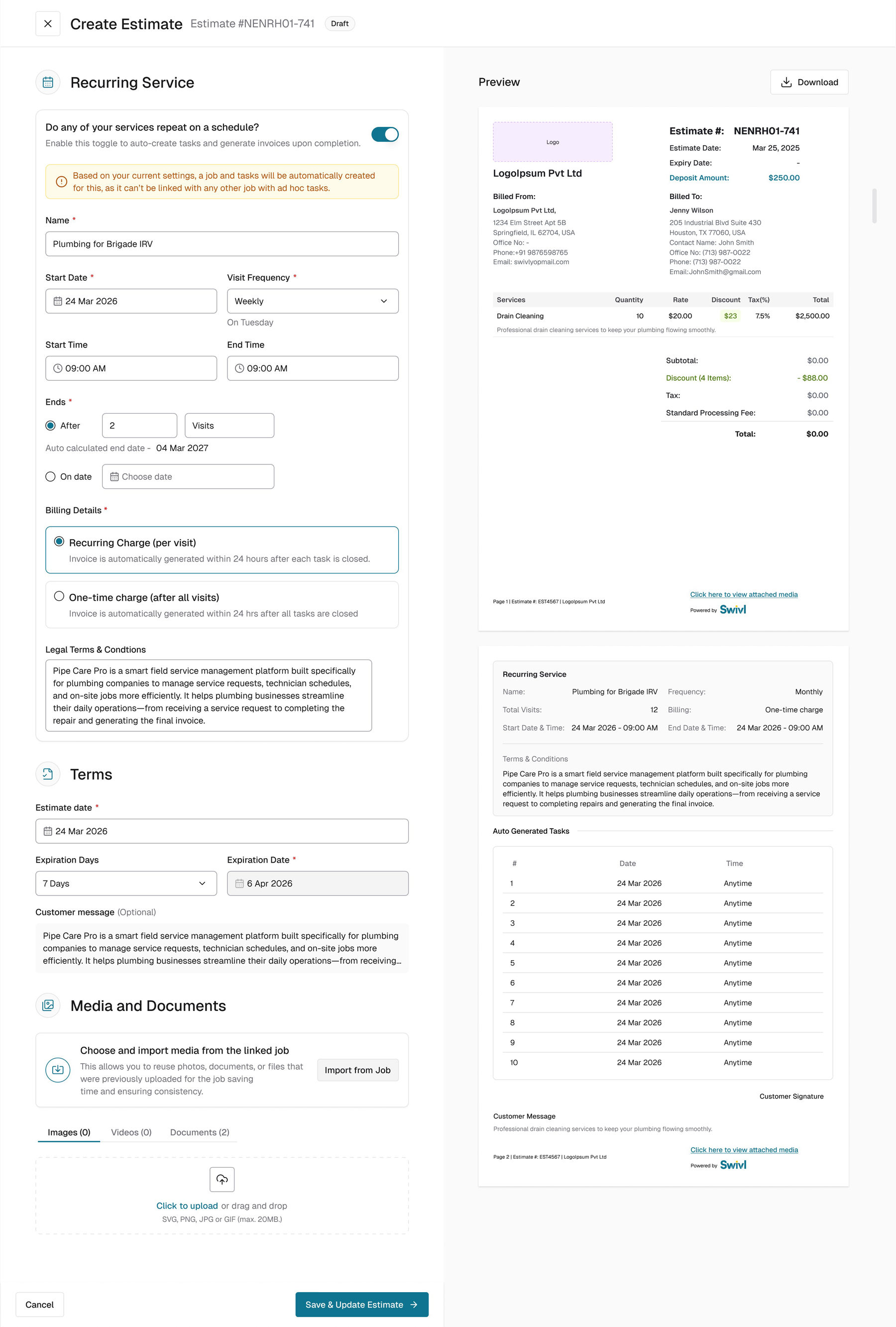
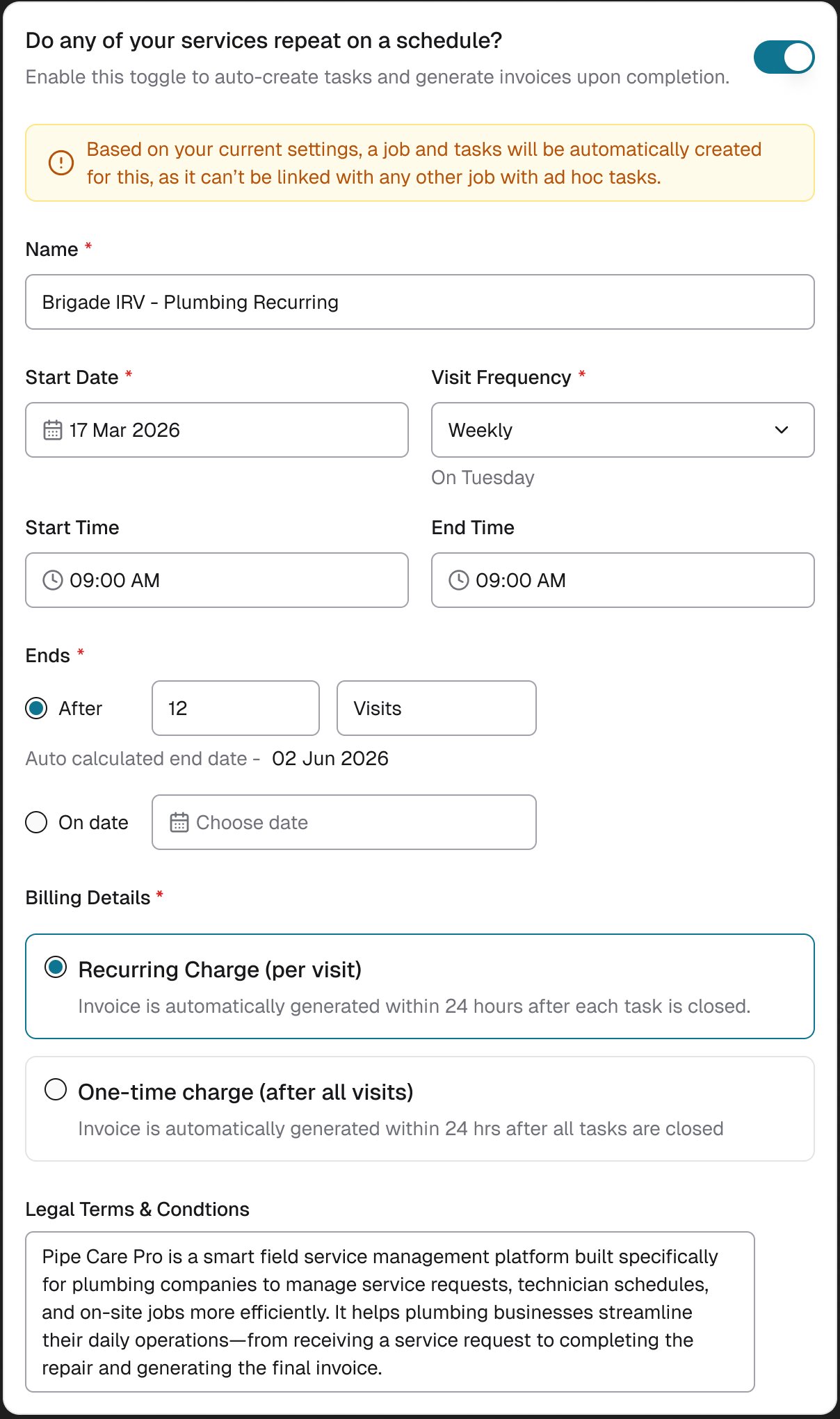
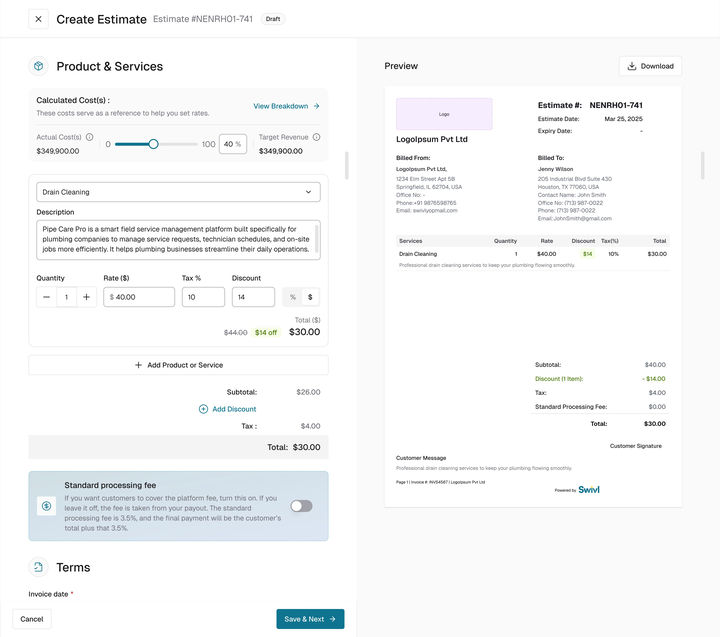
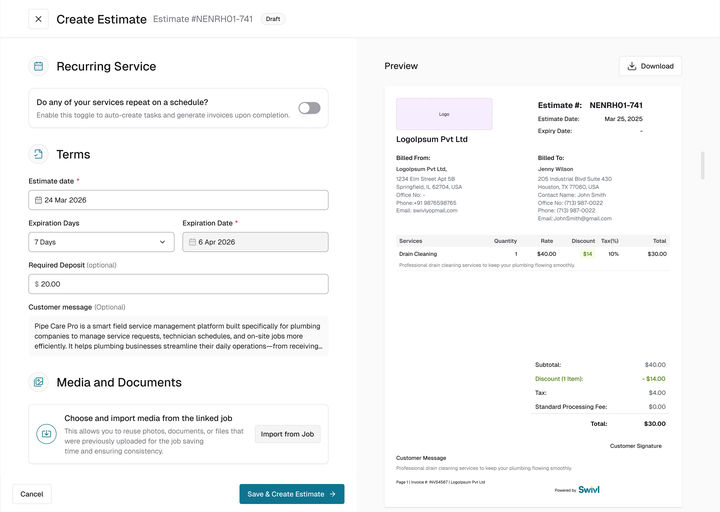
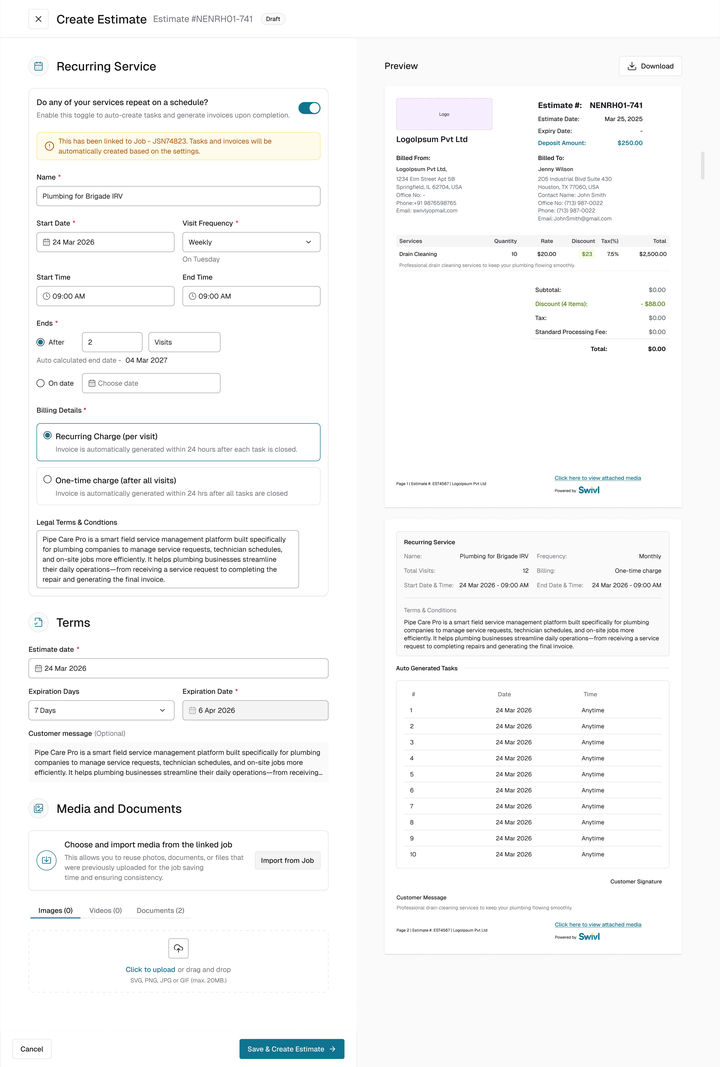
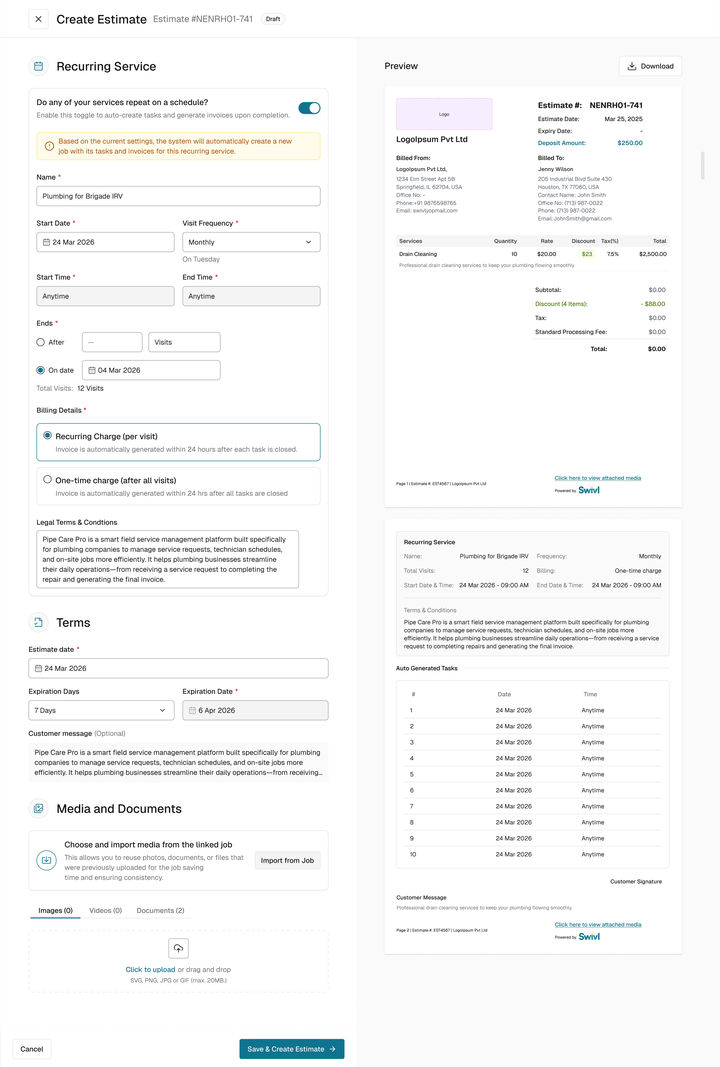
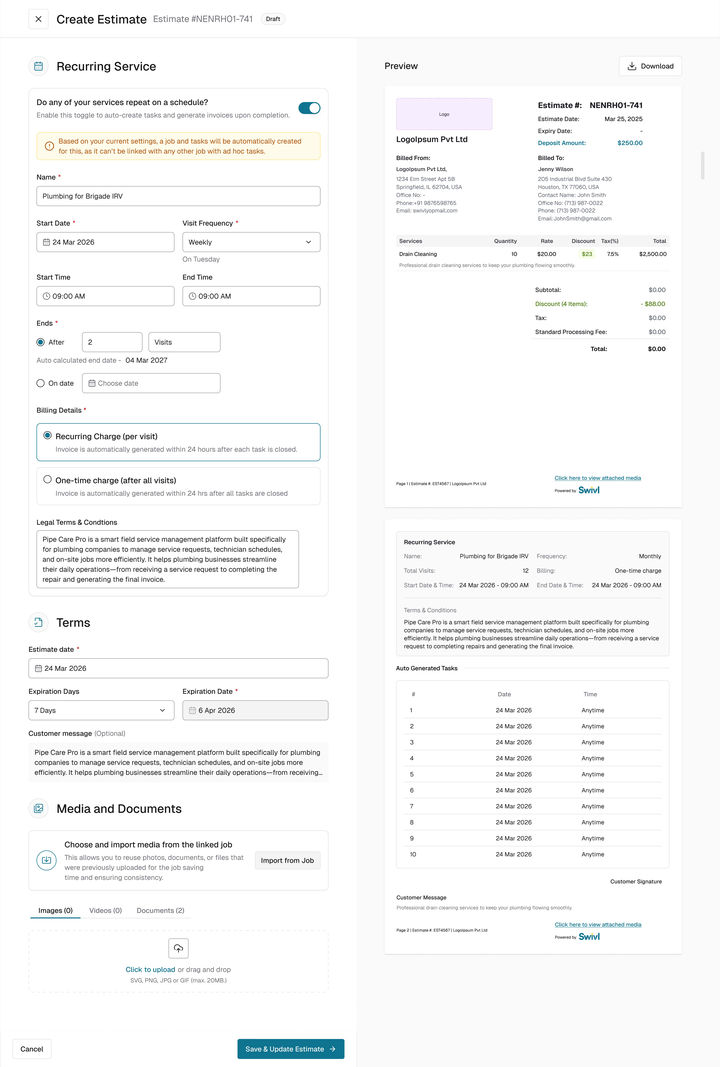
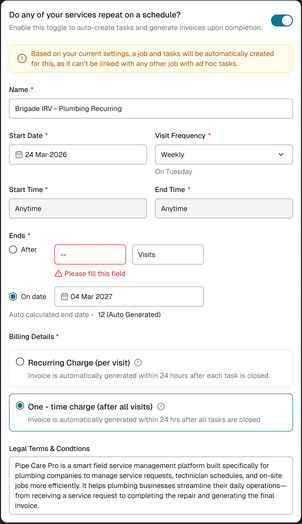
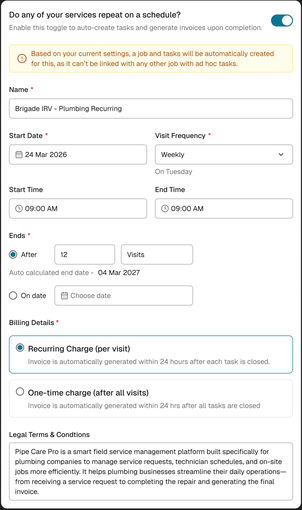
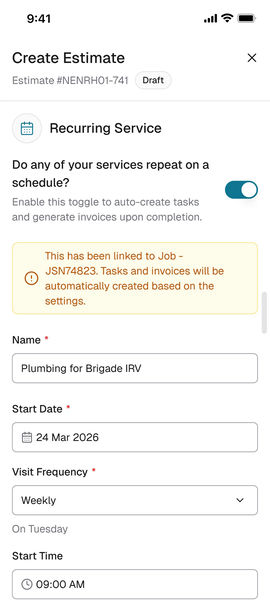
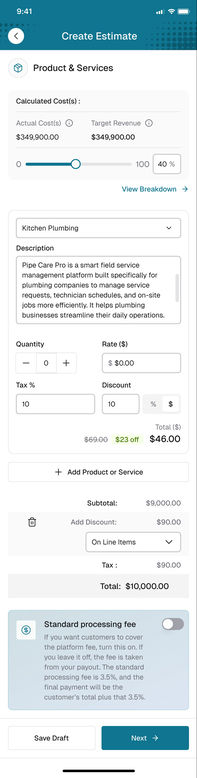
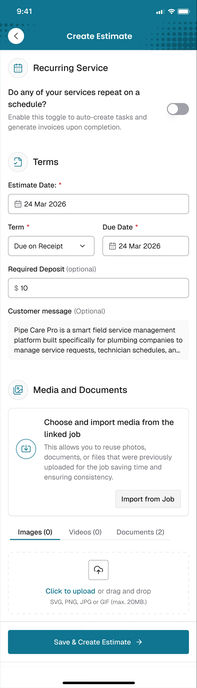
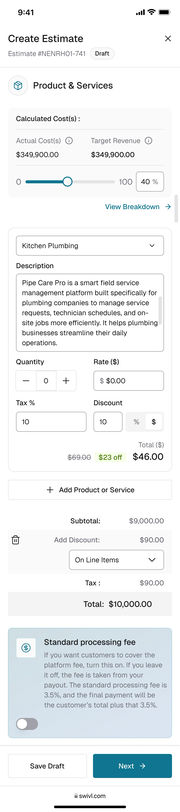
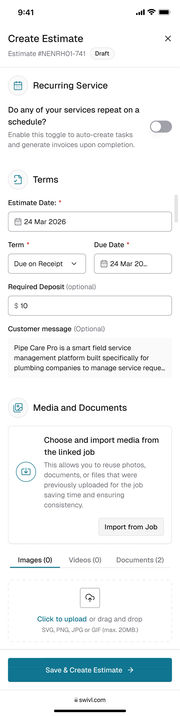
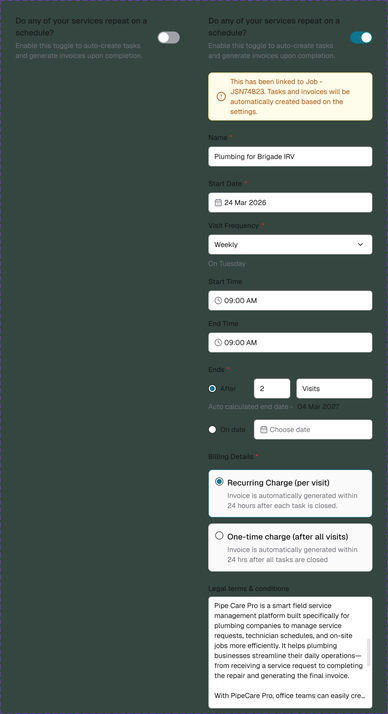
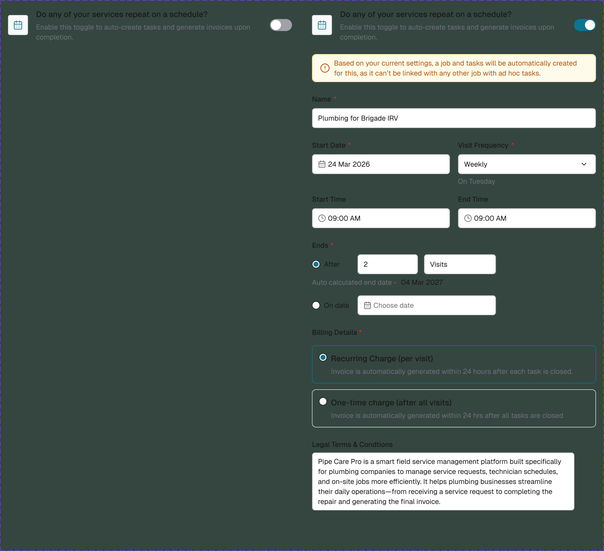
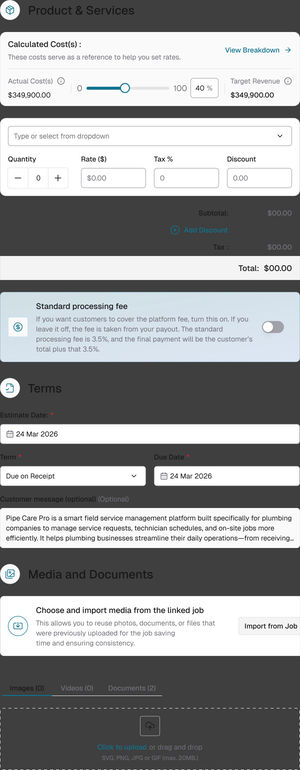
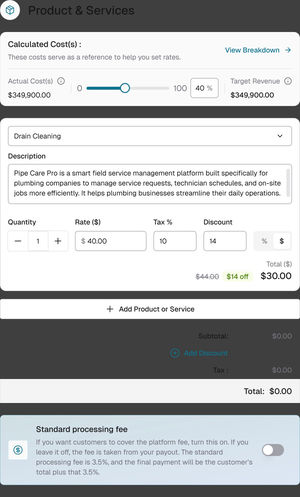
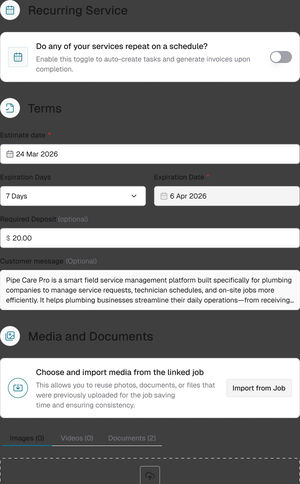
Step 3 of creating an estimate. Switch on Do any of your services repeat on a schedule? and the card asks only for what a schedule needs, while the preview on the right lists every visit it will create.
app.swivl.io · Create Estimate
WebRecurring service, terms and mediaScroll inside
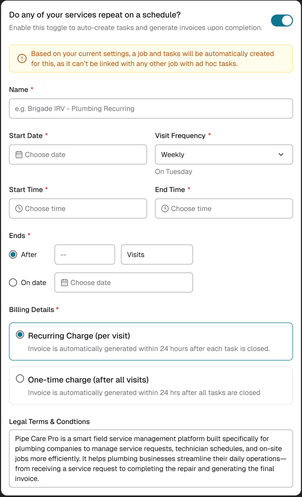
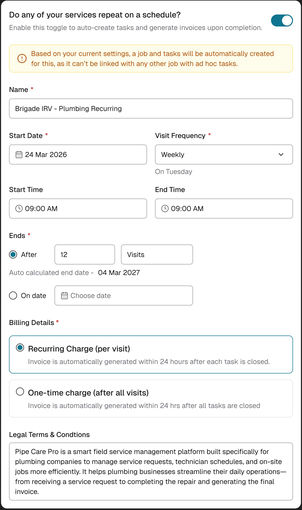
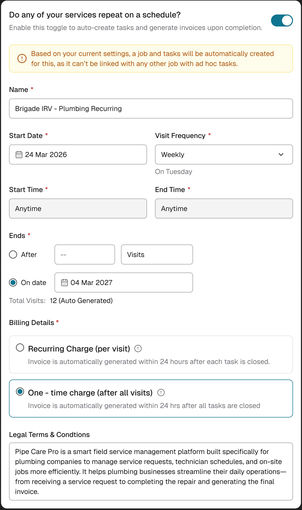
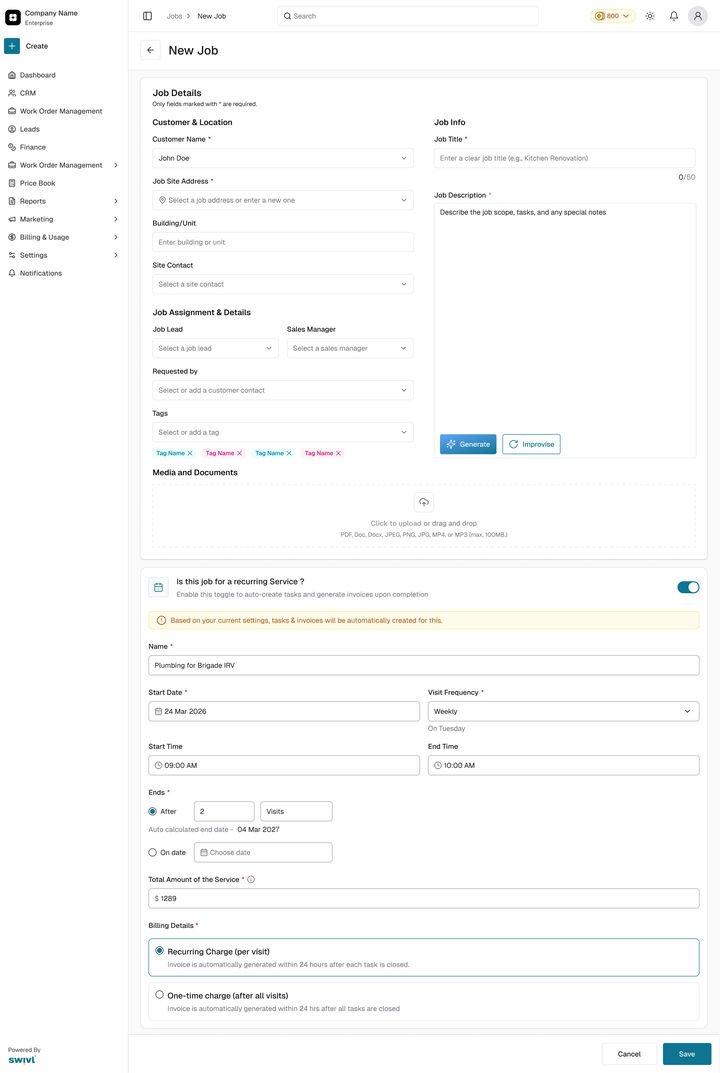
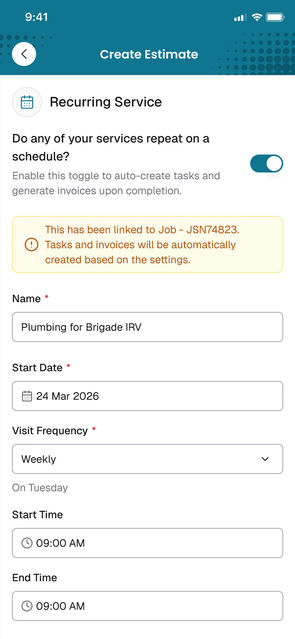
Name, start date, how often, the time window, when it ends and how it is billed. A yellow note says what will happen before it happens: a job and its tasks will be created.
02The problem
Repeat work ran on effort and memory.
Most of a home-service business’s money comes from repeat work: the same house every week, the same office every month. Swivl could only price, approve and bill one visit at a time, and Jobber, ServiceTitan and Housecall Pro all handle repeat work.
01
One visit at a time
A 12-visit contract had nothing the customer could approve in one go, so the deal lived in calls and emails.
02
The same admin, every visit
Every visit needed its own task, made and assigned by hand. Miss one and the crew never shows up.
03
Payments waited on memory
Every visit needed its own invoice too. If nobody sent it, work already done went unpaid.
04
No view of the whole contract
Nothing showed visits done, money billed, what was paid and what was still owed.
One weekly contract, beforeTwelve Tuesdays. Each one a task and an invoice, made by hand.
Tue 24 MarTaskInvoice
Tue 31 MarTaskInvoice
Tue 7 AprTaskInvoice
Tue 14 AprTaskInvoice
Tue 21 AprTaskInvoice
Tue 28 AprTaskInvoice
Tue 5 MayTaskInvoice
Tue 12 MayTaskInvoice
Tue 19 MayTaskInvoice
Tue 26 MayTaskInvoice
Tue 2 JunTaskInvoice
Tue 9 JunTaskInvoice
A weekly service with 12 visits meant 12 tasks and up to 12 invoices made by hand, all after a yes on the phone. Nothing was written down for the customer to approve, so the deal was easy to dispute later.
Before and after
Twelve tasks made by hand, or one job that holds the contract
BeforeAfterDrag to compare
BeforeA task made by hand before every Tuesday, an invoice after it, and nothing that shows the contract as a whole.
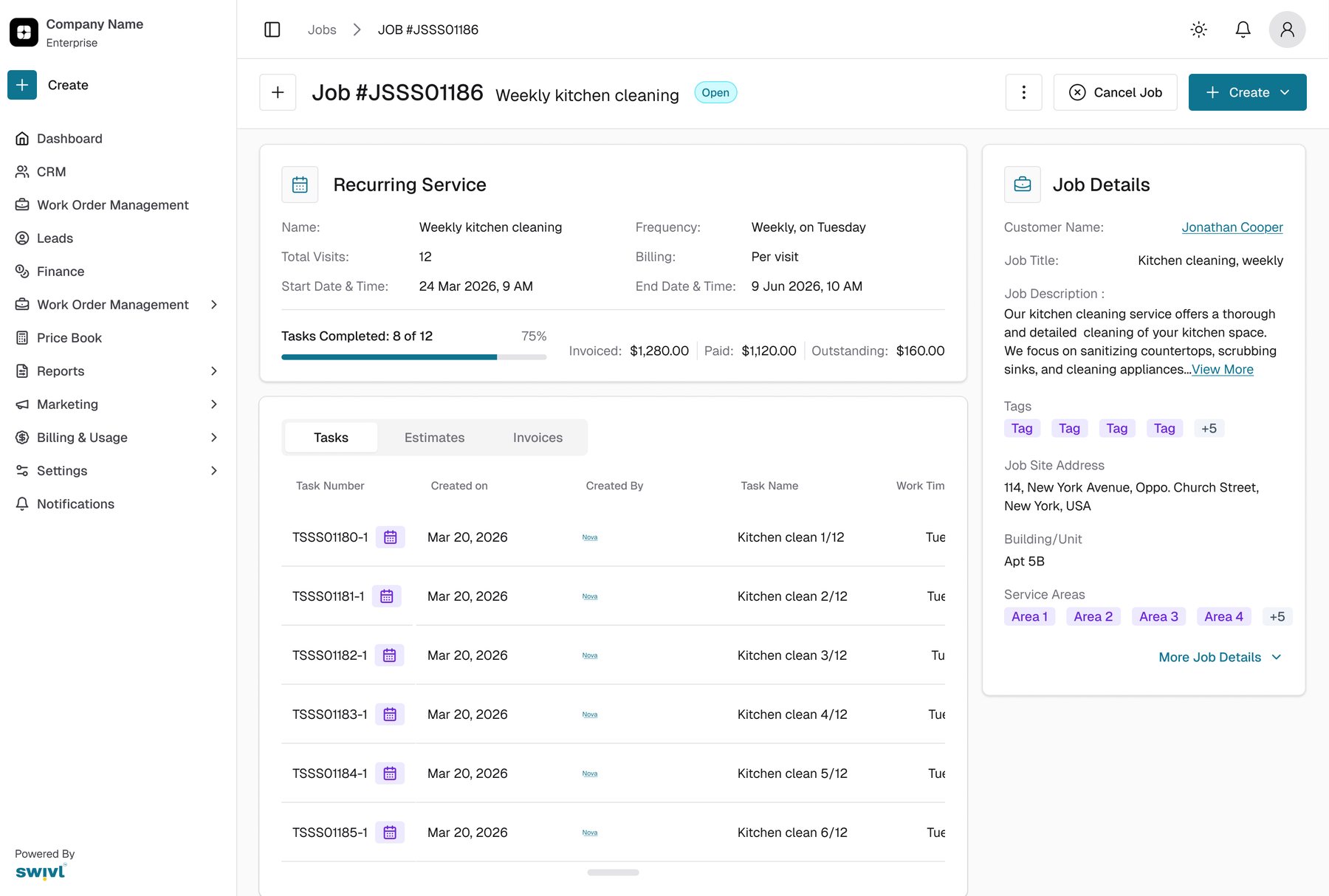
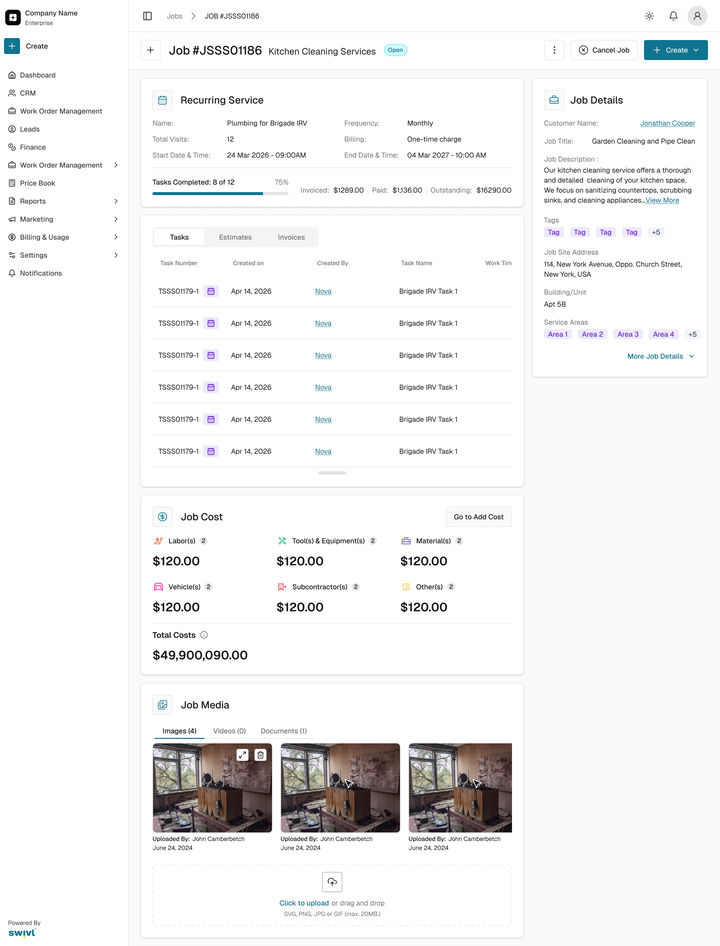
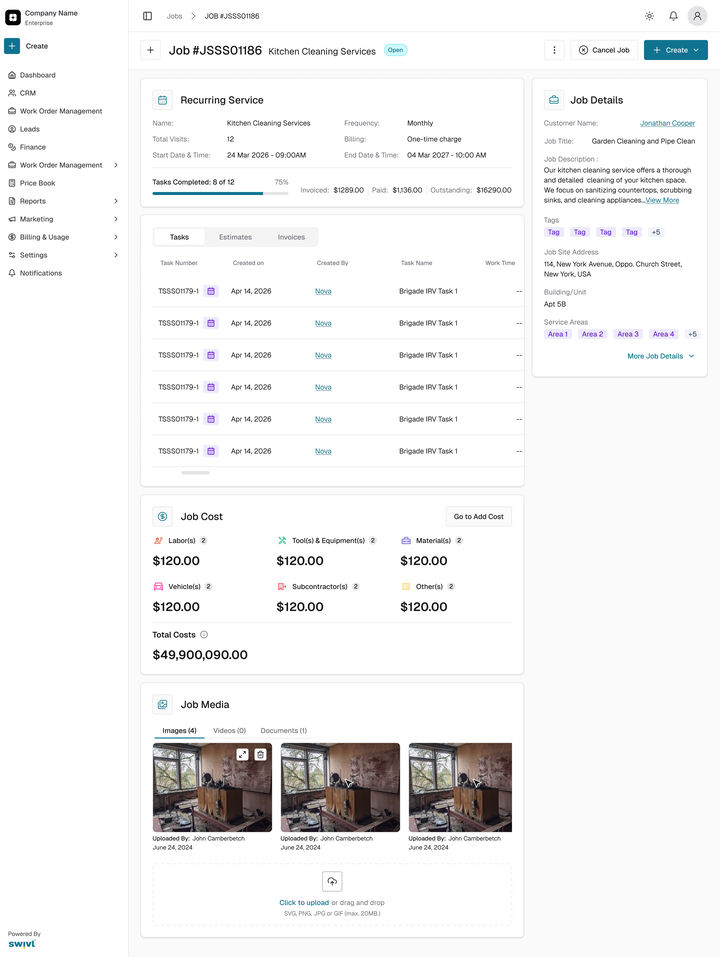
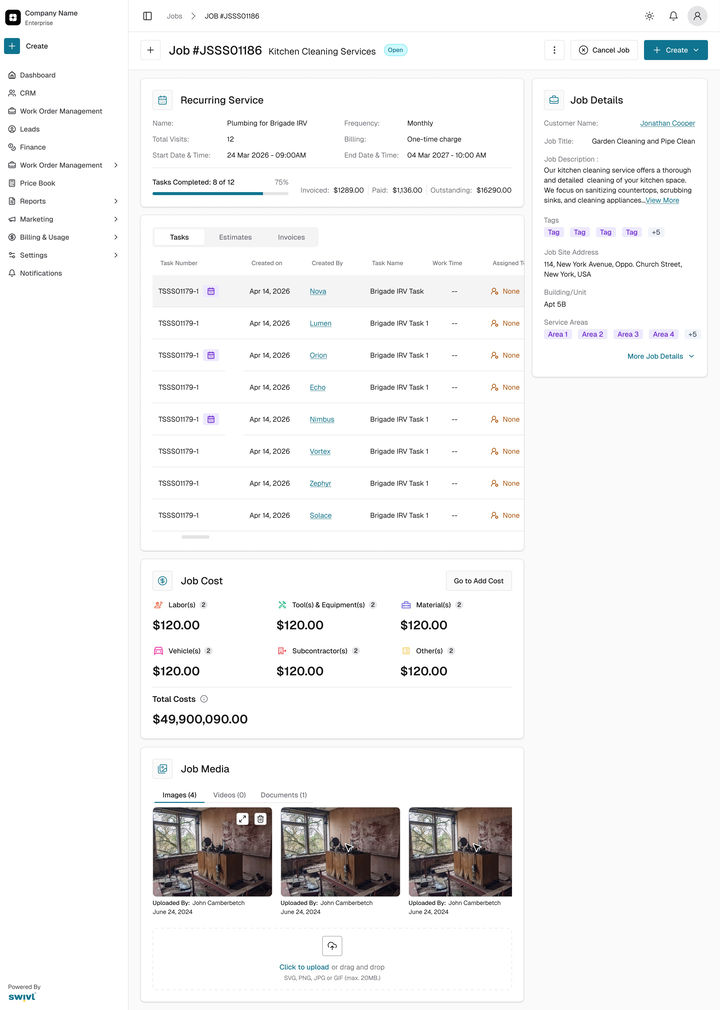
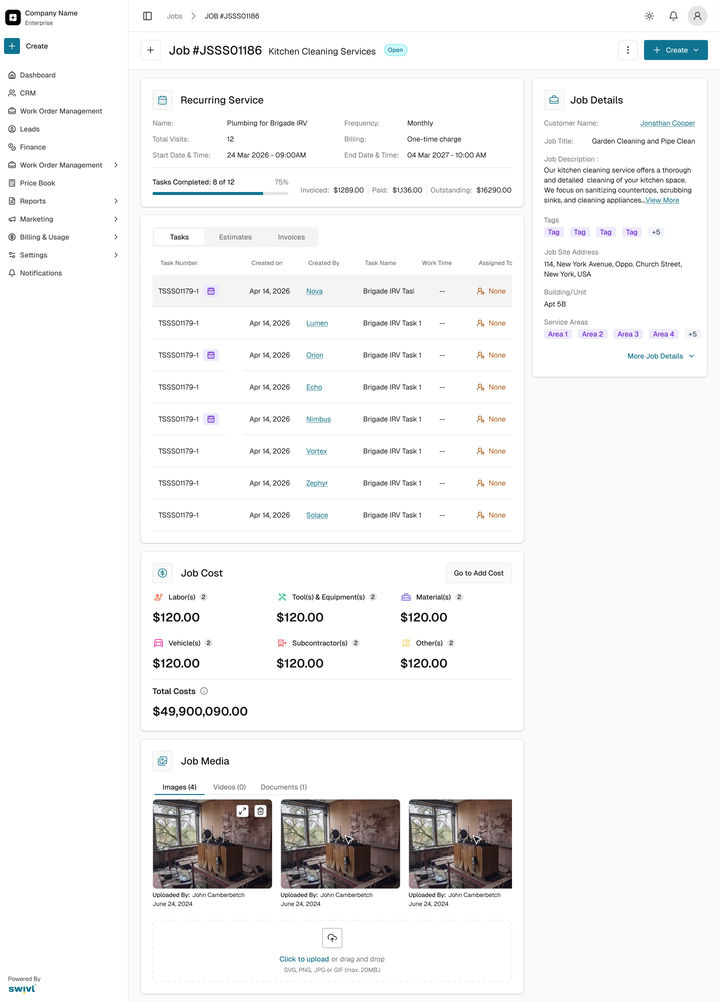
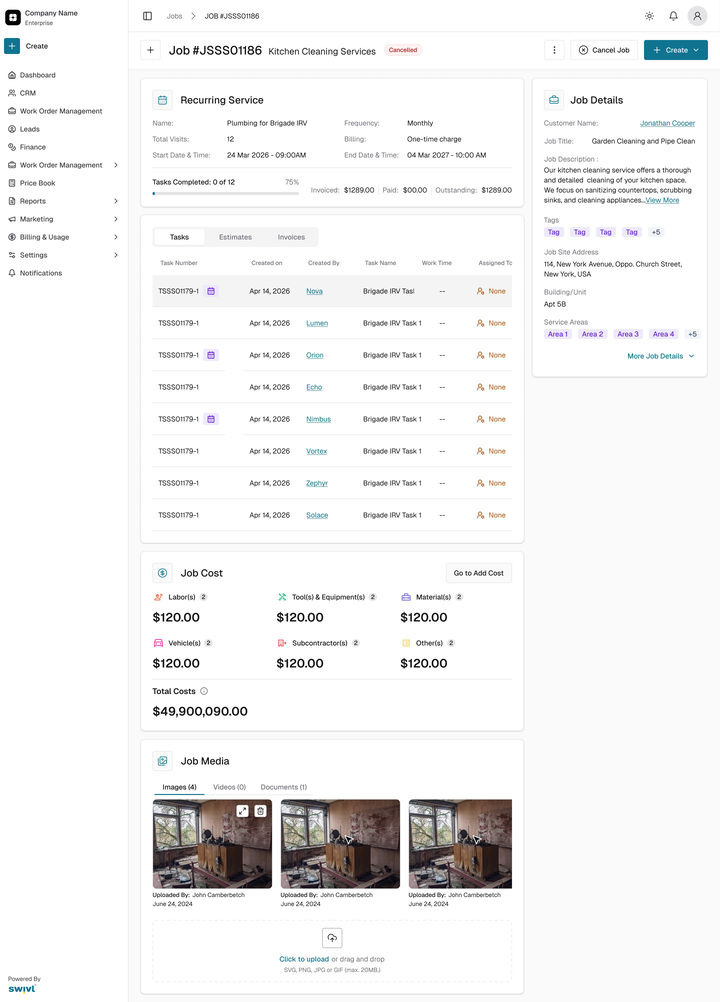
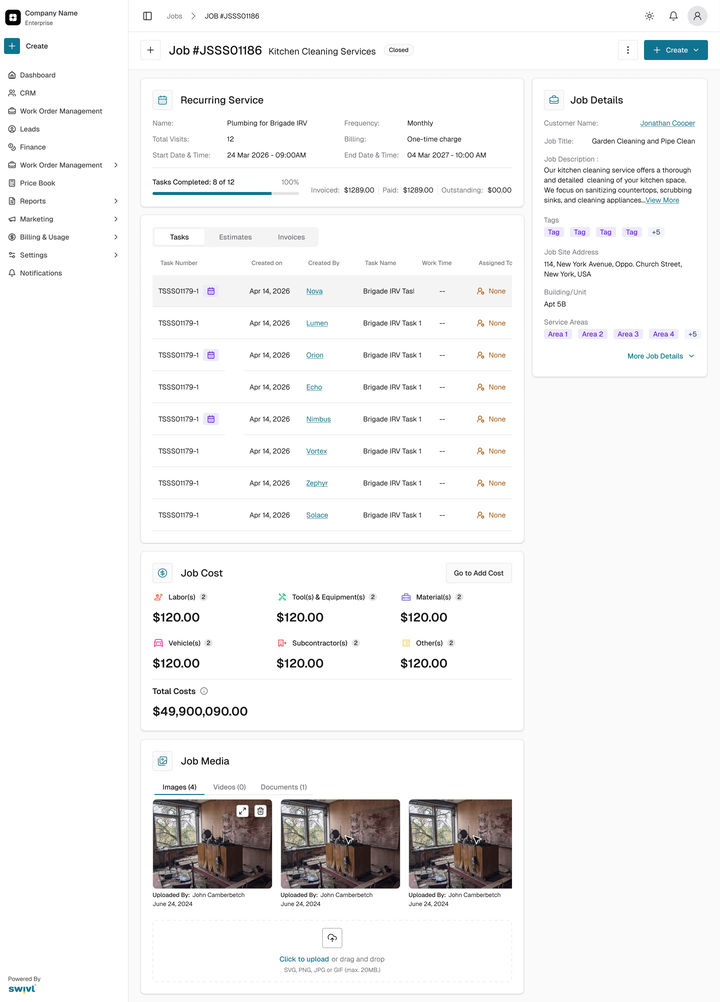
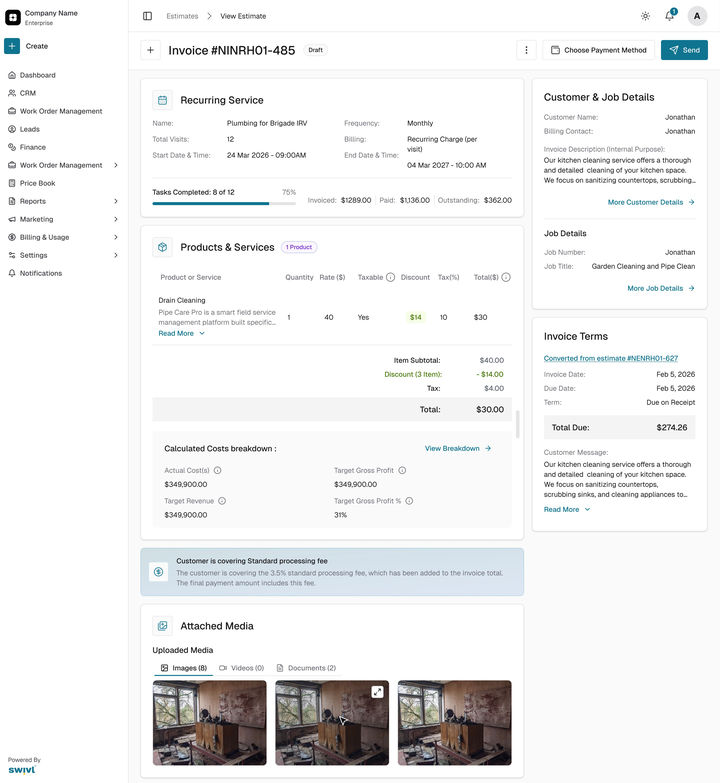
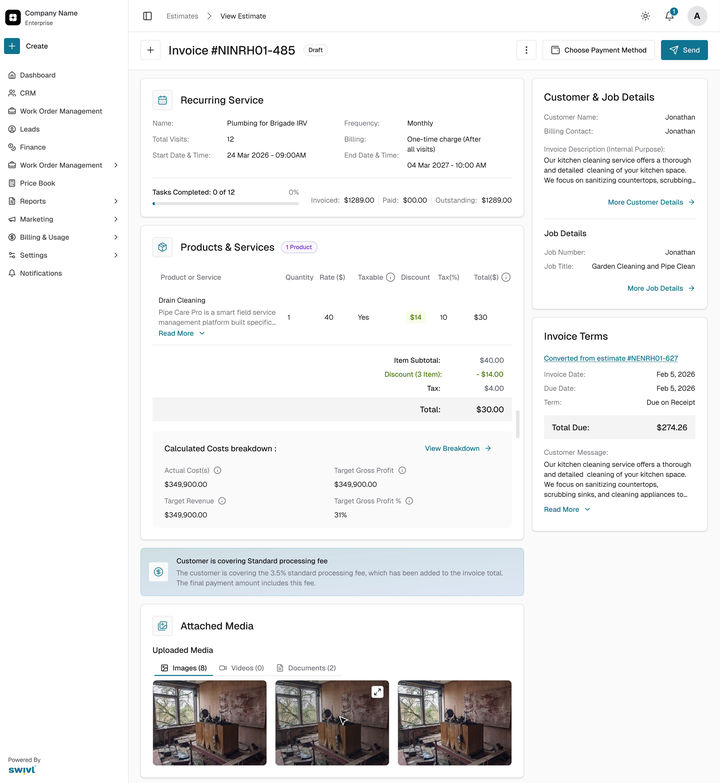
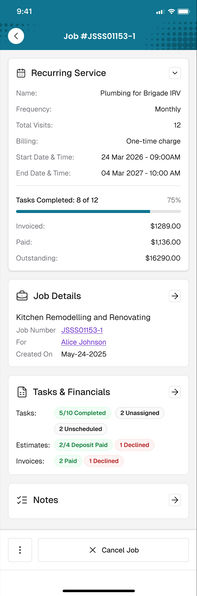
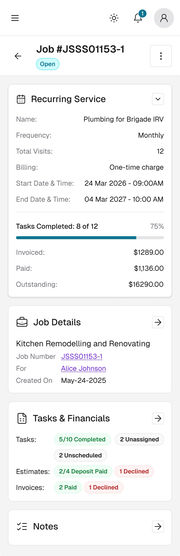
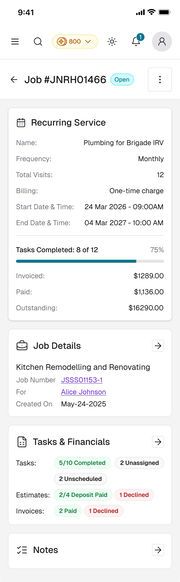
AfterOne approval makes the job and all twelve tasks on the same day. Visits done, invoiced, paid and owed sit in one card.
Both redrawn for this case study in Figma from the real Swivl screens, with one contract’s dates.
03Ideation
Make the estimate the agreement.
No new module to learn. Recurring work starts where every job already starts, in an estimate, with one question.
What it was
A one-visit estimate, and a lot of follow-up
The business priced one visit, then made tasks and invoices by hand for every visit after it.
→ Easy to miss a visit, easy to forget an invoice.
What it became
A recurring estimate that runs itself
The customer approves the schedule, the billing and the terms once. Swivl creates the job, every visit and every invoice.
→ Less work for the office, and every visit gets paid.
Before the yes
The business sends itThe estimate, with its Recurring Service card.
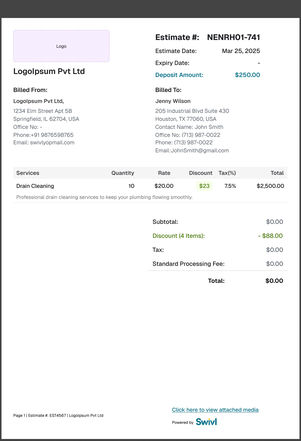
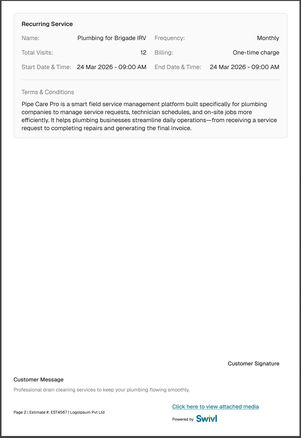
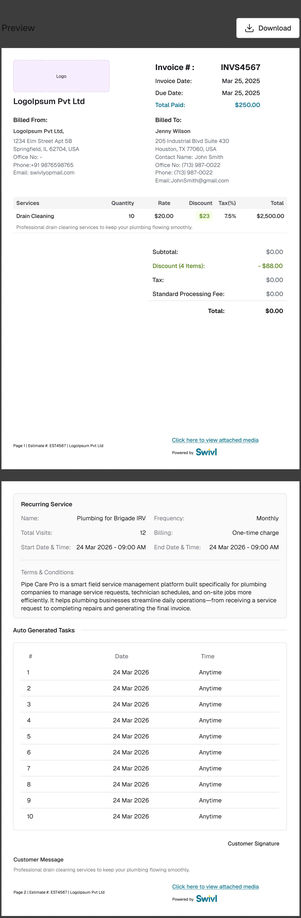
The customer reviews itThe PDF lists every visit in the agreement.
ApproveThe work is set in motion.
Request a changeBack to the business to edit and resend. Nothing is created yet.
RejectNothing is created.
After the yes, for every visit
One job is createdIt holds every visit, linked to the estimate.
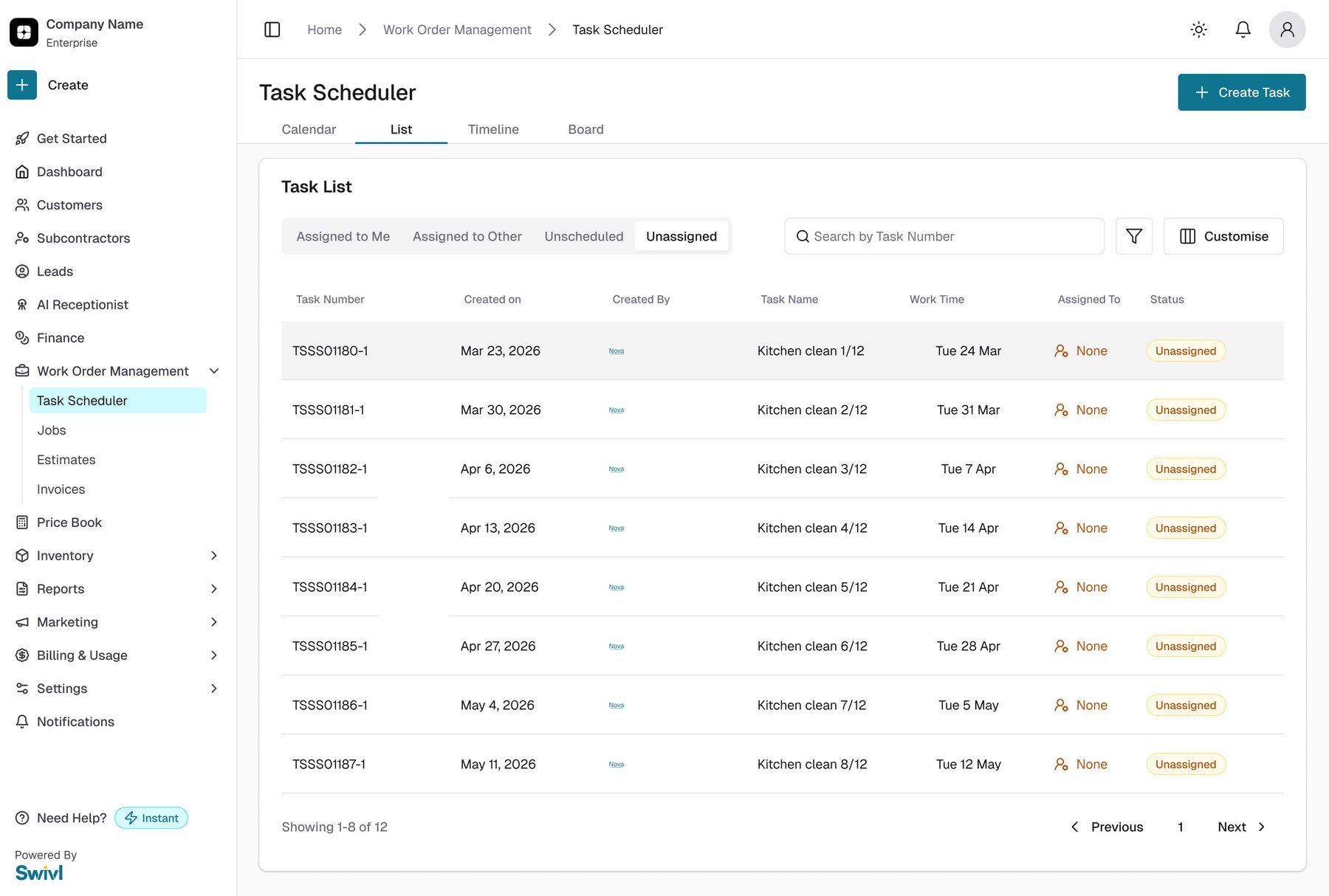
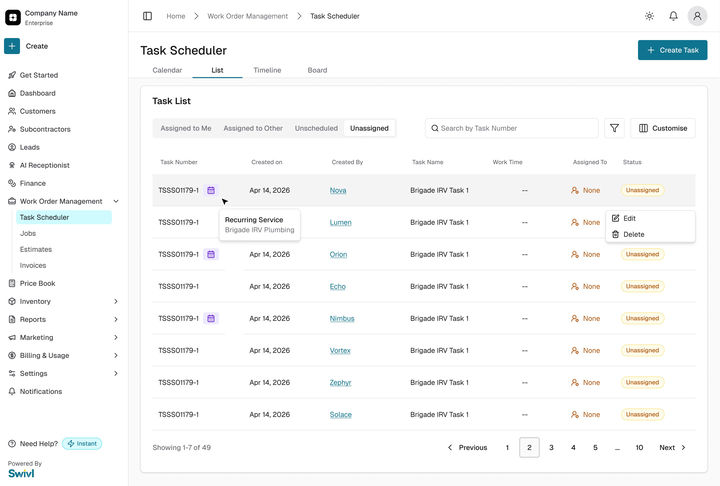
Every visit is a taskIt starts Unassigned. A person still picks the crew.
The visit is doneThe crew closes the task.
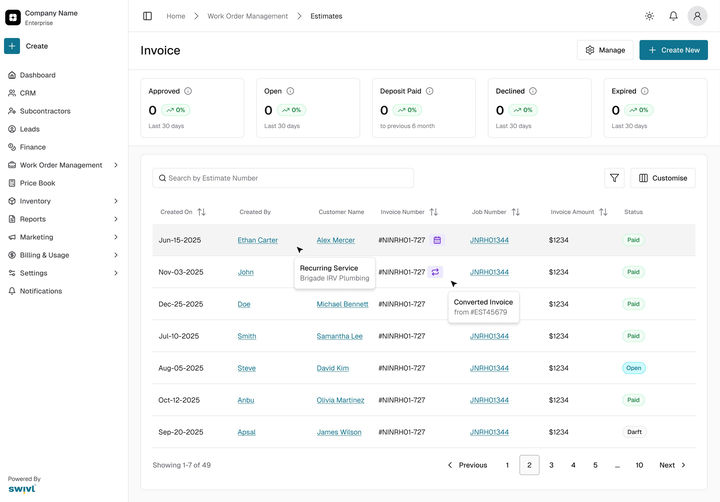
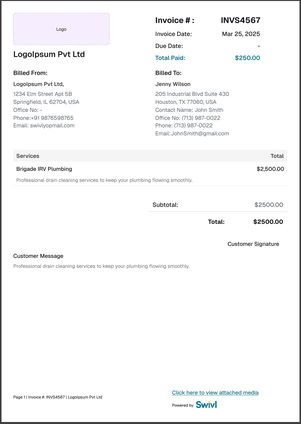
The invoice, within 24 hoursFor each visit, or once after the last one.
Repeats for every visit until the agreement ends.
Reuse what people know
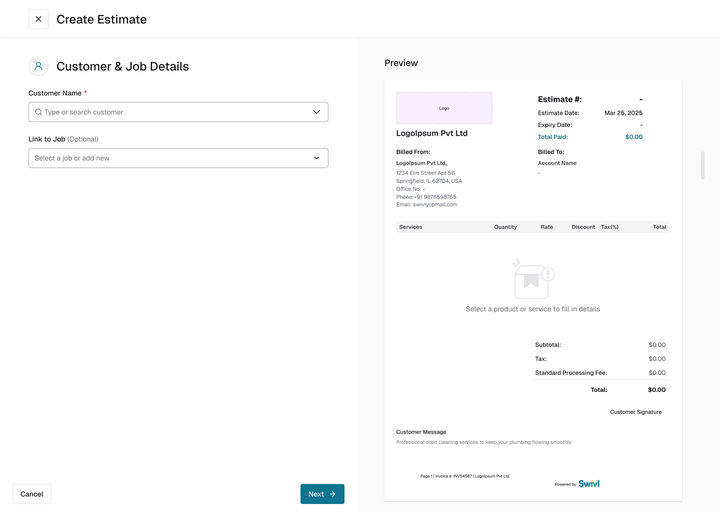
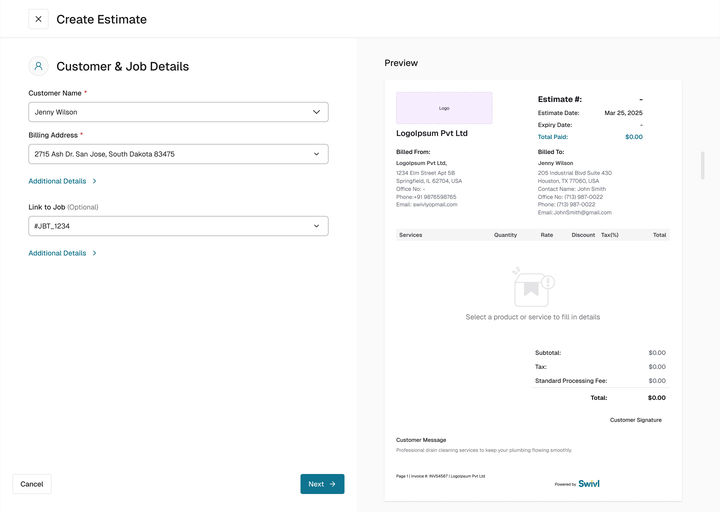
The same three steps, form on the left, live preview on the right. Nobody learns a new screen.
Approved means locked
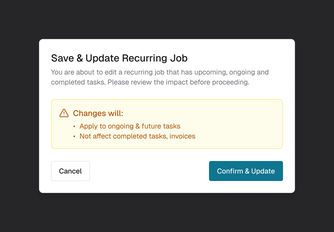
After approval nothing changes by accident. Edits to a running job touch only future visits.
Automate the paperwork, not the people
Swivl creates every visit, but a person still decides who goes: tasks start Unassigned.
The calls
Three decisions, and what each one cost
Each one had a real alternative on the table. These are the options I killed, why, and what the shipped version gives up.
01
When does an invoice go out?
Ruled outOn a calendar date
Every visit billed on a fixed day, whether or not the crew has been.
Shipped24 hours after the work
Per visit, after each task is closed; or once, after the last one. The business picks.
WhyNot the calendar, the work. A customer is only ever billed for a visit that happened, and nobody has to remember to send it.
What it costsMoney arrives a day after each visit rather than on a set date. A customer who wants one bill gets the one-time charge instead.
02
Who decides who goes to each visit?
Not in v1Assign a crew automatically
Every new visit lands on someone’s schedule the moment the customer approves.
ShippedEvery visit starts Unassigned
Swivl creates the task; the team decides who goes, and when.
WhyAutomate the paperwork, not the people. A twelve-visit agreement should not quietly fill twelve days in a crew’s calendar.
What it costsOne manual step per visit for the dispatcher. Automatic assignment is on the list of what comes next.
03
How much goes into the first release?
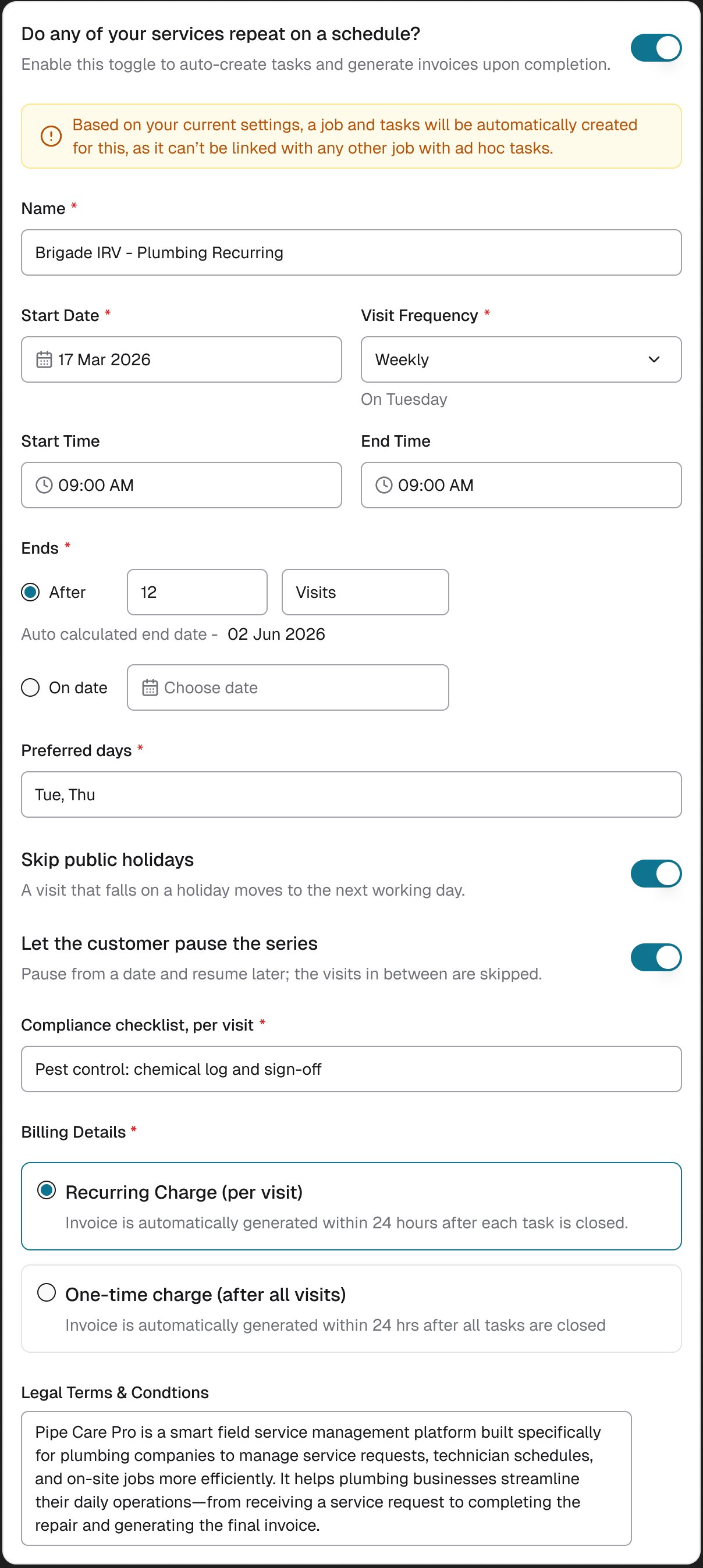
Left out of v1Preferred days, holidays, pausing a series, compliance tracking
Each one real, each one another control in the card and another case for QA.
ShippedA name, a schedule, when it ends, how it is billed
The smallest card that turns an estimate into an agreement.
WhyCut from the final plan to ship a clean first version, on web, mobile web and the app at once. It went live 51 days after the first design review.
What it costsA business with seasonal or irregular visits still edits by hand until a later release.
Ruled out for v1Shipped
Ruled out for v1Preferred days, skipping holidays, pausing and a compliance checklist, all in the card.
ShippedName, schedule, how it ends and how it bills, and nothing else.
The left card is redrawn for this case study from the real card and its own fields.
04The solution
One approval. Then it runs itself.
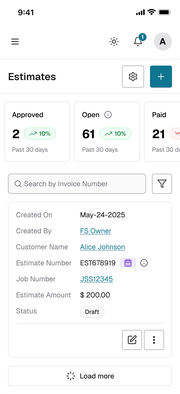
The same journey on every screen: build the agreement, the customer approves it once, and the job with all its visits is waiting. These are the real screens, played as a prototype.
app.swivl.io · prototype
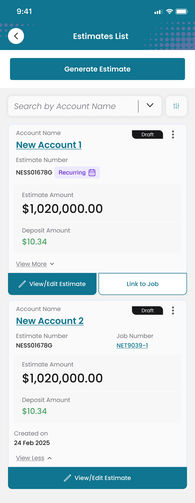
Prototype · WebFrom the estimates list to the job it creates
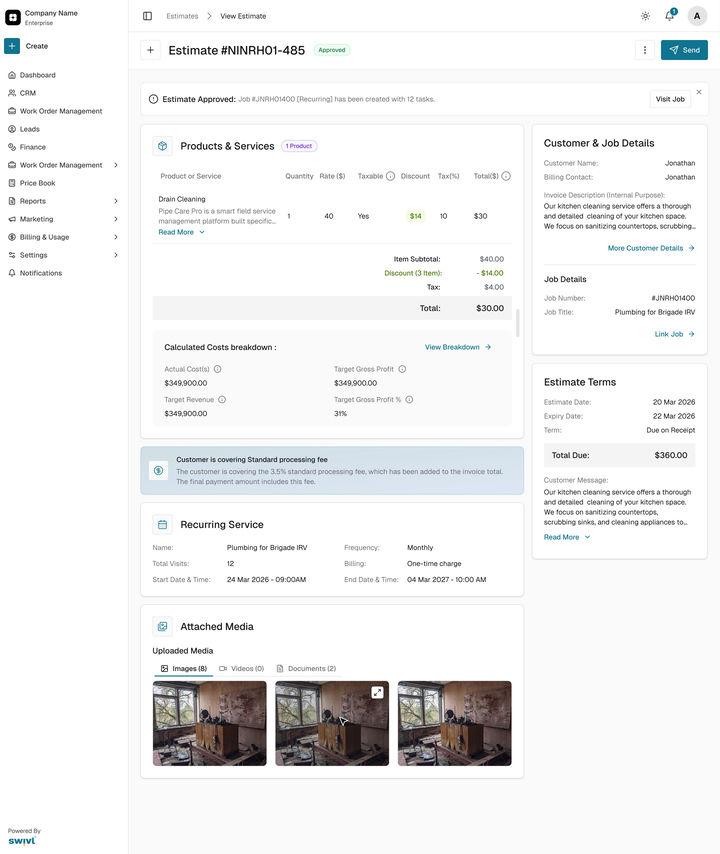
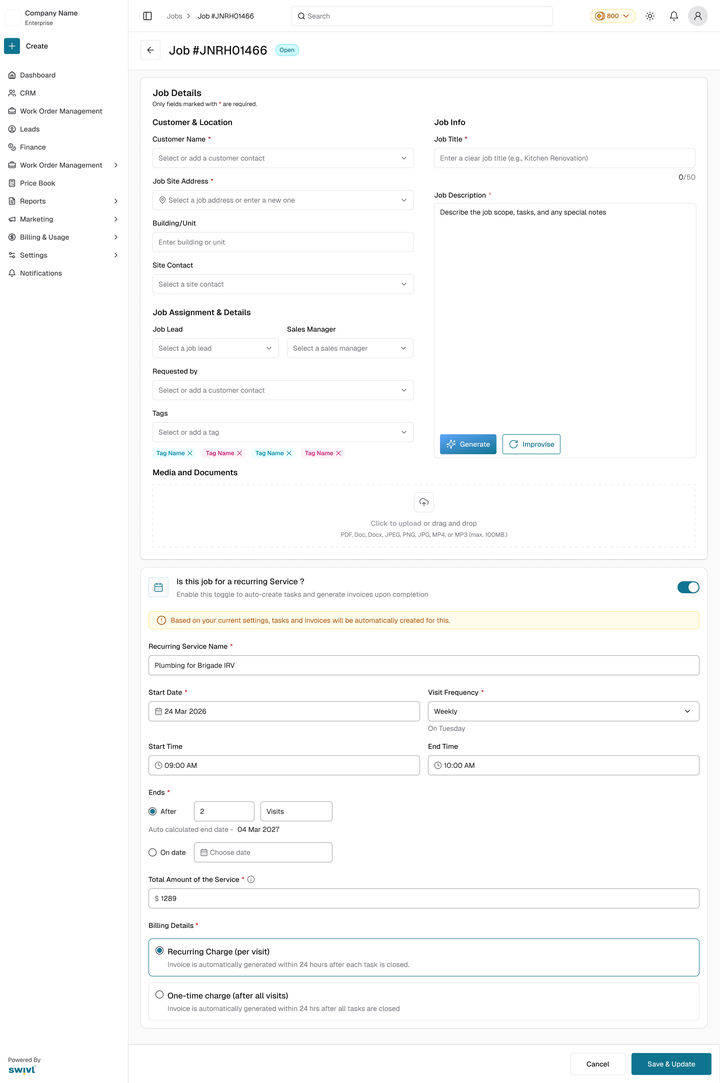
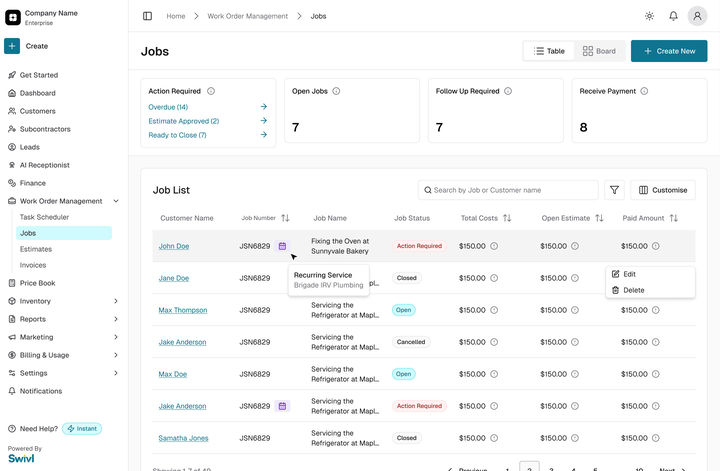
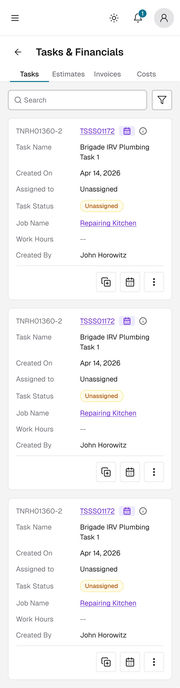
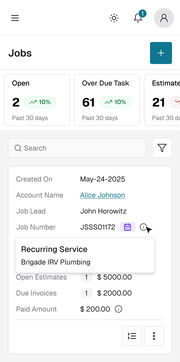
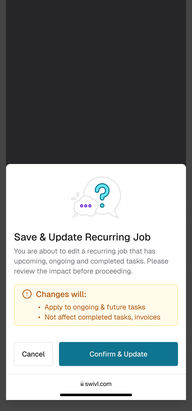
Create, switch on Recurring Service, scroll the visits it will make, save, send. Once approved, Job #JNRH01400 (Recurring) has been created with 12 tasks.
Prototype · AppThe same agreement in the iOS and Android app
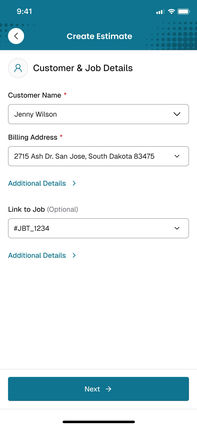
One field per row under the teal bar, with the main button always in reach.
Prototype · Mobile webAnd in a phone’s browser
Each step slides up from the bottom; the bar at the foot never moves.
The card, explained
Five things the card does so the office doesn’t have to
12345
One question turns it on.Do any of your services repeat on a schedule? sits in step 3 of the estimate everyone already uses. No new module to find.
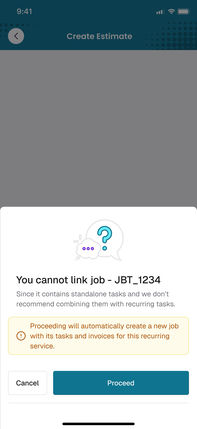
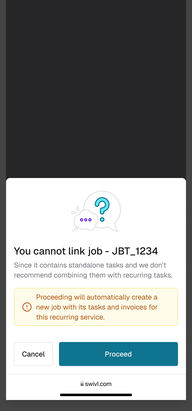
It says what will happen, before it happens.A job and its tasks will be created automatically. The PDF and the dialogs repeat it, so nothing arrives as a surprise.
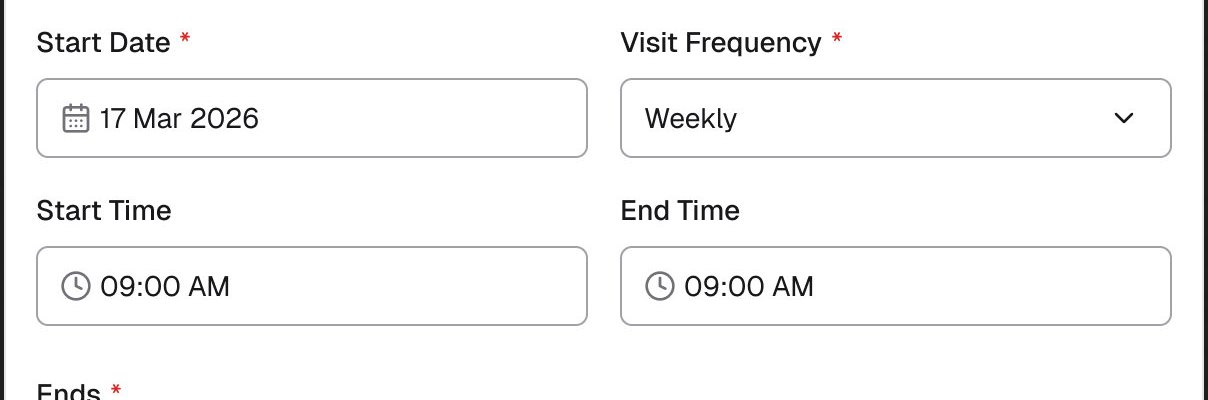
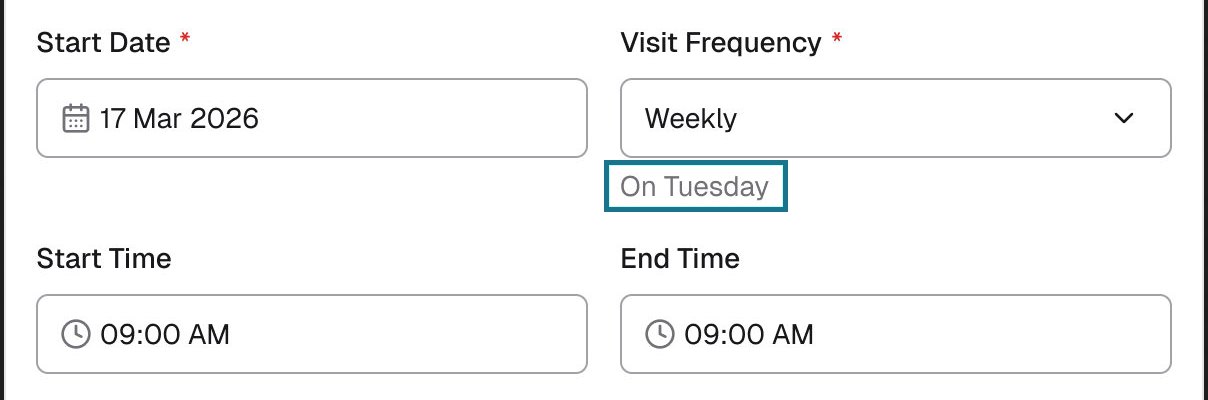
The weekday, spelled out.On Tuesday under the frequency. It was added after launch, when a walkthrough showed the day was easy to misread.
Swivl does the date maths.Set 12 visits and it works out the end date; pick an end date and it counts the visits.
Invoices follow the work.Per visit, 24 hours after each task is closed, or once after the last. Either way nobody has to remember to send it.
After it is sent
Every estimate shows where it stands
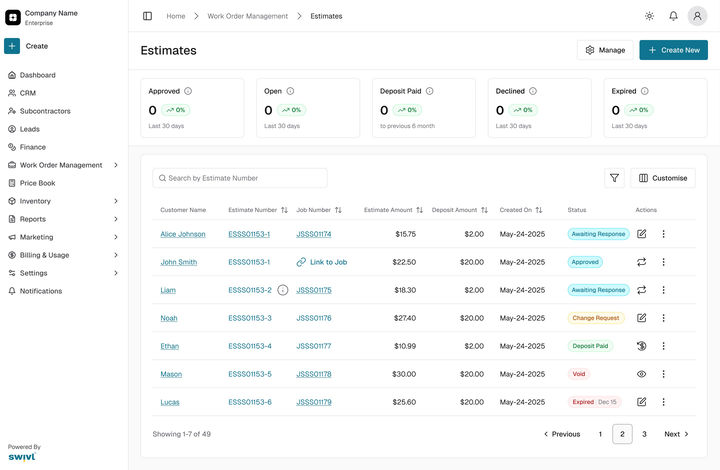
Six statuses, and for each one, what the business can do next.
Status
What it means
What the business can do
Draft
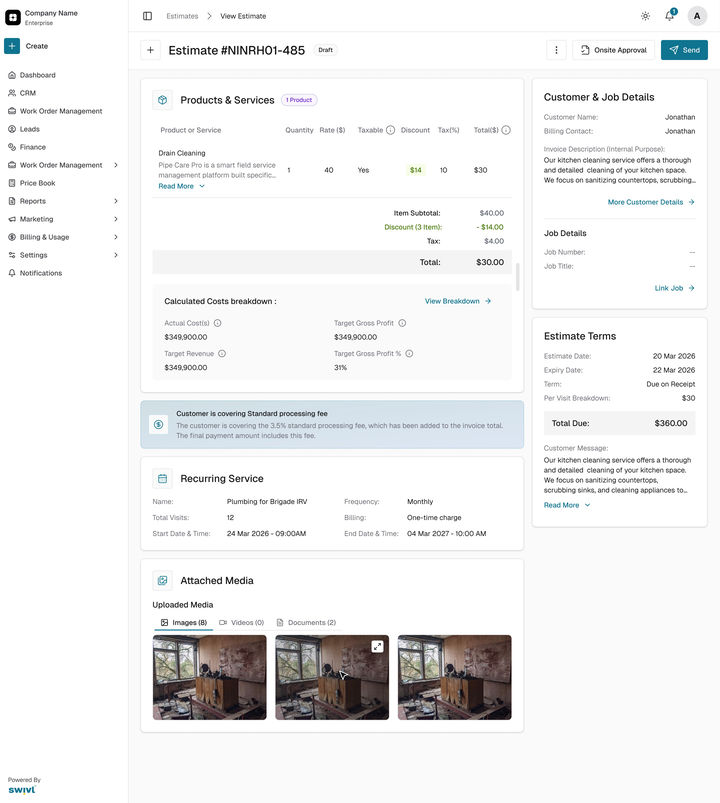
Saved, not sent. Only the team sees it.
Edit anything, then send.
Open
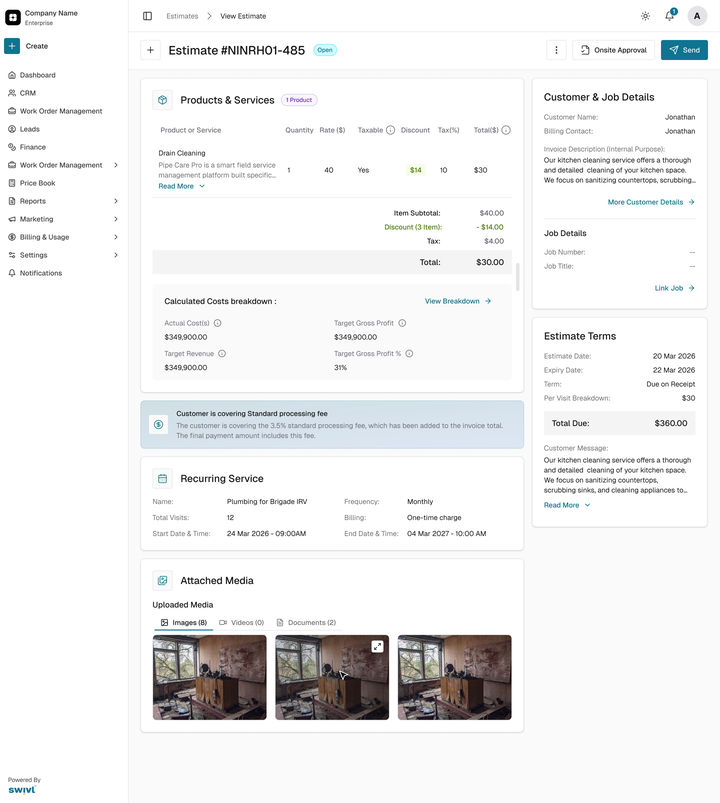
Sent, waiting on the customer.
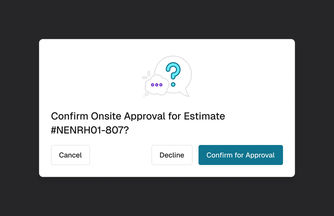
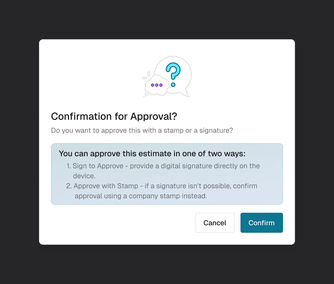
Send it again, or take the approval on site with a signature or stamp.
Change request
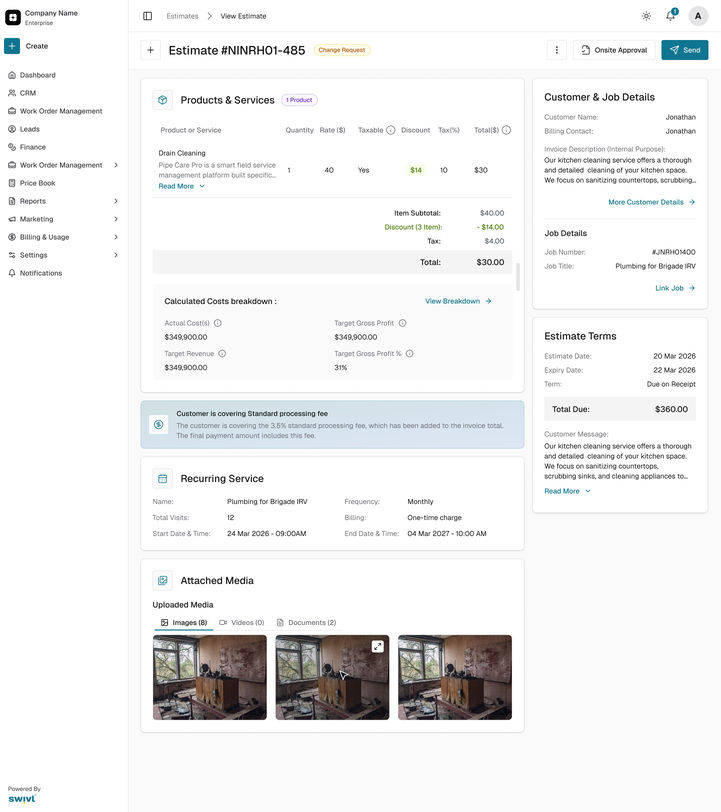
The customer asked for changes.
Edit the fields that can change and resend in one click.
Approved
Signed and locked.
Open the job: Job #JNRH01400 (Recurring) has been created with 12 tasks.
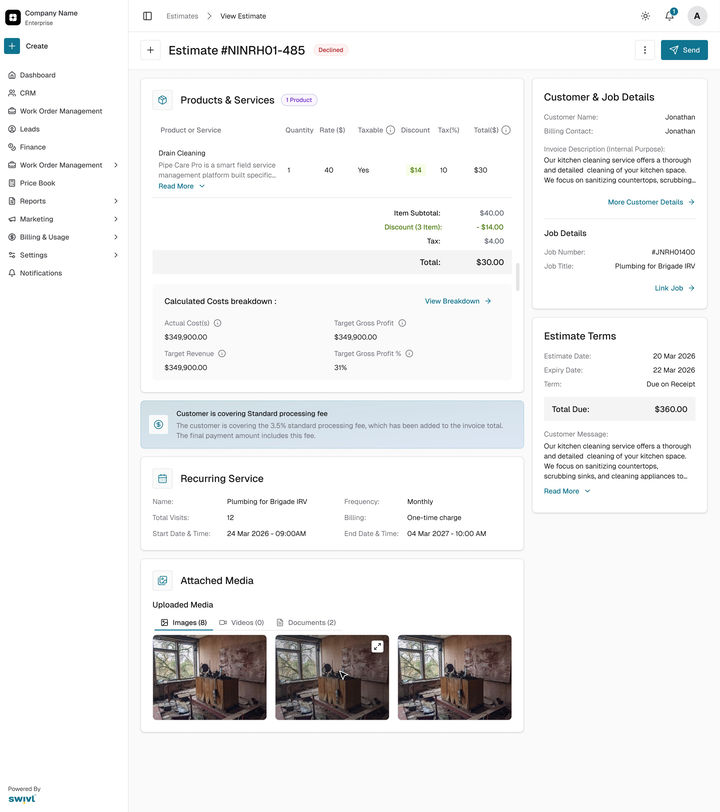
Declined
The customer said no.
Nothing is created; it stays on record.
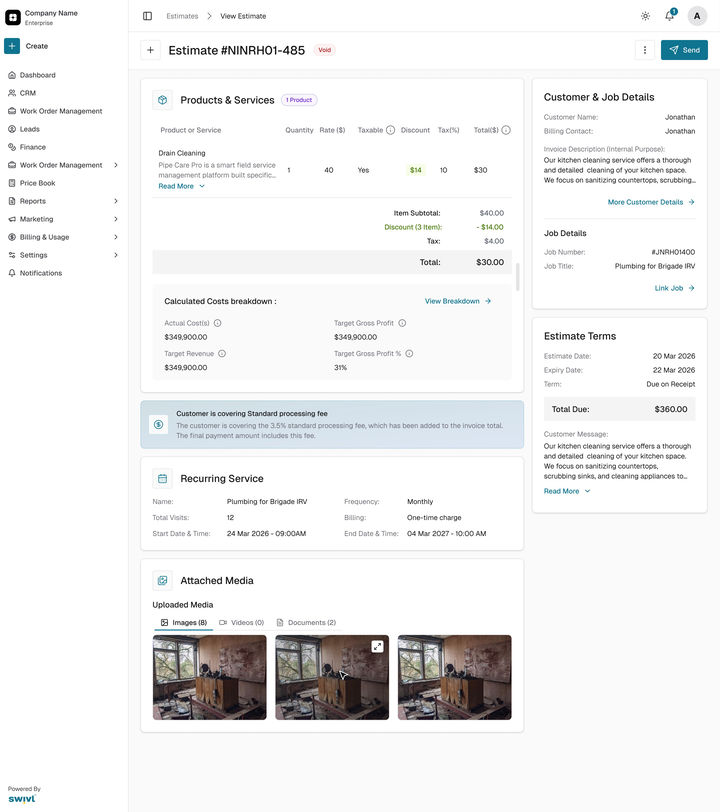
Void
Withdrawn.
Nothing; it stays on record.
Every screen, on one canvas
All 89 screens and parts, the whole file: web, the app, mobile web and the components. Pick a group to fly to it, zoom in to read, or press the corner button to present it full screen.
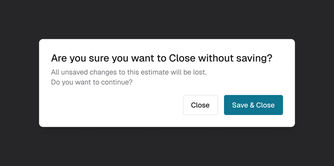
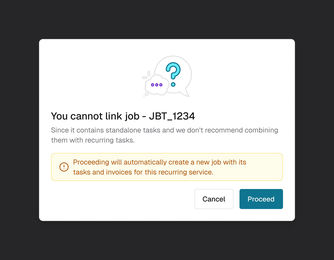
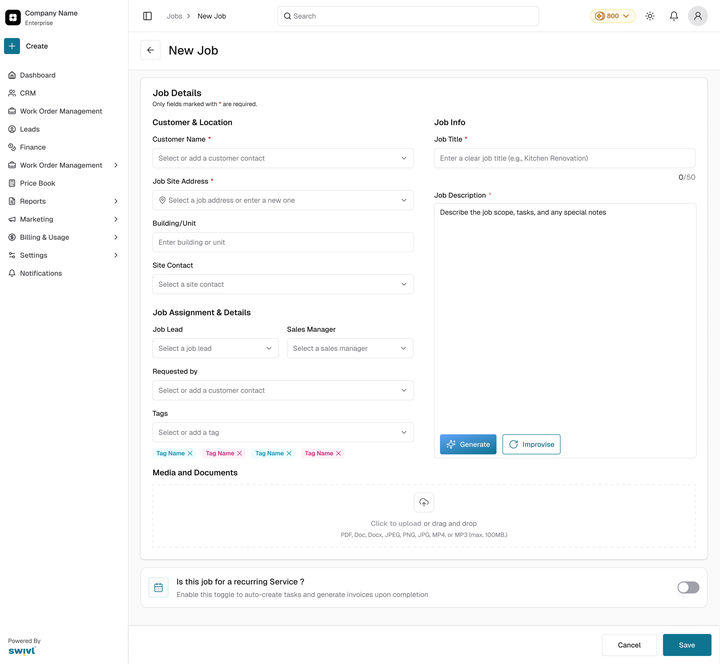
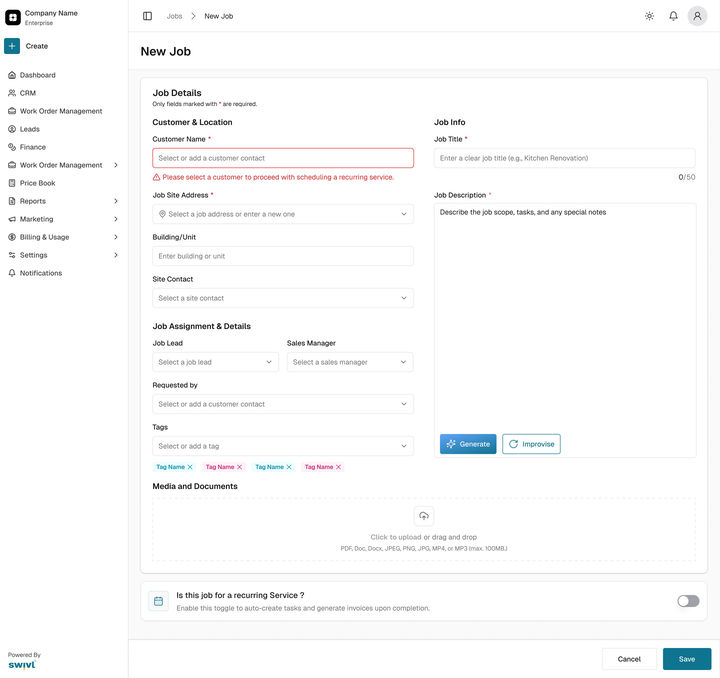
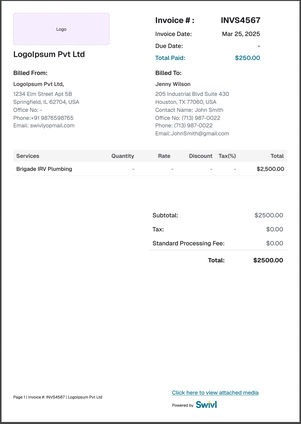
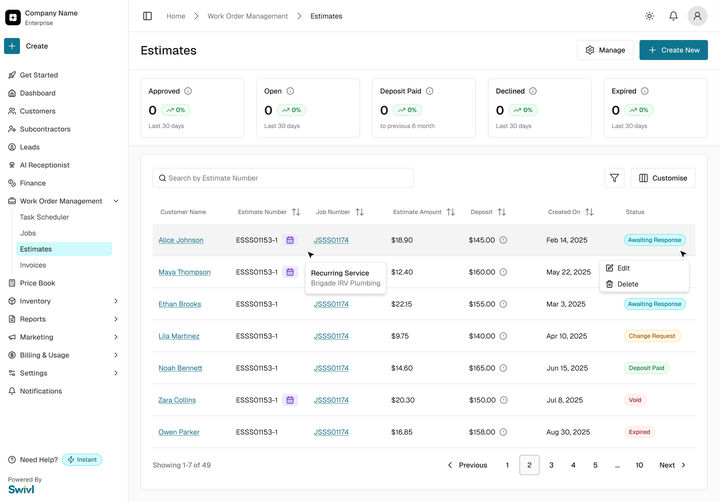
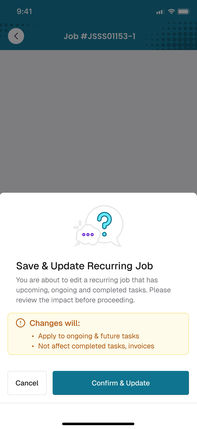
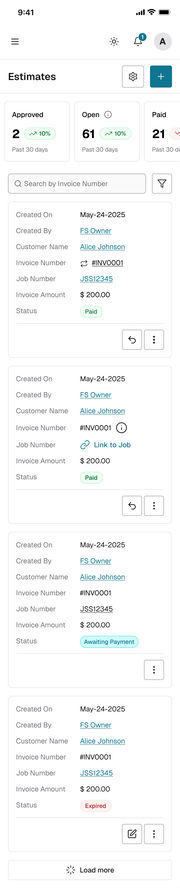
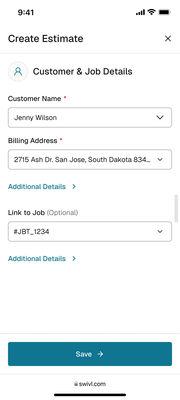
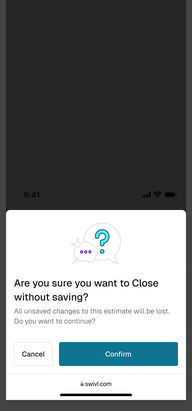
Estimates listStep 1, emptyStep 1, filledStep 2, a service addedStep 3, recurring offStep 3, linked to a jobStep 3, monthly, any timeStep 3, a new jobEmptyEnds after 12 visits, billed per visitEnds on a date, one chargeA required field missedDraftOpenChange requestDeclinedApprovedVoidClose without savingCan’t link this jobOnsite approvalSign or stampEditing a running jobOpen, 8 of 12 doneEvery visit a taskTasks start UnassignedOpenCancelledClosed, fully paidNew jobA required field missedRecurring switched onEditing a recurring jobInvoice, billed per visitInvoice, one charge after all visitsEstimate PDF, page 1Estimate PDF, page 2Invoice PDFEstimatesJobsTask schedulerInvoicesWebMobile webiOS and Android appEstimates listCustomer and job detailsProducts and servicesRecurring offRecurring on, linked jobRecurring on, new jobCan’t link this jobEstimate detailsEstimate approvedJob detailsInvoice detailsNew jobNew job, recurring onSave and updateEditing a recurring jobEstimates listCustomer and job detailsClose without savingProducts and servicesRecurring offRecurring on, linked jobRecurring on, new jobCan’t link this jobEstimate detailsEstimate approvedJob detailsTasks and financialsInvoice detailsJobs listEstimates list, recurring iconNew jobNew job, recurring onJob details, another jobSave and updateEditing a recurring jobRecurring card, mobileRecurring card, web variantsRecurring and terms, mobile pageProducts and services, defaultProducts and services, filledEstimate PDF with the agreementInvoice PDF, once the job existsProducts and services, details cardTerms and media
Drag to move · Ctrl + scroll or pinch to zoom · double-click a screen to focus itSwipe sideways to move · pinch to zoom · ⤢ for full screen
05The effort
Three weeks of design, seven weeks to live.
About three weeks of design, from the first review on 30 Mar 2026 to handoff on 22 Apr, then four weeks of build that I supported until launch on 20 May.
Seven weeks from the first design review to going live
Recurring Service, 2026, from the Figma file and the Linear project.
Mar 30Apr 13Apr 27May 11May 25Jun 8Jun 24
Design and reviews
Mar 30 to Apr 22
Design handoff
Apr 22
Engineering build
Apr 16 to May 20
QA on three platforms
Apr 23 to May 20
Live, release 4.24.0
May 20
Schedule hint follow-up
May 19 to Jun 24
Figma page dates and Linear project dates, 30 Mar to 24 Jun 2026.
44WebScreens and states in the final file.
20Mobile webScreens and states in the final file.
16iOS and Android appScreens and states in the final file.
78Engineering ticketsBackend, frontend, mobile, QA and product, all shipped.
How it was checked
What each check found, and what changed because of it
No usability study ran on this one. These are the checks that did, from the file, the tickets and the release.
Check
What it found
What changed
Every state, before handoff
Six estimate statuses, four card states, five pop-ups, job cancel and close, two ways to bill, drawn on three platforms. Four screens were missing.
All four drawn before the 22 Apr handoff.
Notes for the build
Behaviour that a screen alone cannot show: what happens on approve, on edit, on cancel.
29 notes on the canvas, so engineers didn’t have to guess.
QA on three platforms
23 Apr to 20 May, beside the build, on web, mobile web and the app.
78 tickets, all shipped in release 4.24.0.
Walkthrough, 19 May
The weekday of a two-weekly schedule was easy to misread.
The On Tuesday hint, shipped on 24 Jun.
Live on 20 MayAfter 24 Jun
Live on 20 MayWeekly, with the weekday left to the start date.
After 24 JunOn Tuesday under the frequency: the one fix the walkthrough asked for.
06Business outcome
Live on 20 May 2026, on every platform.
Recurring Service went live in release 4.24.0, on web, mobile web and the iOS and Android app. What changed for a business on Swivl, in the words of the launch note:
1
Predictable revenue they can plan around, because every visit in an agreement is billed on its own.
2
Less admin per contract. The job, its tasks and its invoices are created for them.
3
Clearer expectations, fewer disputes. The customer signs the full schedule, billing and terms before work begins.
4
One source of truth. Every task, invoice and visit links back to the original agreement.
For a business
Before
After
Tasks
12 made by hand
12 created on approval
Invoices
Made by hand, when someone remembered
Sent 24 hours after the work
The agreement
A phone call
A signed or stamped estimate
The whole contract
Nowhere
One job: done, invoiced, paid, outstanding
The launch note makes no usage claim, so neither does this page. The numbers to watch: how many estimates turn recurring, the share of visits billed without a manual step, and what is still owed on recurring jobs. Next: auto-pay, agreement templates and automatic crew assignment.
Looking back
What I would do again, and what I would change
Again
Put the new behaviour where the work already starts. One question in the estimate taught nobody a new screen.
Write the behaviour down in the file. 29 notes meant the edge cases were decided by design, not in a ticket thread.
Differently
Put the wording in front of an office user before handoff. The weekday misread surfaced the day before launch and cost a follow-up release.
Agree the success numbers before the build. Then launch could report adoption, not just the benefits we expected.