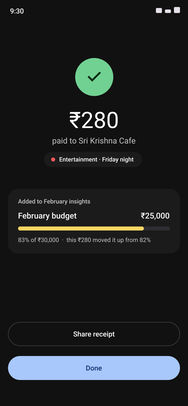
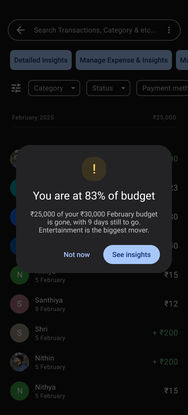
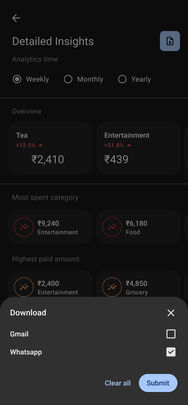
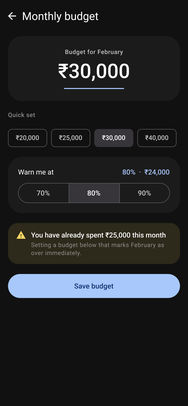
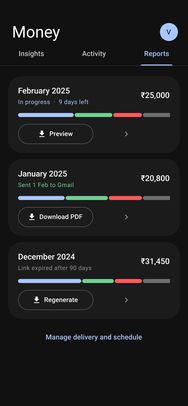
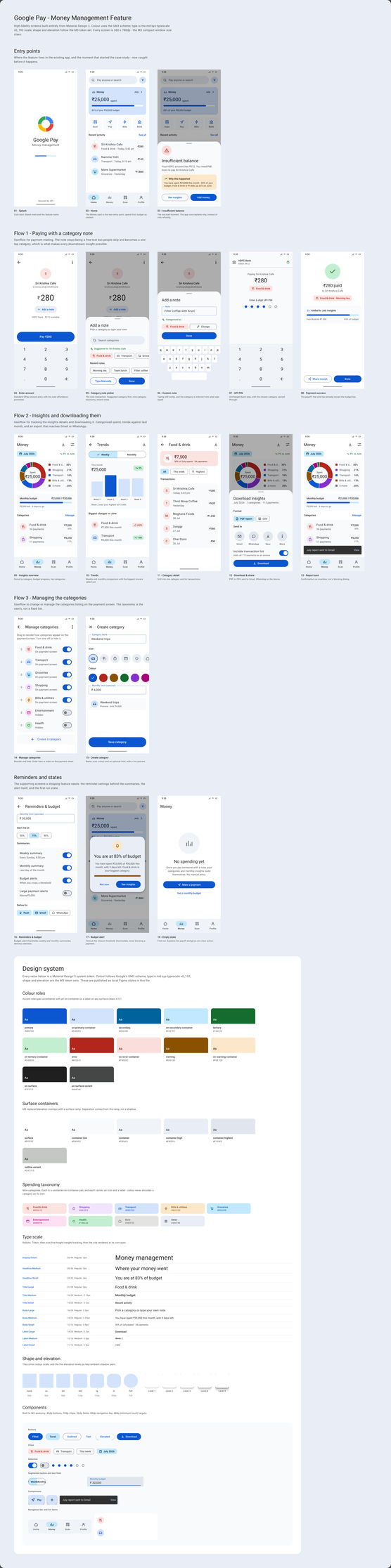
I paid for everything with UPI, then found my account nearly empty with no idea where the money went. So: what if Google Pay had what I needed? Label each payment in one tap, before the PIN, and see where the month went.
My roleSole designer
ScopeResearch, IA, UI, prototype
Output23 screens, 3 flows
Year2026, concept
vezign.online/gpay · money in motion
FilmMoney in motion
The concept in 39 seconds: a payment filed in one tap, then the month read back.
The problem
People who pay for everything by UPI end the month not knowing what they spent it on. Payment apps own the transaction, trackers own the insight; nobody owns both.
What I did
A self-initiated concept, alone: interviews with 12 to 14 regular UPI users, a five-app teardown, a timed payment, then 23 screens across three flows, inside Google Pay’s own three roots.
The result
A concept, not a shipped feature. One optional tap before the PIN, argued against a measured payment, with the riskiest assumption and the privacy gap named.
01The core screens
File it, read it, keep it.
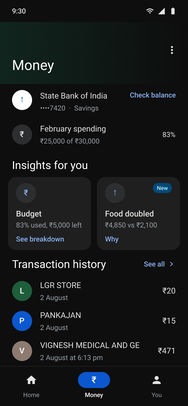
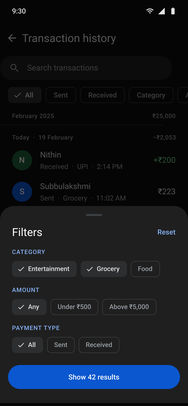
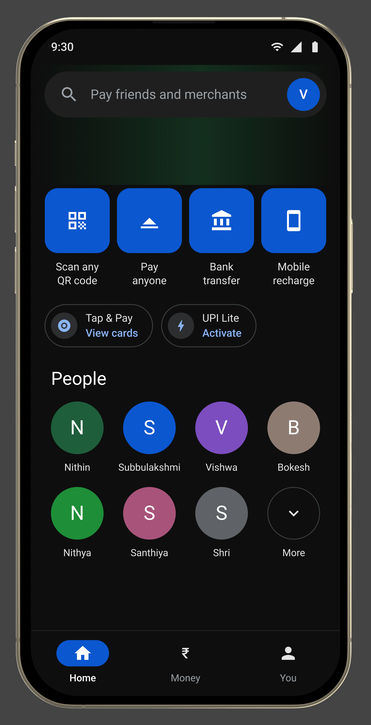
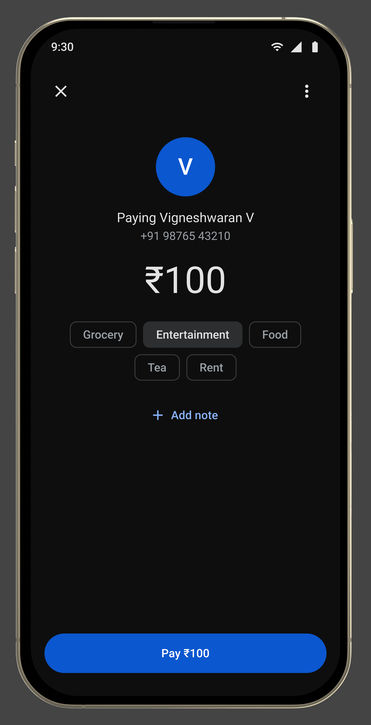
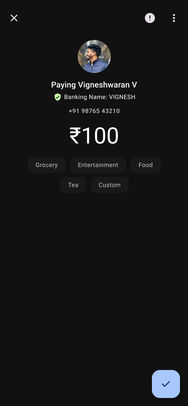
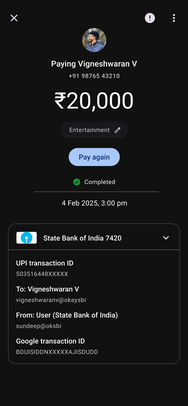
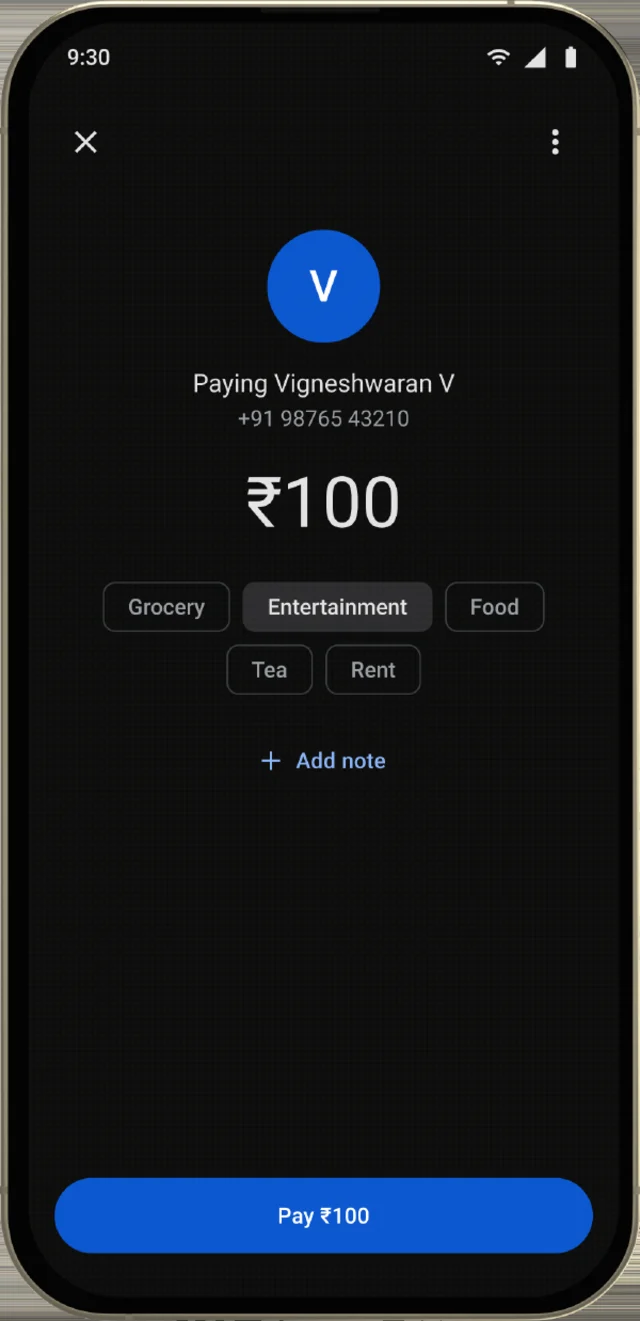
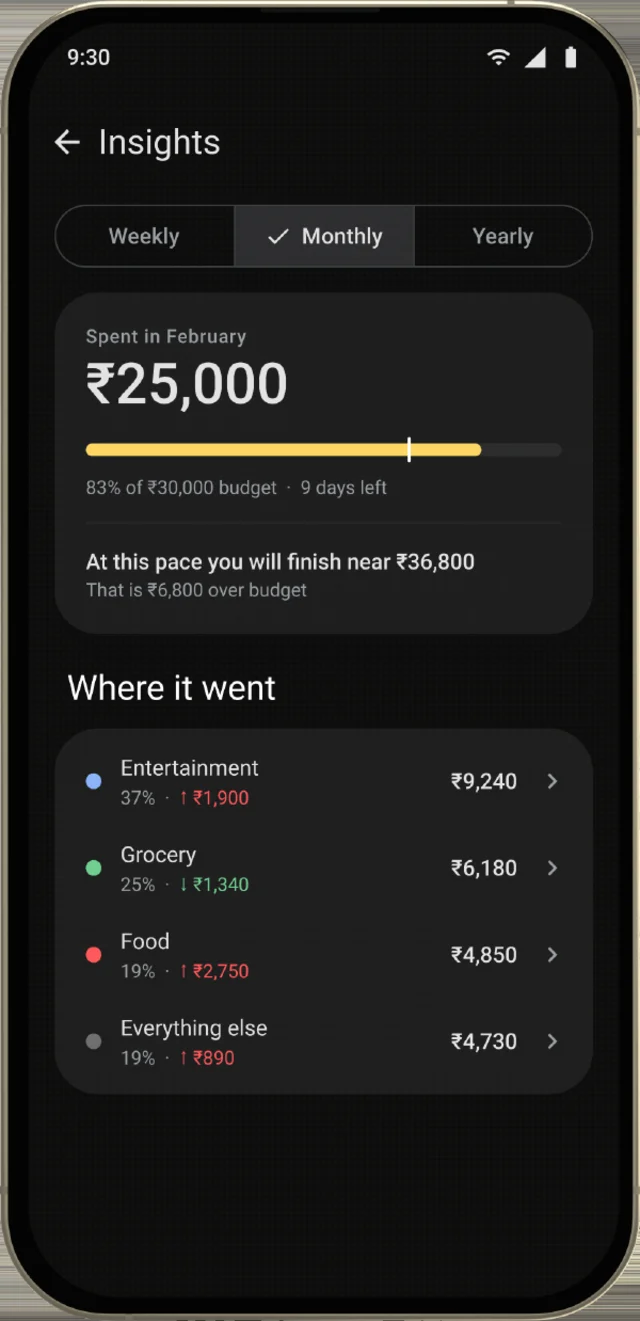
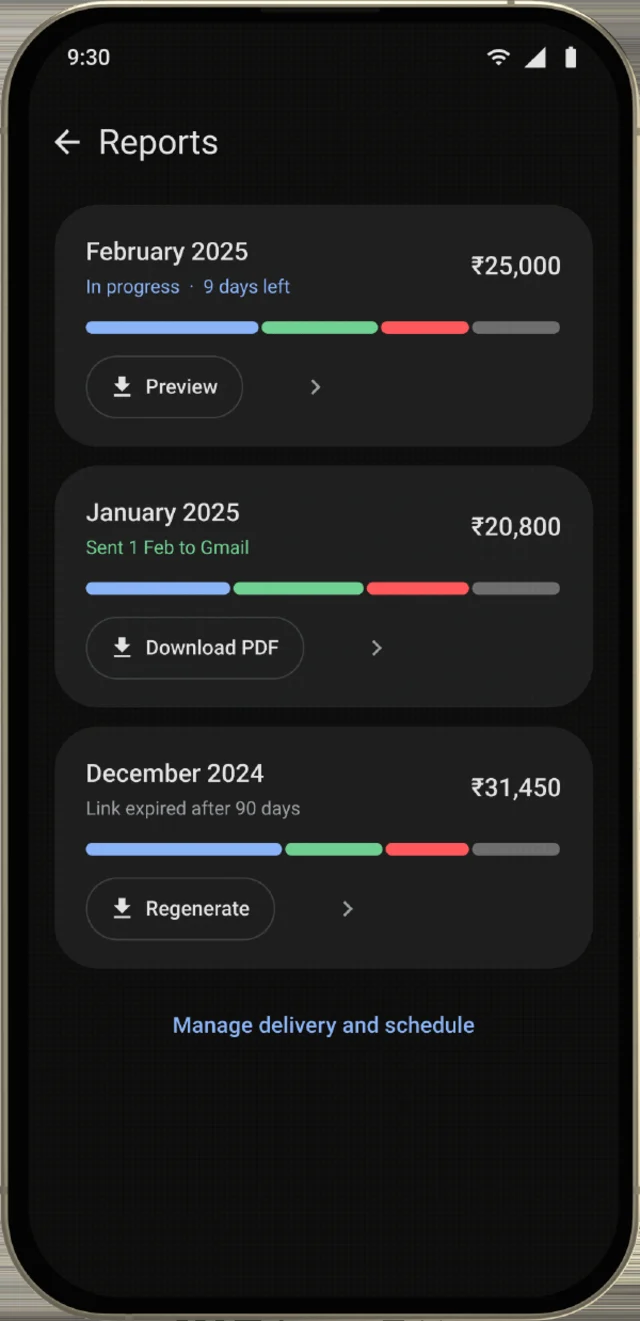
Three screens carry the idea: one row of chips on the payment sheet, and a month that arrives already grouped. Rest the pointer on a phone to play it.
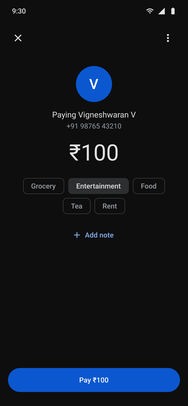
File itOne tap on the payment sheet, before the PIN.
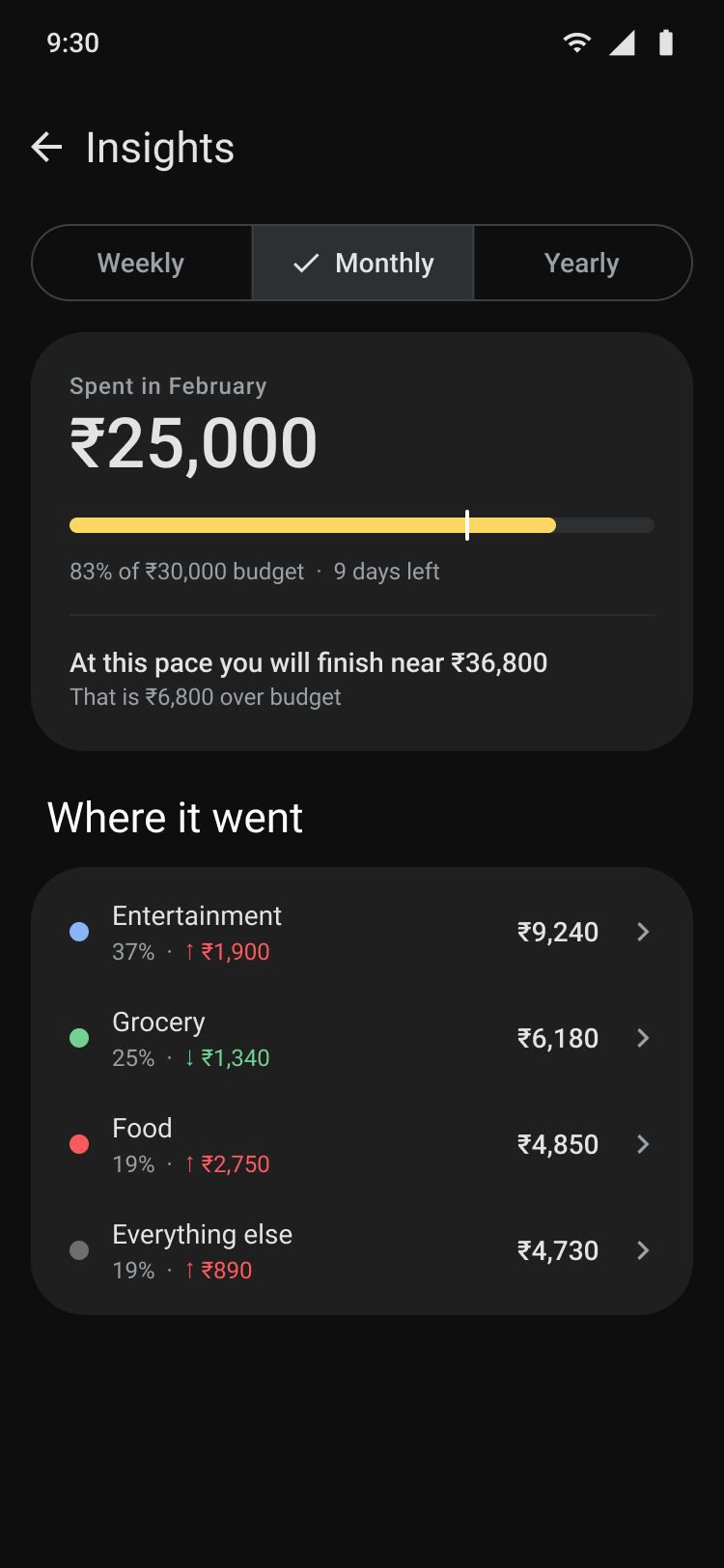
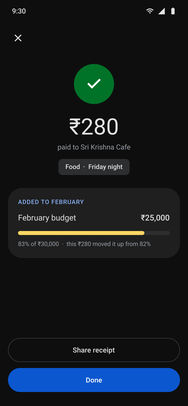
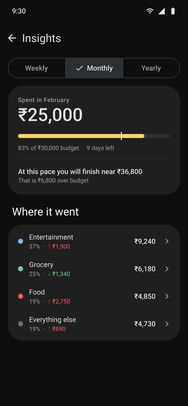
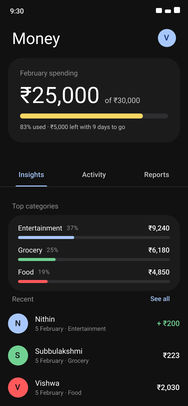
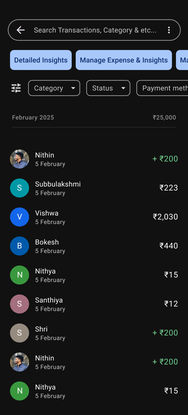
Read itThe month arrives already grouped.
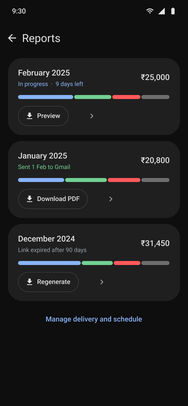
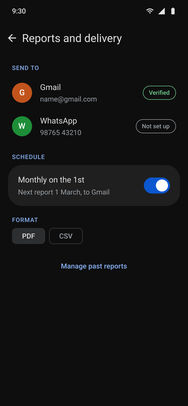
Keep itAny period, out of the app and into an inbox.
Swipe for more
02The problem
Payment apps own the transaction. Tracking apps own the insight.
Nobody owns both. So someone who pays for everything by UPI can still finish the month with no idea what they paid it for. I scored five apps in a teardown, and the pattern held every time.
Capability coverage across five apps: full, partial and absent, as scored during the teardown.
Capability
Google Pay
PhonePe
Paytm
CRED
Money Manager
UPI transactions
Full
Full
Full
Full
None
Bill payments
Full
Full
Full
Full
None
Manual payment notes
Full
Full
Full
Full
Full
Bill reminders
Full
Full
Full
Full
Full
Expense categorisation
Partial
Partial
Partial
Partial
Full
Weekly / monthly summaries
None
None
None
None
Full
Exportable reports
None
None
None
None
Full
Scroll the table sideways to compare all five
03Ideation
They were describing a tracker, inside the app they already pay with.
Interviews with 12 to 14 regular UPI users, beside the five-app teardown. UPI was the default for all of them, so the question was never whether people pay this way. It was what happens to the record afterwards.
Finding 1
Manual entry is where every attempt dies
Trackers ask for a payment already made, a second time, by hand. Most people start, stop, and fall back to a rough sense of the total.
Finding 2
History is not insight
Transaction lists are complete and unreadable: nothing groups them, so nothing explains them.
Finding 3
About seven in ten named the same three
Categorised spending, a periodic summary, and a report they could keep, named unprompted.
“I know roughly what I spend. I have no idea what I spend it on.”
Nithya, 26 · Marketing executive, Bengaluru · the primary persona, a composite built from the interviews
Route ATaken
Build it into Google Pay
The payment and the record happen in the same gesture, so the record never has to be re-entered - which is the exact point at which every other attempt failed.
No second app, no double entry
Categorised at the moment of payment, while the context is still there
Reaches the people who already pay this way, without asking them to adopt anything
Has to earn room inside a payment flow tuned for speed
The record is made where the payment already is
Route BNot taken
Ship a standalone tracker
A dedicated surface with room to go much deeper - budgets, goals, multi-account reconciliation - answering to nobody else’s interface.
No constraints from an existing product
Room for depth a payment app could never justify
Every payment has to be entered a second time, by hand
Competes with the trackers people have already abandoned
Fails at the finding above
Also considered: just improve the transaction history. Rejected, because a history answers what happened, and the question people were actually asking is what am I doing. Better sorting and filtering still leaves the reader to do the summarising; the work here is the grouping and the periodic reading, not the record.
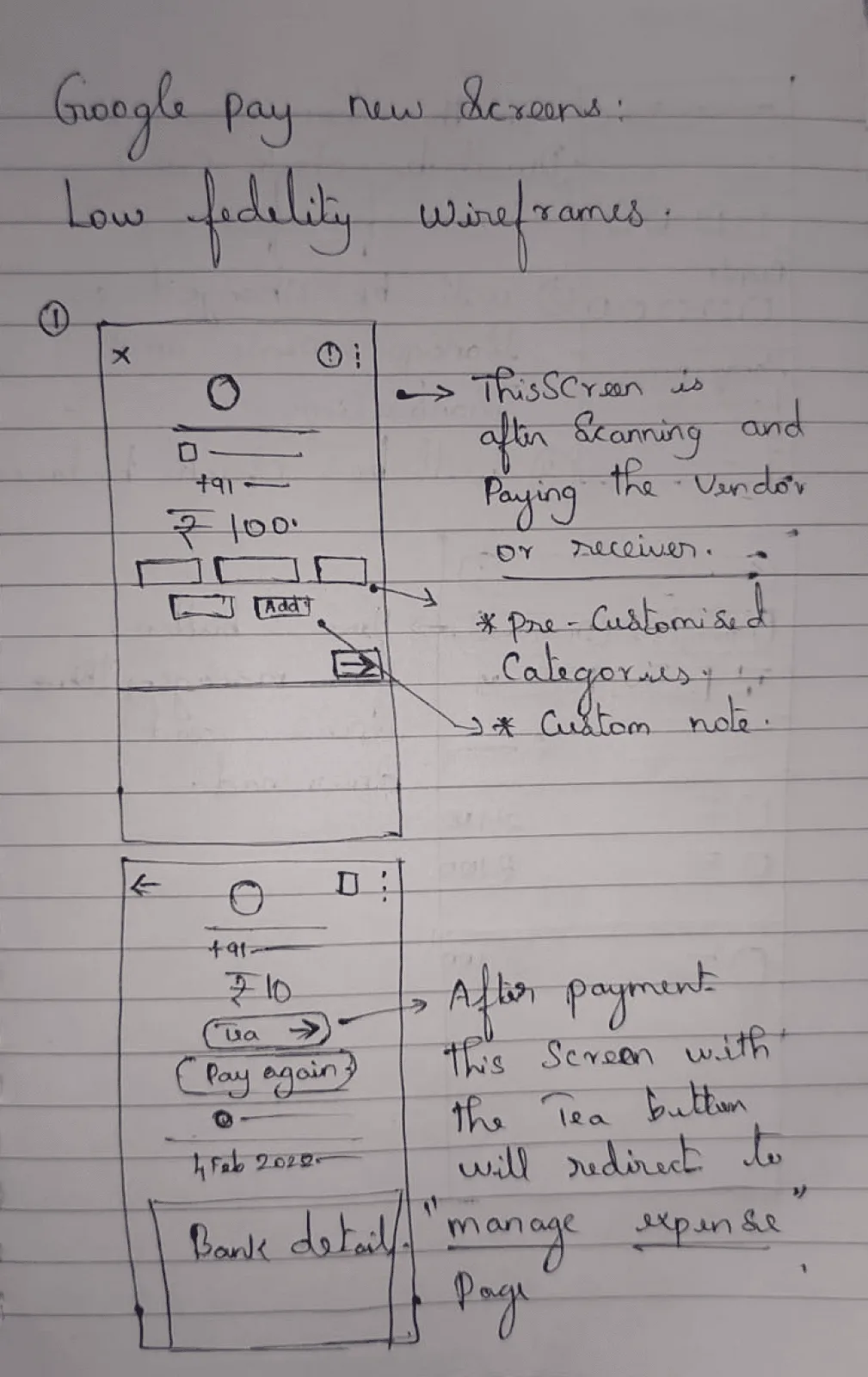
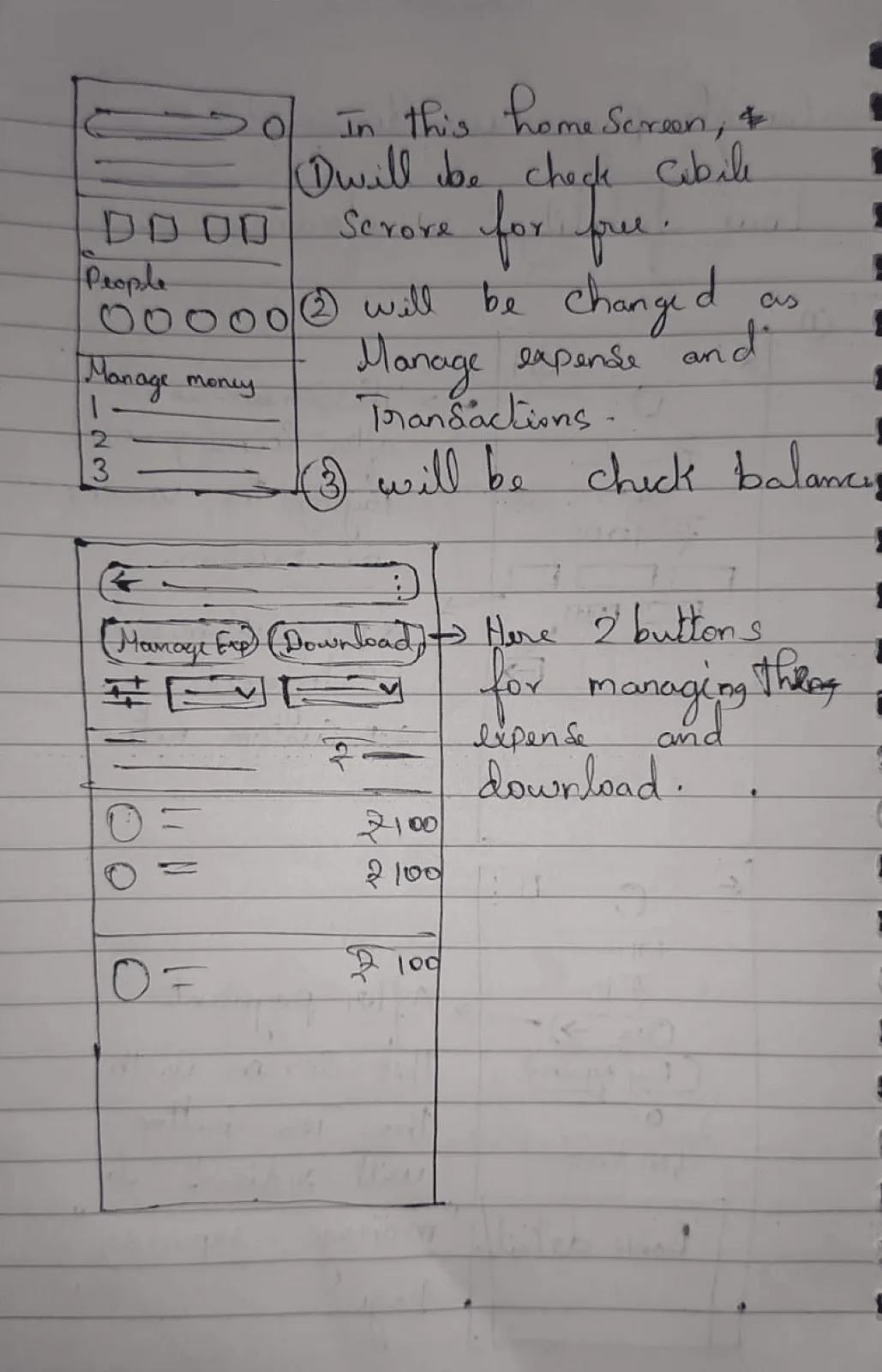
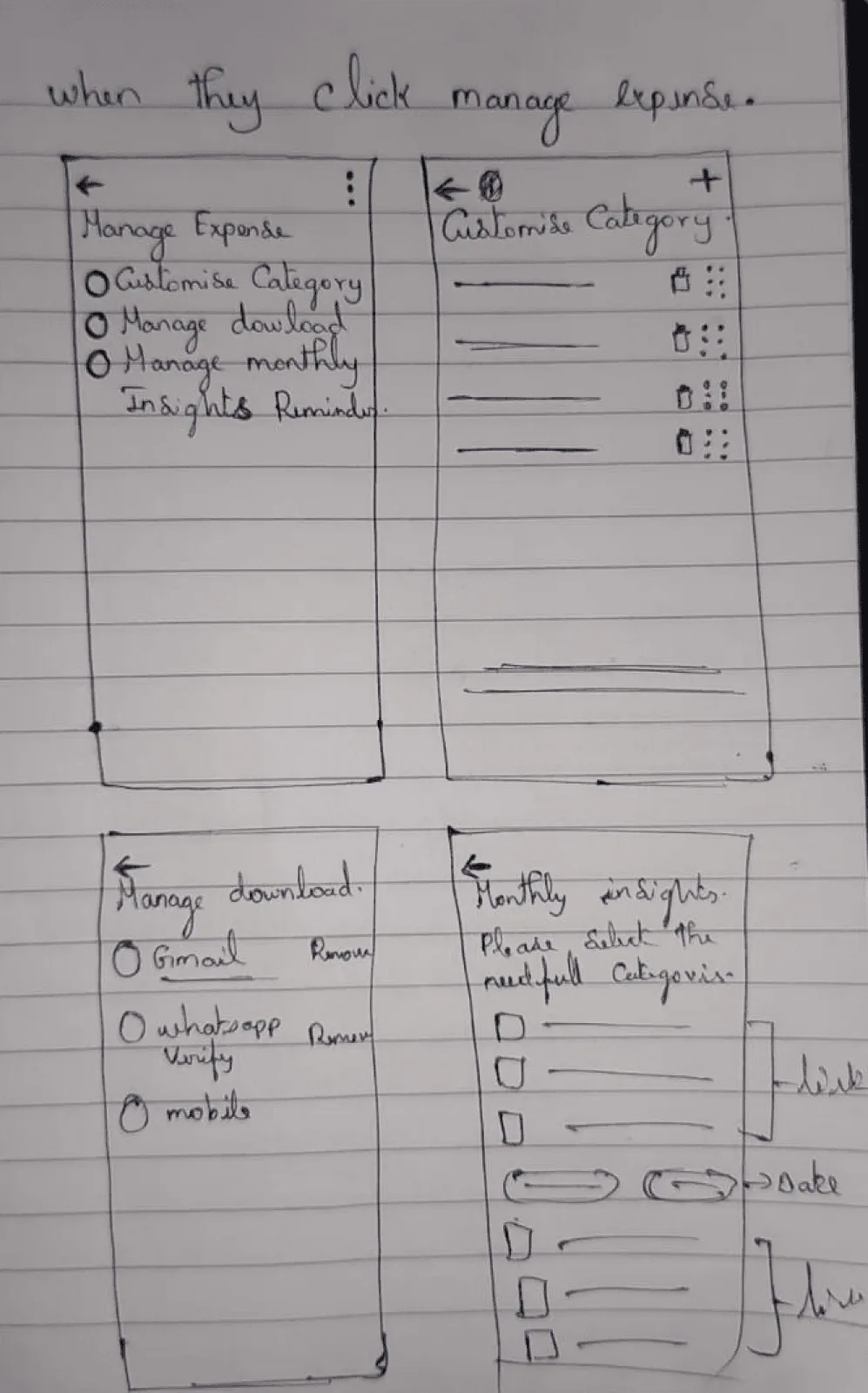
SketchesThree sheets of wireframes
The payment and its receipt, the home screen and the expense list, and managing categories.
From the first version to the last
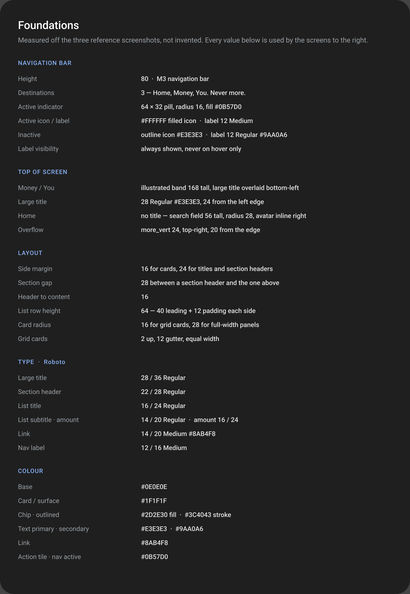
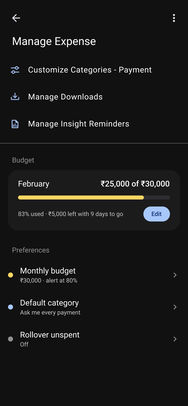
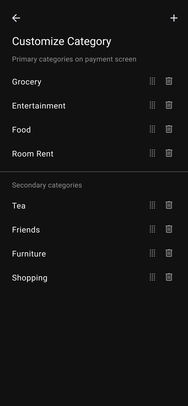
28 screens with their own vocabulary, rebuilt into Google Pay’s
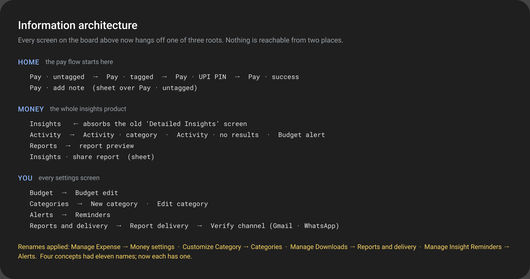
The first iteration grew its own settings and its own names. IA v2 measured Google Pay’s foundations off the live app and moved every screen into its three roots, so nothing is reachable from two places. Drag across each phone: the first version on the left, the final on the right.
First versionFinalDrag
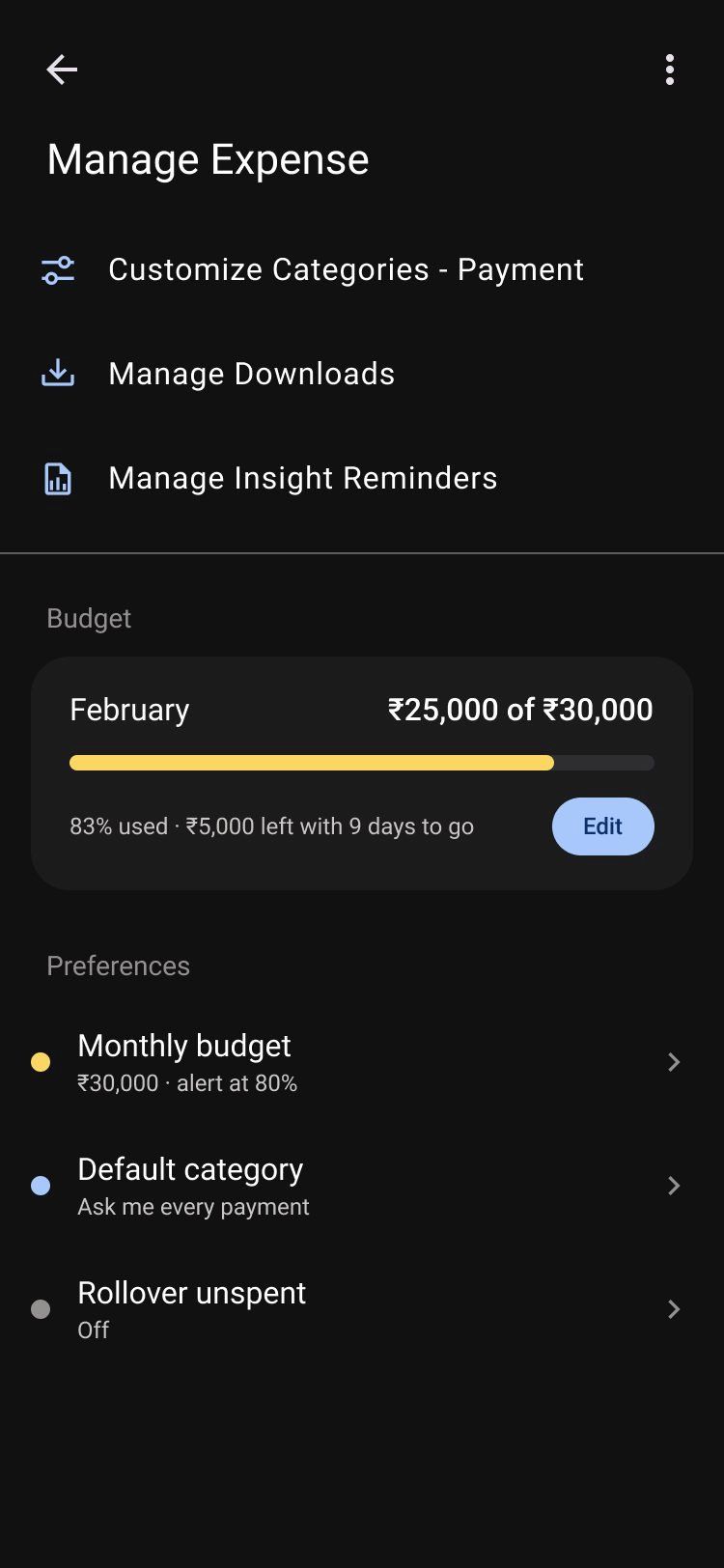
First versionManage Expense, a settings screen of its own, with its own names.
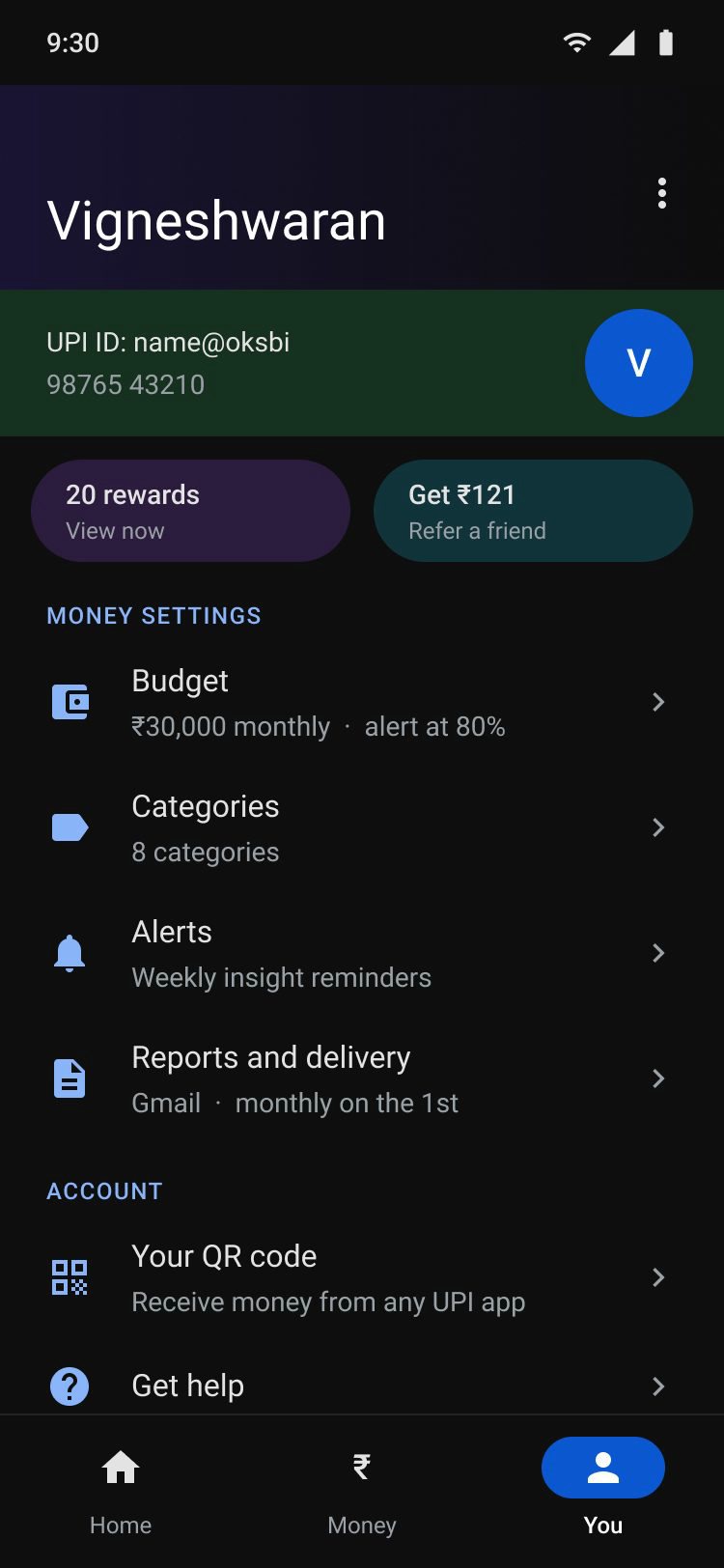
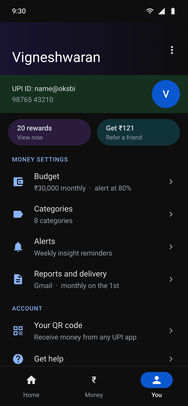
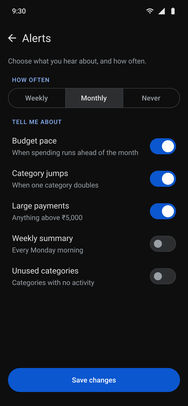
FinalMoney settings inside Google Pay’s You tab: Budget, Categories, Alerts, Reports.
First versionFinalDrag
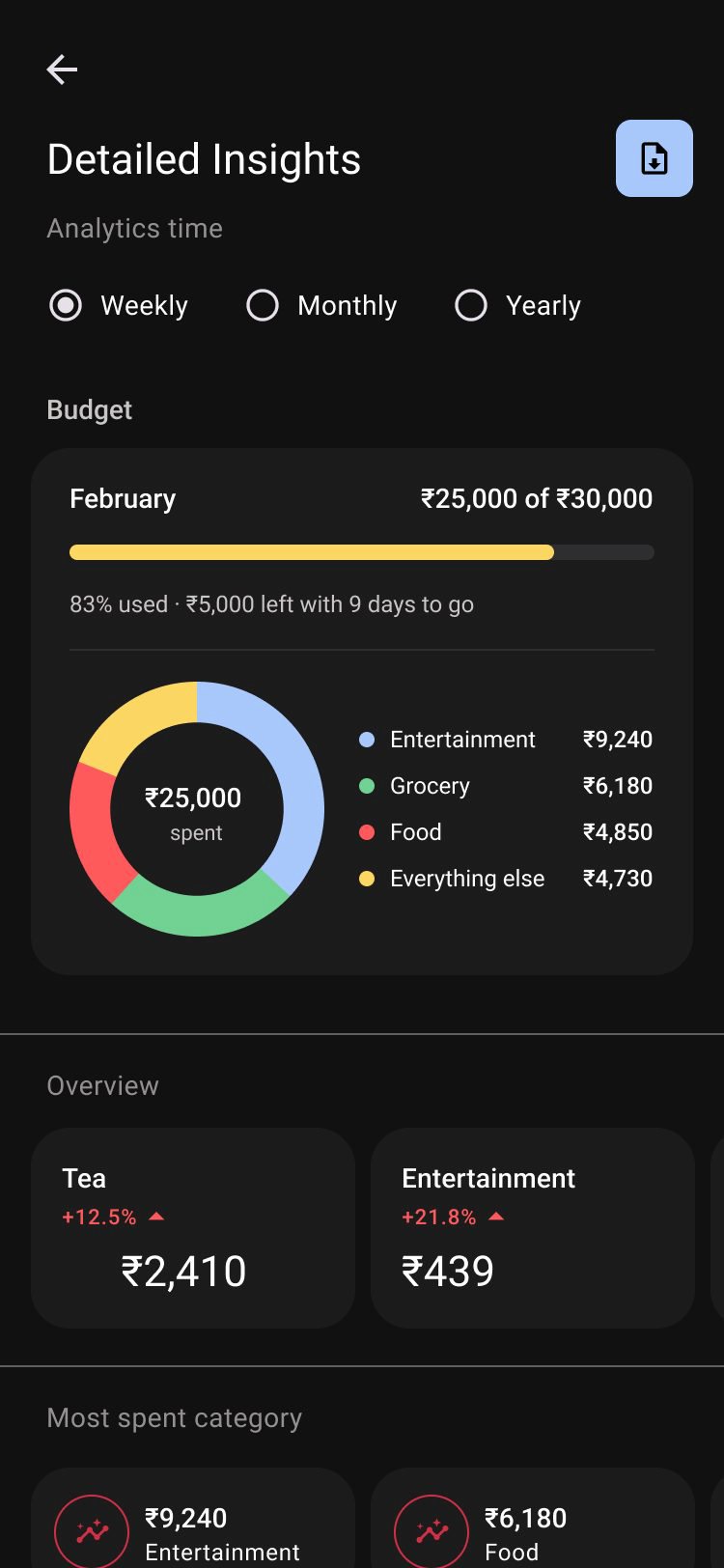
First versionDetailed Insights: a long scroll of charts and transactions.
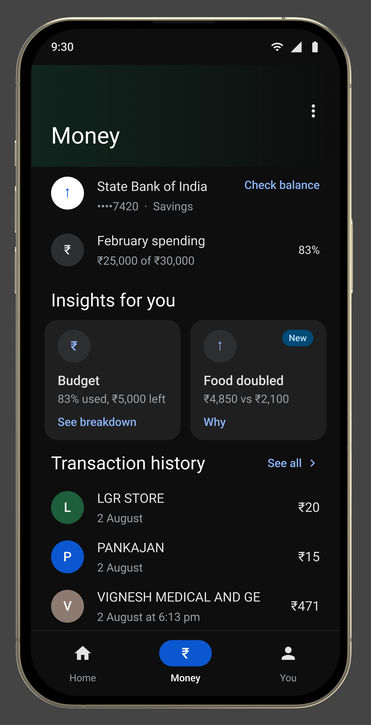
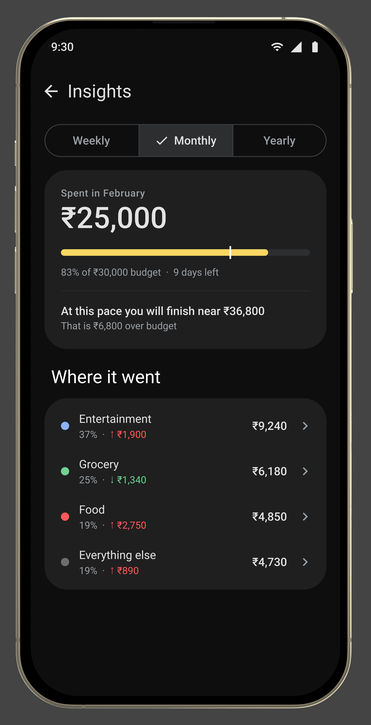
FinalOne Insights screen: the month against the budget, then where it went.
04The solution
Four additions, and nothing else.
Built into Google Pay’s own three roots, Home, Money and You, so nothing re-teaches the app. Each addition removes a step someone is doing by hand today. The final screens, played as a prototype, one flow each:
Flow 01 · PayFiled as it is paid
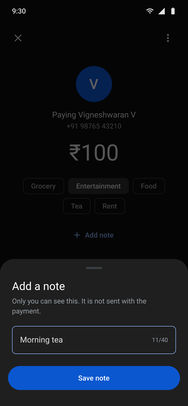
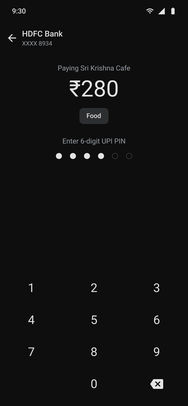
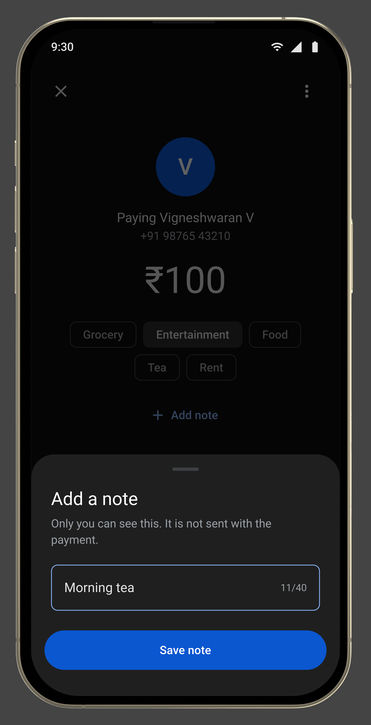
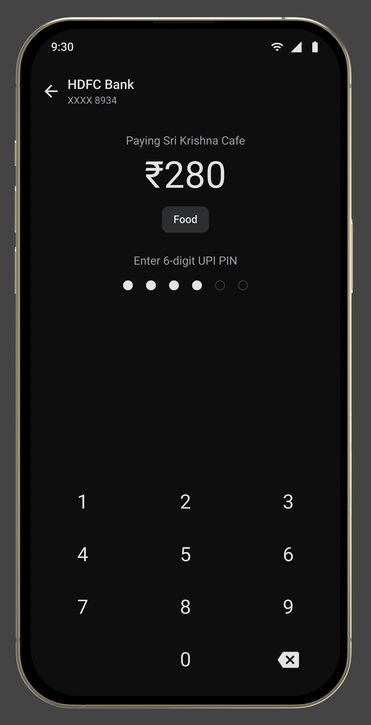
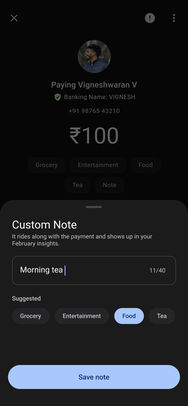
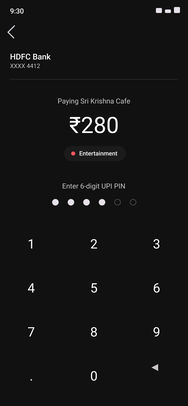
One chip, an optional note, then the PIN, untouched.
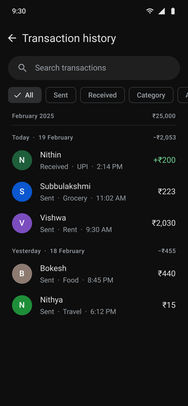
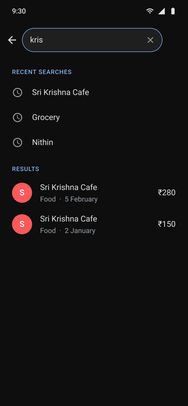
Flow 02 · MoneyWhere the money went
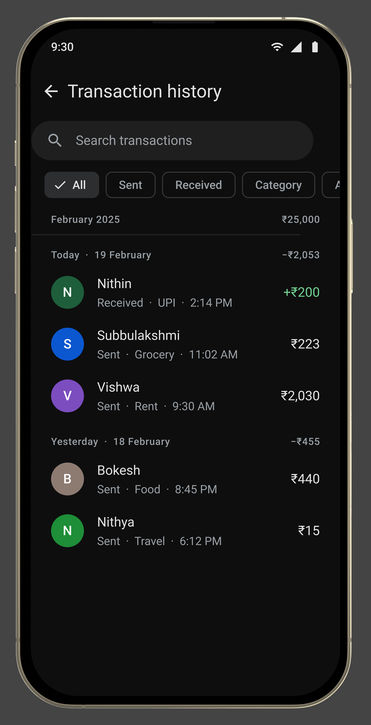
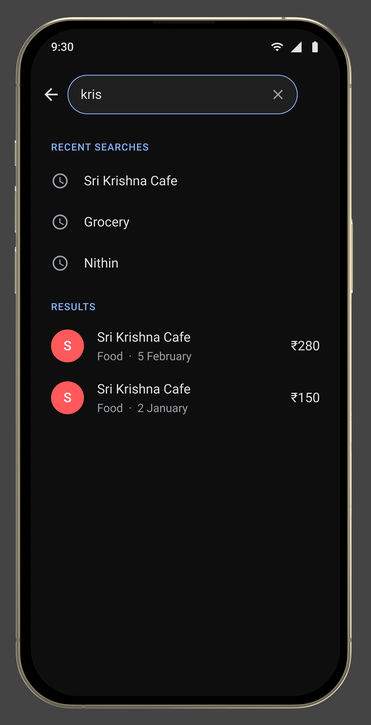
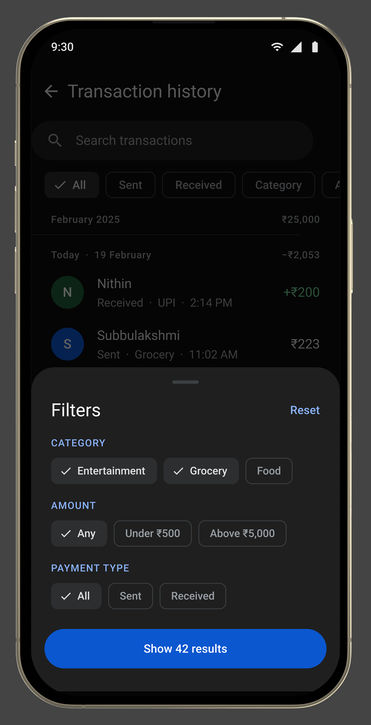
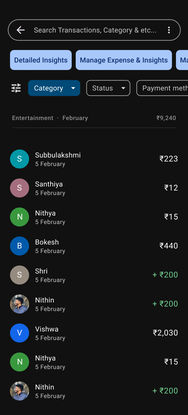
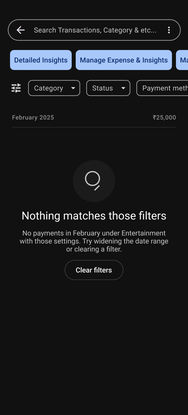
Insights first, then history you can search and filter.
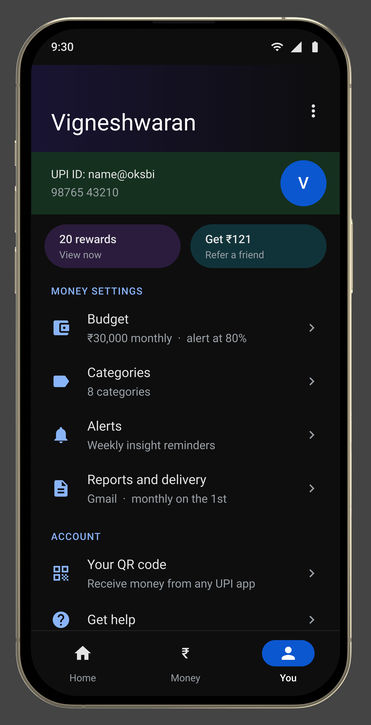
Flow 03 · YouThe settings behind it
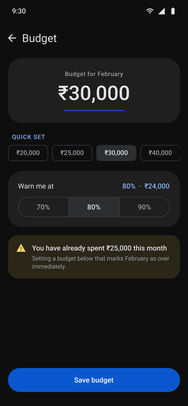
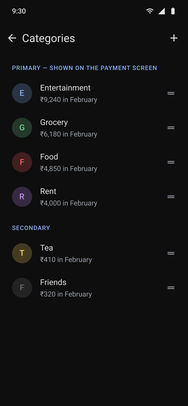
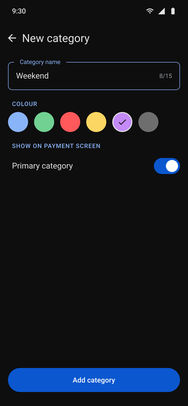
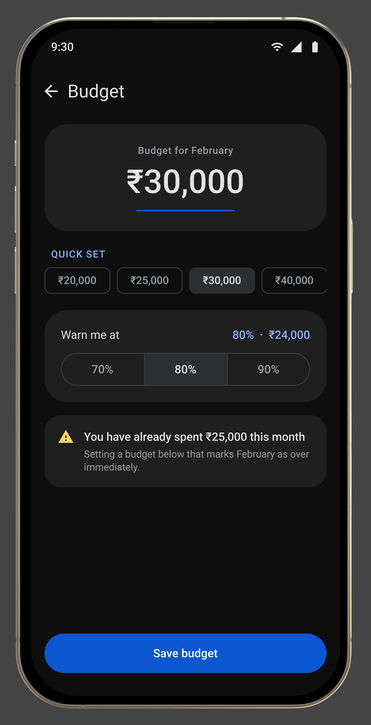
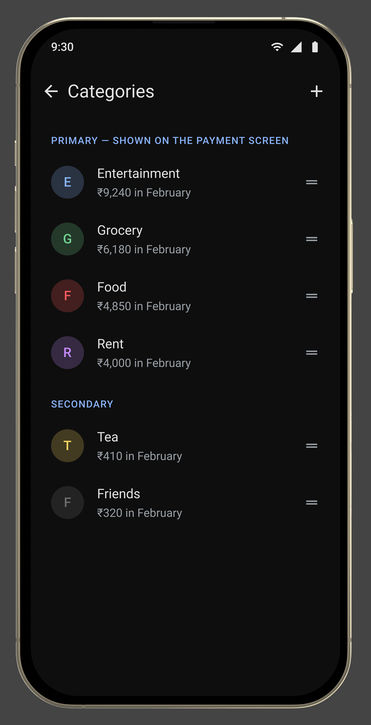
A budget, and the chips the payment sheet shows.
Notes worth adding
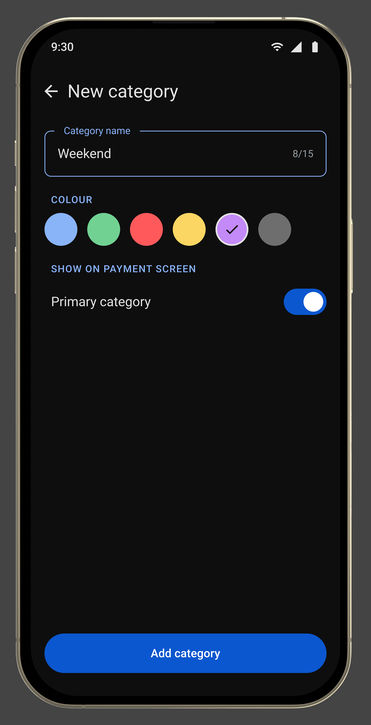
The note field becomes a row of categories to tap, with free text still there for the payment that fits none.
Categorised insight
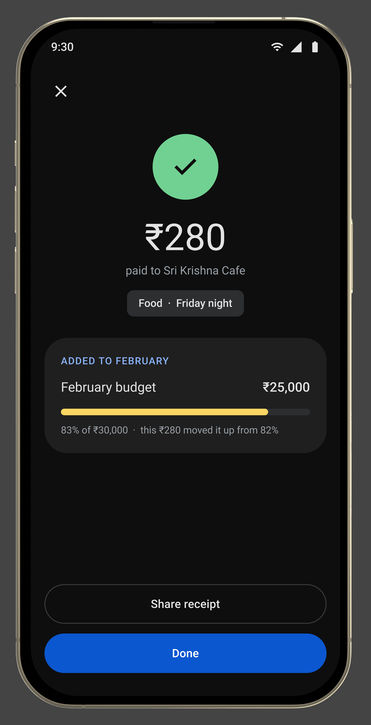
Every payment lands in a category as it is made, so the month arrives already grouped.
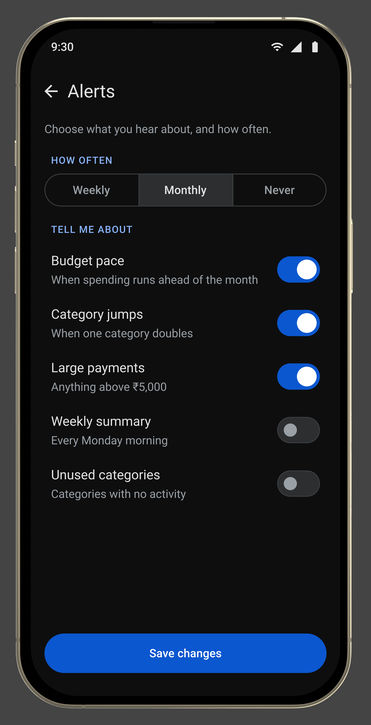
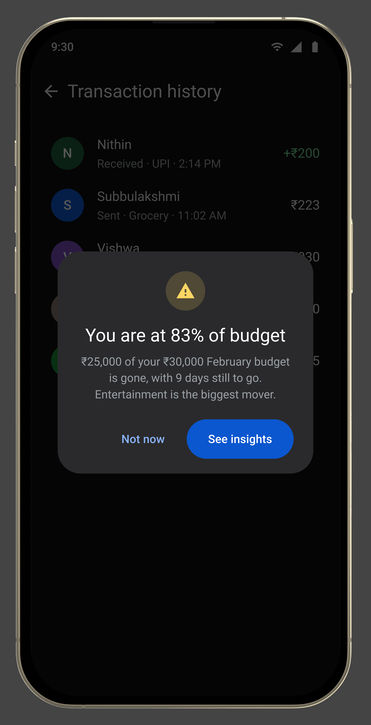
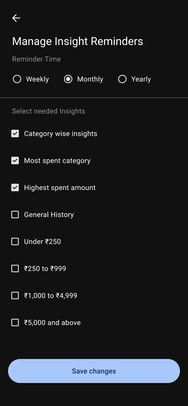
Weekly and monthly summaries
A short reading at an interval the user sets, enough to notice a pattern before the balance does.
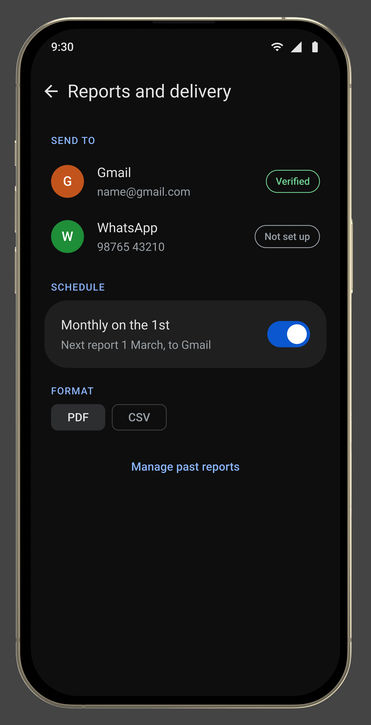
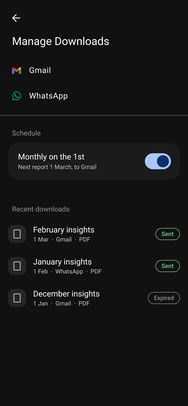
Reports that leave the app
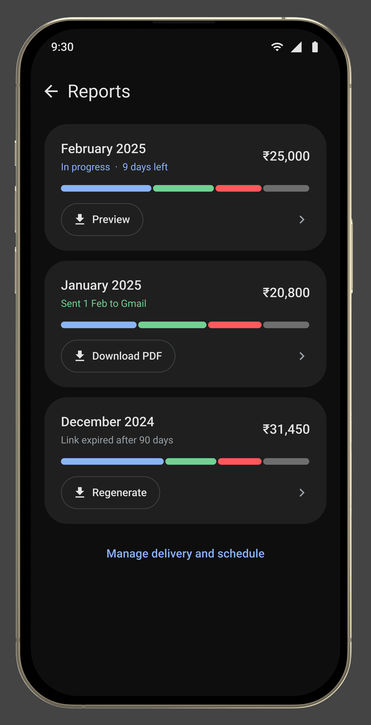
Any period, as a readable report, sent through Gmail or WhatsApp.
The calls
Three decisions inside the feature, and what each one costs
01
Where does the month’s reading live?
Ruled outA budget bar on Home
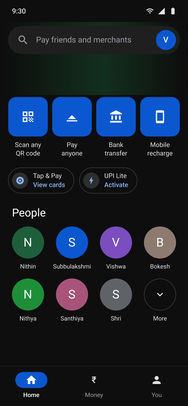
The month’s total on the screen people open to pay.
ShippedInsights under Money
And the one moment it is wanted mid-payment, the confirmation screen, shows it there.
WhyThe two tabs answer questions at different speeds. Home is “send this person money”, several times a day, in a hurry. “How is this month going” is asked deliberately, and rarely.
What it costsOne more tap to see the month, and a reading that only works for someone who goes looking for it.
02
How is a payment’s category decided?
Ruled outInferred silently
The app guesses and files the payment without saying so.
ShippedMerchant, then history, then the tap
The tap on the payment sheet records this payment and teaches the first two. Every category stays editable.
WhyA silent guess that is wrong poisons the month’s reading, and nobody trusts a total they cannot correct.
What it costsUntil the app has learned, many payments need a tap. If merchant inference stays weak, every payment needs one, and the feature becomes what it replaced: the riskiest assumption here.
03
What about money spent outside UPI?
Ruled outEstimate a full total
A month that looks complete, with cash and cards guessed in.
ShippedOut of scope, and labelled
The summary reports what passed through the app, and says so.
WhyA reading that is honest about its edges is more useful than one that quietly under-counts.
What it costsFor someone who pays partly in cash, the month is partial, and the screen has to say it.
Every screen, on one canvas
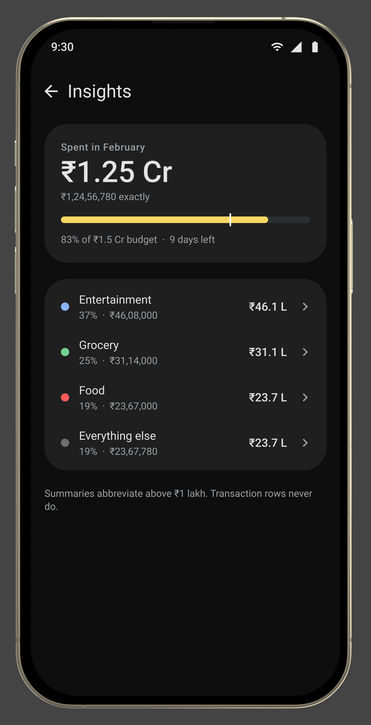
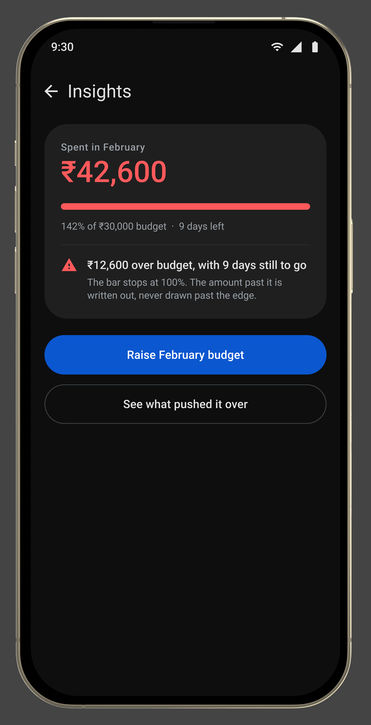
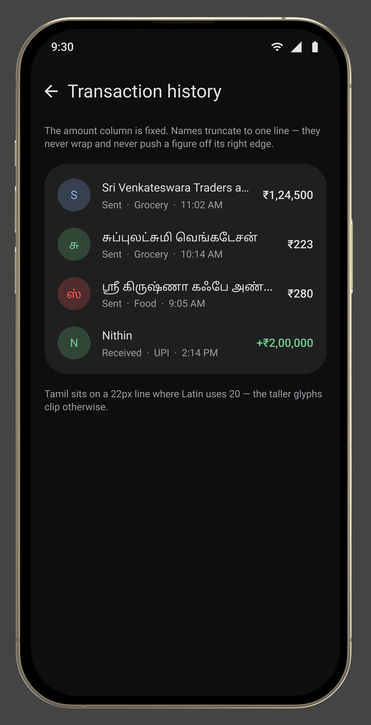
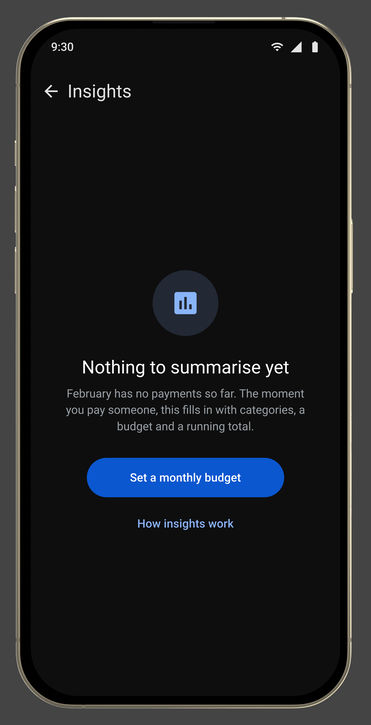
All 85: the final end-to-end screens and their mockups, the stress tests, the IA v2 sheets, the first iteration and the M3 screens sheet. Pick a group to fly to it, or press the corner button to present it full screen.
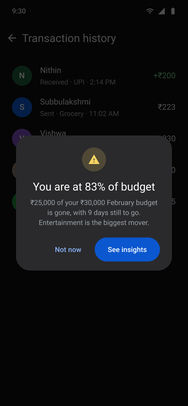
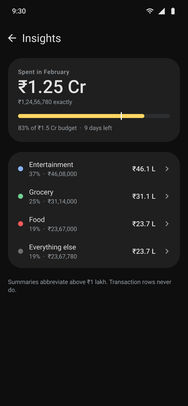
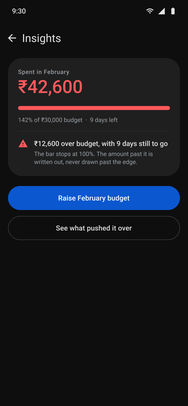
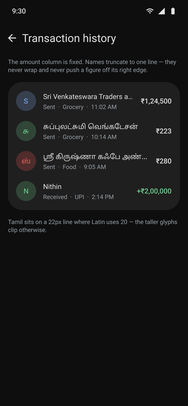
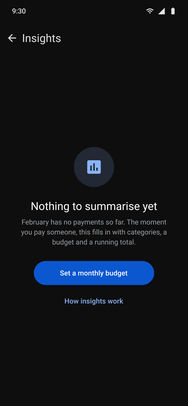
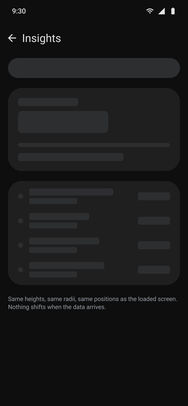
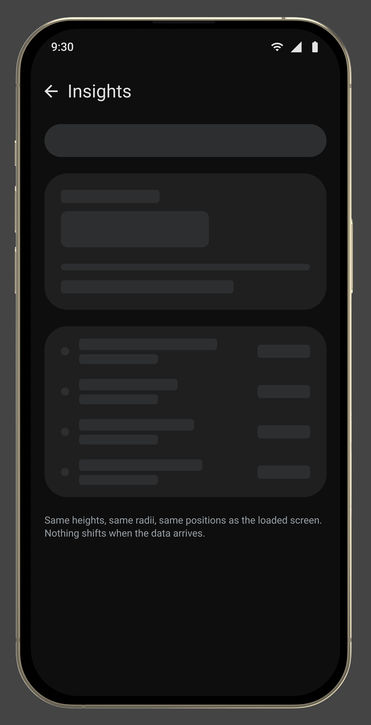
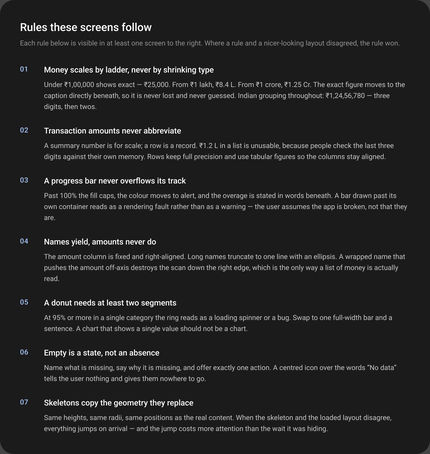
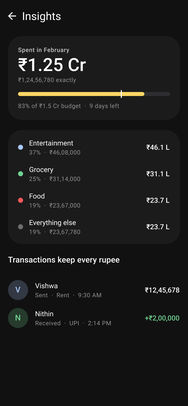
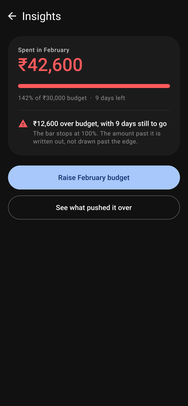
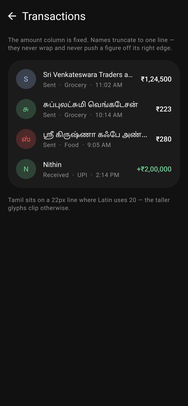
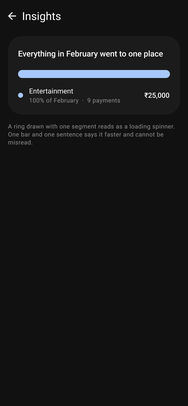
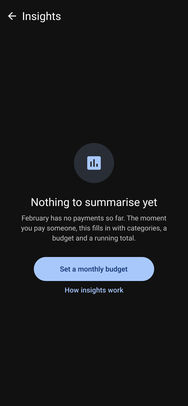
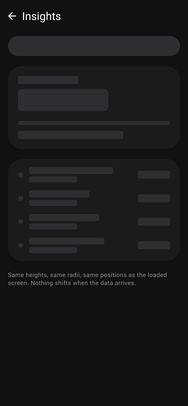
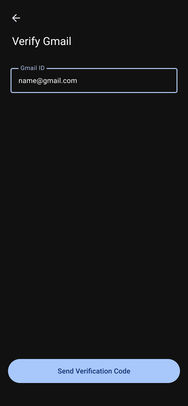
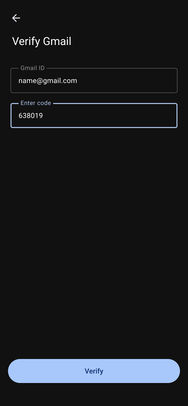
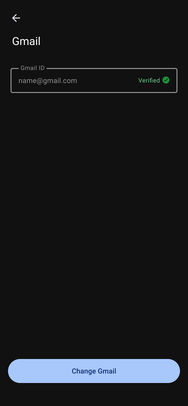
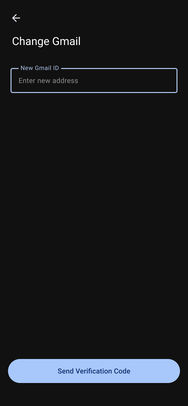
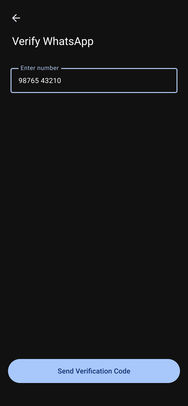
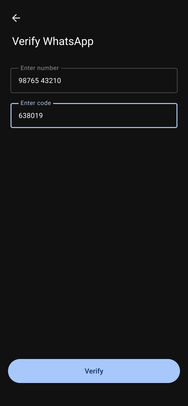
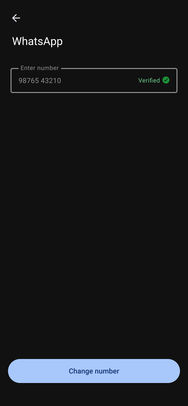
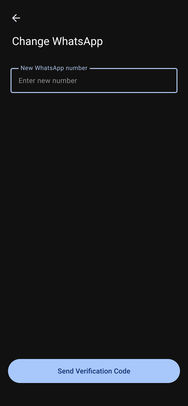
Home · tab rootPay · untaggedPay · add notePay · UPI PINPay · successMoney · tab rootInsightsActivityActivity · searchActivity · filtersReportsYou · tab rootBudget editCategoriesNew categoryAlertsReports and deliveryBudget alertState · crore scaleState · budget exceededState · long names and TamilState · empty first monthState · loading skeletonHome · tab rootPay · untaggedPay · add notePay · UPI PINPay · successMoney · tab rootInsightsActivityActivity · searchActivity · filtersReportsYou · tab rootBudget editCategoriesNew categoryAlertsReports and deliveryBudget alertState · crore scaleState · budget exceededState · long names and TamilState · empty first monthState · loading skeletonDocumentation · edge case rulesEdge · crore scaleEdge · budget exceededEdge · long names and TamilEdge · one category onlyEdge · empty first monthEdge · loading skeletonFoundations · extracted from the live appIA map · where every screen livesAudit checklistMoneyPay · untaggedPay · taggedPay · add notePay · UPI PINPay · successActivityActivity · categoryActivity · no resultsBudget alertInsightsInsights · share reportInsights · rebuiltBudget editReportsMoney settingsCategoriesNew categoryRemindersReport deliveryVerify GmailVerify Gmail with codeGmail verifiedChange GmailVerify whatsappVerify whatsapp with codeWhatsapp verifiedChange whatsappGPay - Money Management - M3 Screens
Drag to move · Ctrl + scroll or pinch to zoom · double-click a screen to focus itSwipe sideways to move · pinch to zoom · ⤢ for full screen
05The effort
I timed the payment before adding anything to it.
A counter, a printed QR code, and a real payment on the clock. Does the addition disturb the payment? That is the one real objection, and it is answerable rather than arguable.
Recorded at a counter, Bengaluru
EvidenceA UPI payment at a counter, Bengaluru
Shot on a phone, handheld, one take. Press play to watch it; the numbers it produced are below.
9.5-10.5sTo enter and payMeasured at the counter.
3-4.5sOf it after the PINThe part that cannot be spent.
1tapAdded, before the PINInside the window, not after it.
5Apps torn downEvery capability scored full, partial or absent.
~70%Named the same threeOf the people interviewed, unprompted.
11→3Labels to rootsThe first architecture had eleven names for four ideas; I threw it out for Google Pay’s own three.
23Screens, three flowsEleven are the feature, six the settings behind it, six the states the happy path would hit.
How it was checked
A concept, so no usage data. These are the checks it went through.
Check
What it found
What it changed
Interviews with 12 to 14 regular UPI users
UPI was everyone’s default. About seven in ten named the same three asks unprompted: categories, a periodic summary, a report.
The four additions, and nothing else.
A five-app teardown
Payment apps own the transaction, trackers own the insight. Nobody owns both.
Route A: build it into Google Pay.
A payment, timed at a counter
9.5 to 10.5 s to enter and pay, 3 to 4.5 s of it after the PIN.
One optional tap, before the PIN, inside that window.
Stress tests
Crore-scale amounts, over budget, long names and Tamil, one category only, an empty first month, loading.
Each drawn as its own state before the happy path was called done.
An audit against Google Pay’s own foundations
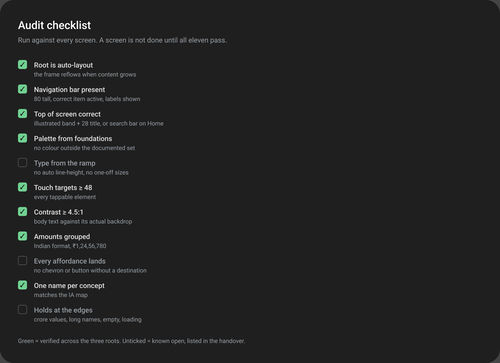
11 checks: 8 verified, 3 left open (type from the ramp, every affordance lands, holds at the edges).
The three open items listed in the handover, not hidden.
06Outcome
A concept, with its holes named.
A concept study, not a shipped feature. What it produced, and what I would test before anyone builds it:
1
One addition to paying: a chip row before the PIN, argued against a measured payment.
2
23 screens and three flows, one per root, with six edge states: crore scale, over budget, Tamil, empty, loading and the alert.
3
The riskiest assumption named: if merchant inference is weak, every payment needs a tap and the feature becomes what it replaced.
4
The largest hole named too: privacy. On-device categorisation is the obvious answer, and I have not costed it.
The call I would defend: timing the payment before adding anything to it. It turned the one real objection into a number.
Looking back
What I would do again, and what I would change
Again
Measure the objection before designing around it. The timed payment settled “will it slow paying down?” with a number.
Live inside the host’s own structure. Throwing out the first architecture for Google Pay’s three roots is what made the concept believable.
Differently
Keep an exact log. Around 12 to 14 interviews and “about seven in ten” are honest, but a log of who said what would make both an exact number.
Test merchant inference first. It is the assumption the whole feature stands on, and it could be checked against real statements before another screen was drawn.
 Google Pay
 PhonePe
 Paytm
Paytm CRED
CRED Money Manager